With the explosion of Data Centers, possibly the epitome of “the cloud”, it’s interesting to look back at what got us here.
Below is a clean, chronological, carrier-grade explanation of Frame Relay, T1, T3 — and everything faster, focused on how WANs actually evolved, how they were sold, and why each generation replaced the previous one.
1) T-Carriers (The Digital Bedrock)
T1 (DS1)
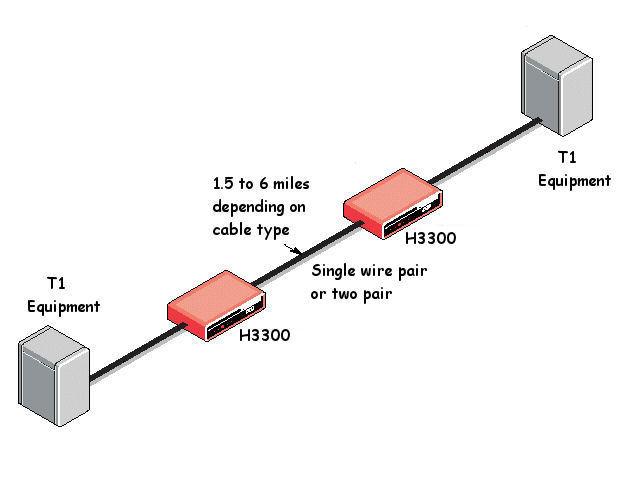
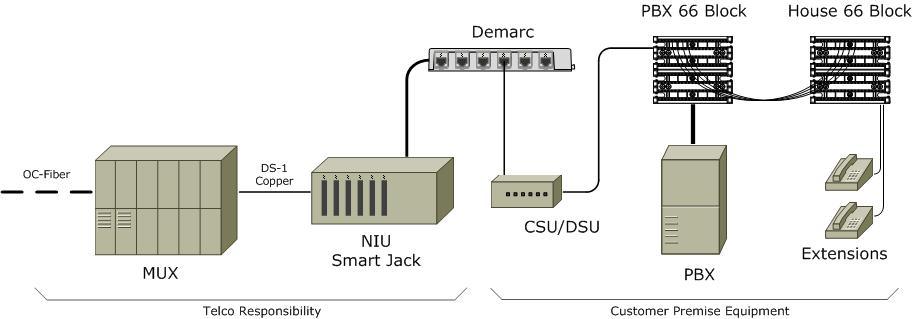

Era: 1960s → 2000s
Speed: 1.544 Mbps
Structure:
- 24 time slots × 64 kbps (voice-sized channels)
- Circuit-switched, always-on
- Copper pairs (later fiber)
Used for:
- Telephone trunks
- Early internet access
- Bank branches, government offices
- PBX backhaul
Key traits:
- Extremely reliable
- Very expensive per Mbps
- No flexibility — you pay for the full circuit whether you use it or not
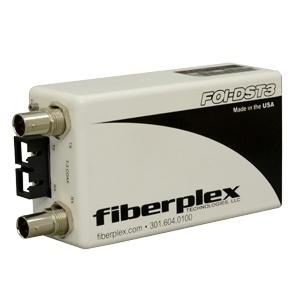
T3 (DS3)
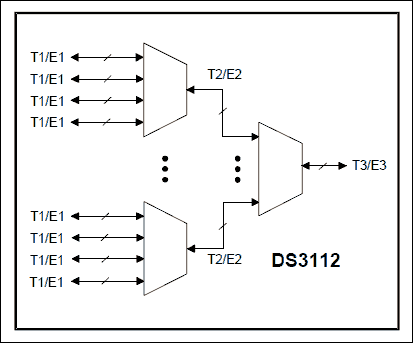
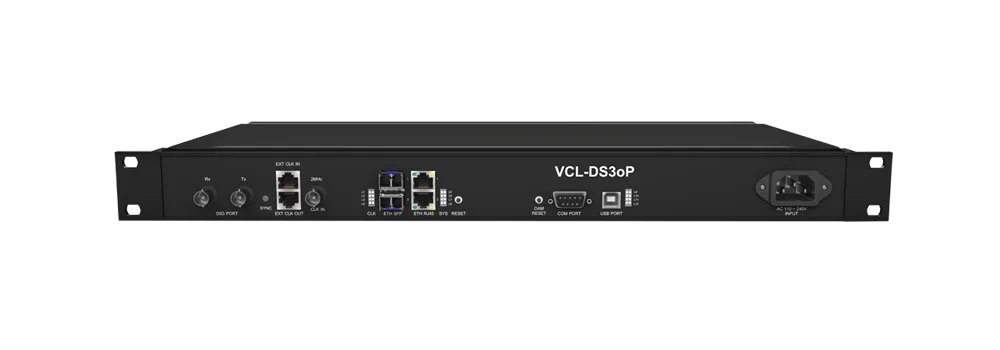
Era: 1980s → early 2000s
Speed: 44.736 Mbps
Structure:
- 28 × T1s multiplexed together
- Typically delivered over fiber or thick coax
Used for:
- ISP backbones
- Data centers
- Large enterprise WAN hubs
Problem:
- Still circuit-switched
- Still expensive
- Still rigid
This rigidity is exactly why Frame Relay appeared.
2) Frame Relay (The First “Modern” WAN)

Era: Early 1990s → mid-2000s
Speed:
- 56 kbps → T1 → T3 (same physical lines, smarter usage)
What changed:
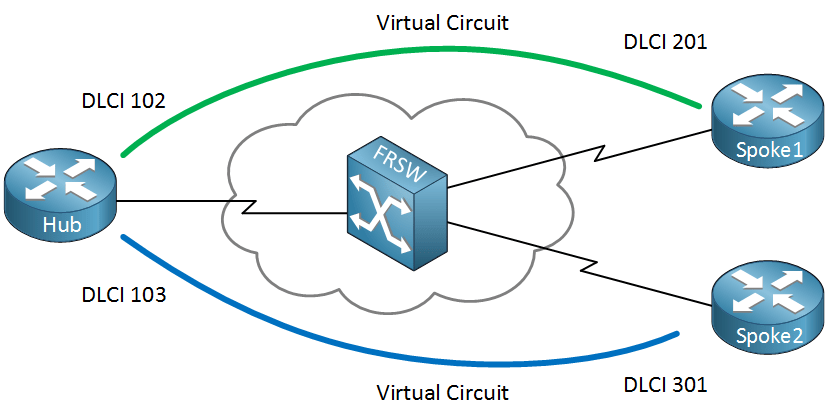
- Packet-switched, not circuit-switched
- Uses virtual circuits (DLCIs)
- Bandwidth shared across customers
- Carrier assumes low error rates (no heavy error correction)
Key terms:
- PVC (Permanent Virtual Circuit)
- CIR (Committed Information Rate)
- Bursting above CIR when network is idle
Why it mattered:
- Dramatically cheaper than leased lines
- More efficient for data traffic
- Enabled hub-and-spoke enterprise WANs
Why it died:
- No QoS guarantees for real-time traffic
- No encryption
- Replaced by MPLS
3) ATM (Asynchronous Transfer Mode) – The Forgotten Giant

Era: 1990s
Speeds:
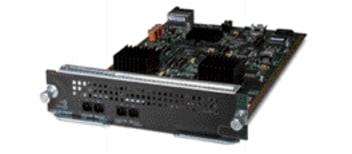
- OC-3: 155 Mbps
- OC-12: 622 Mbps
- OC-48: 2.5 Gbps
Design:
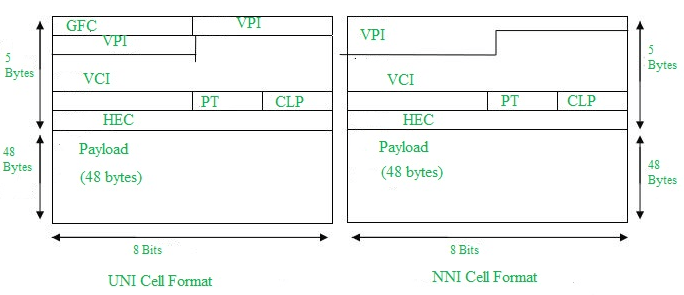
- Fixed 53-byte cells
- Designed for voice, video, and data simultaneously
- Extremely deterministic latency
Why it failed:
- Too complex
- Too expensive
- Ethernet kept getting faster
ATM quietly underpinned DSL, SONET, and early carrier cores, then vanished from marketing.
4) Ethernet Takes Over the WAN

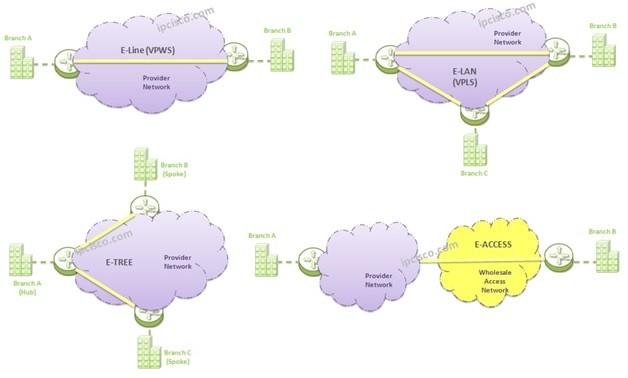
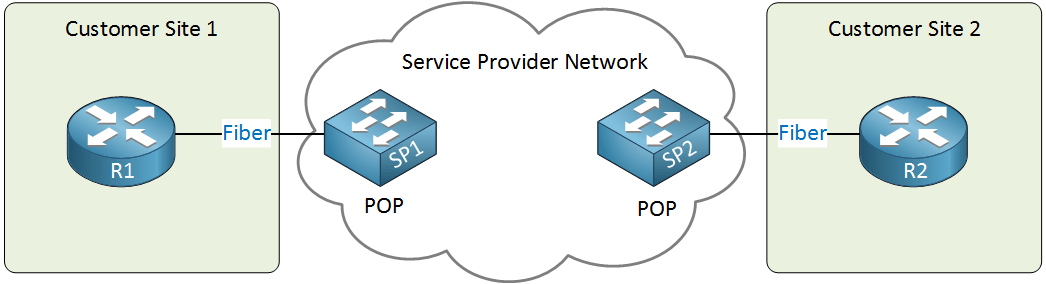
Metro Ethernet / Carrier Ethernet
Era: Mid-2000s → present
Speeds:
- 10 Mbps → 100 Gbps+
Services:
- E-Line (point-to-point)
- E-LAN (multipoint)
- E-Tree (hub-and-spoke)
Why it won:
- Same tech as LANs
- Cheap hardware
- Scales infinitely
- Simple to provision
Ethernet killed T-carriers, Frame Relay, and ATM.
5) MPLS (Carrier Control Plane)
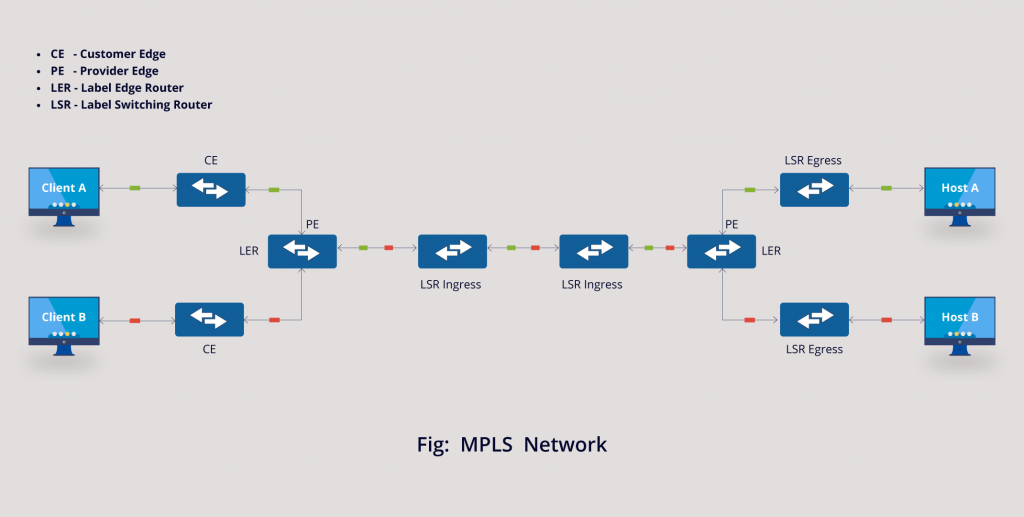
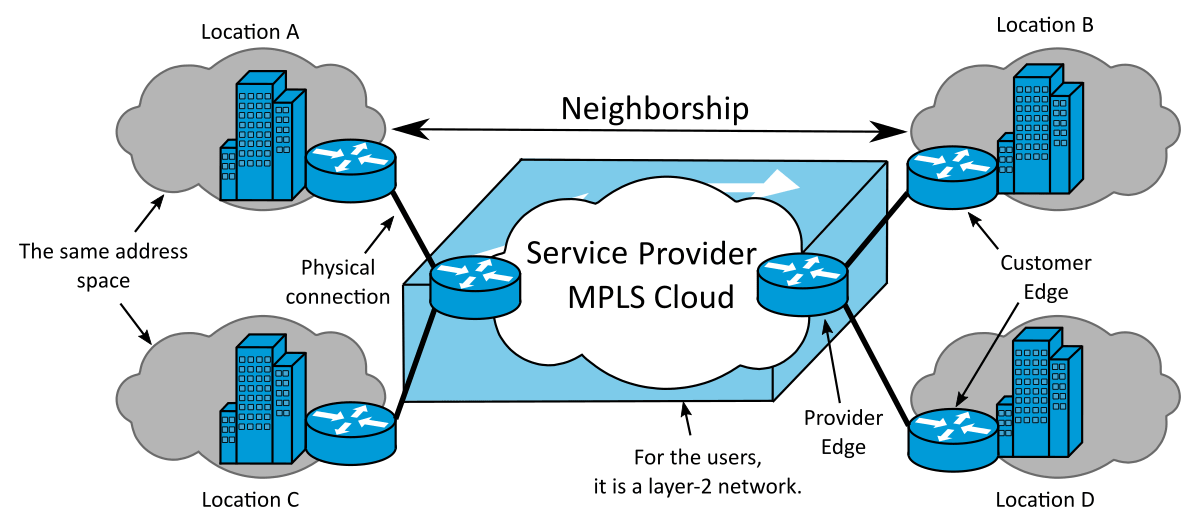
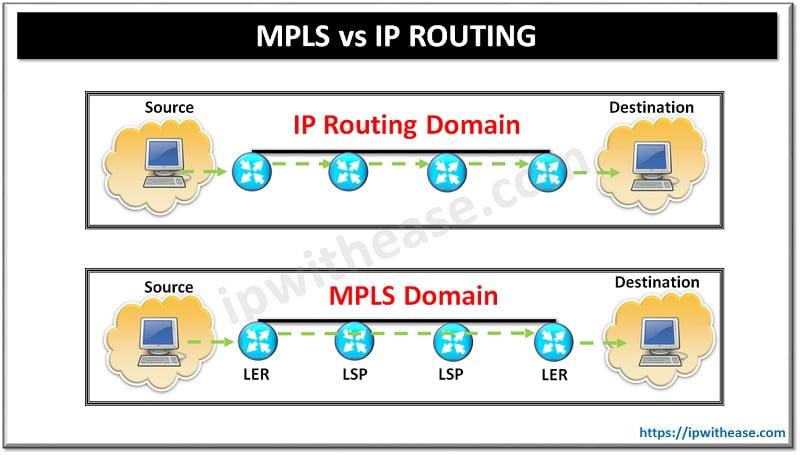
Era: 2000s → present (declining)
Speed: Any underlying medium
What MPLS really is:
- Label-switched paths inside carrier networks
- Traffic engineering
- QoS guarantees
- VPN isolation
Why enterprises loved it:
- Predictable latency
- Voice/video prioritization
- SLA-backed uptime
Why it’s declining:
- Very expensive
- SD-WAN + encrypted internet links replaced it
6) Optical Transport (SONET → DWDM)
SONET / SDH
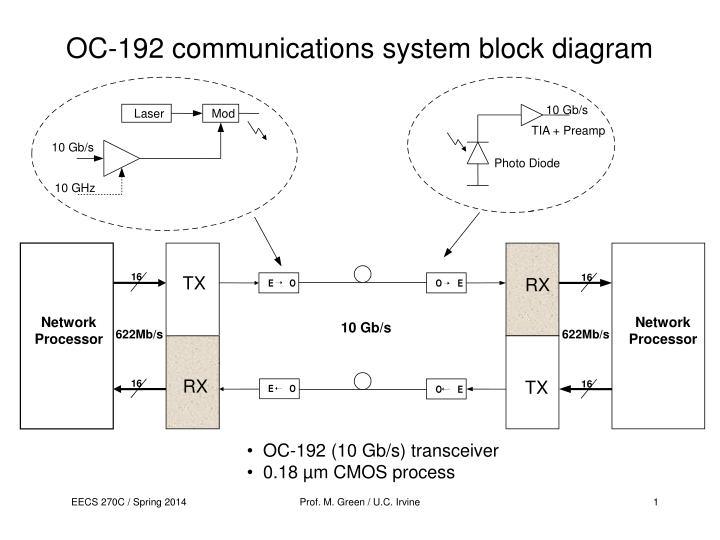
- OC-3 → OC-192 (155 Mbps → 10 Gbps)
- Rigid framing
- Telecom-centric
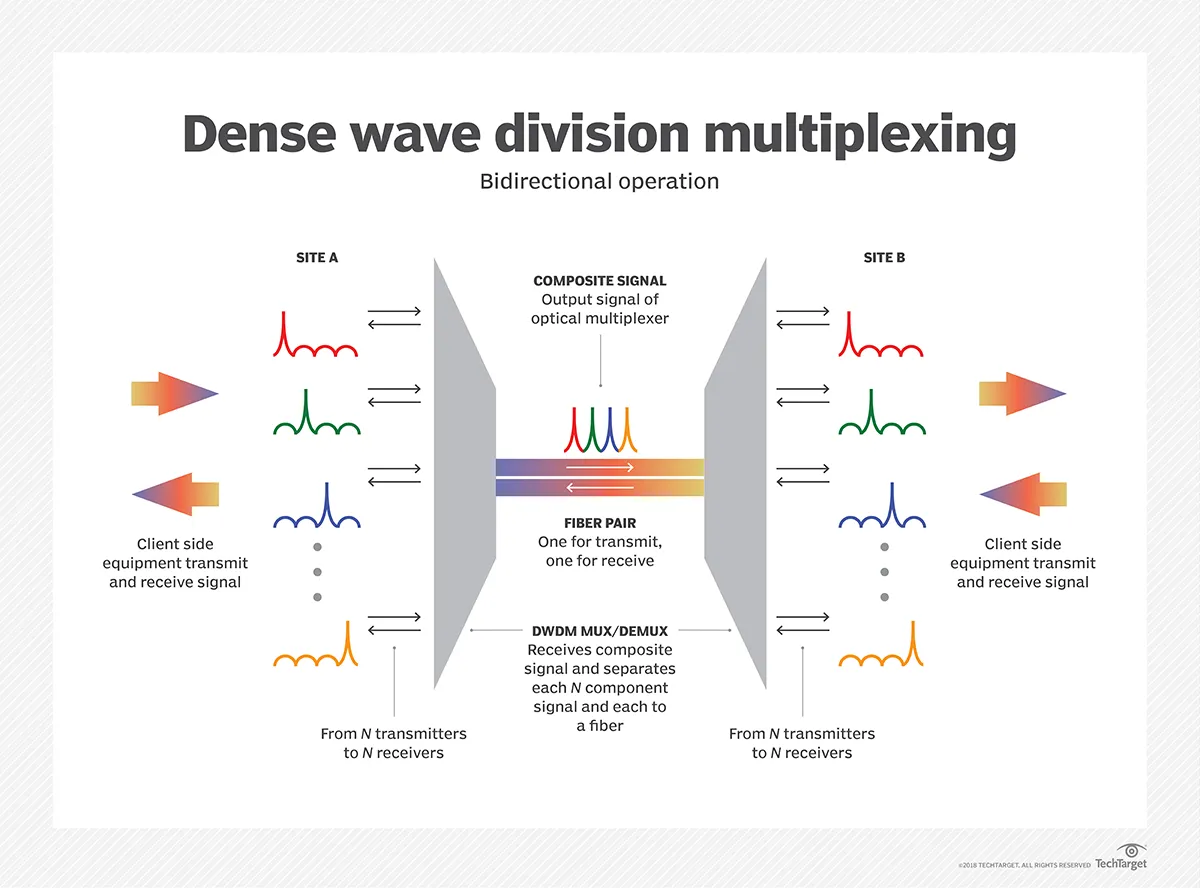
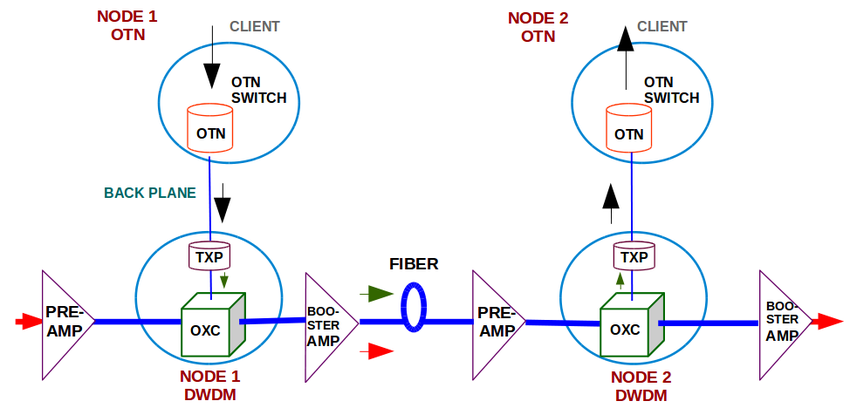
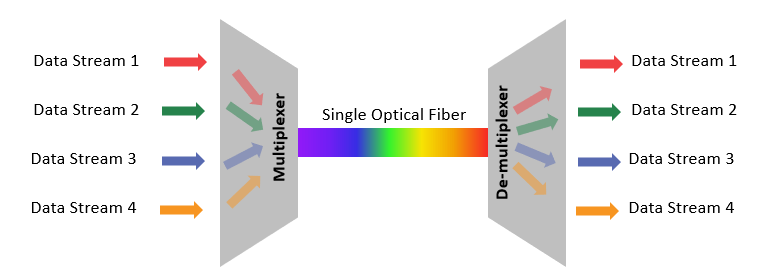
DWDM (Dense Wavelength Division Multiplexing)
- 100+ wavelengths per fiber
- Each wavelength = 10 / 40 / 100 / 400 Gbps
- Terabits per second per strand
This is the real internet backbone.
7) Modern “Faster Than Everything” (Today)

Today’s Reality
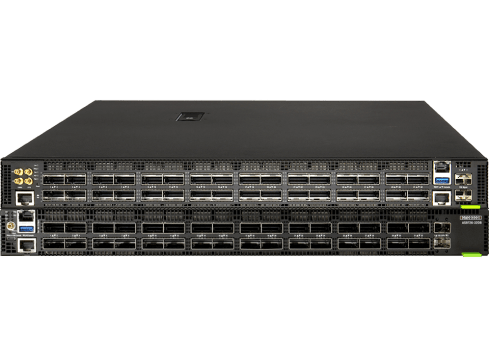
- 400G Ethernet common in data centers
- 800G shipping now
- 1.6T optical standards emerging
- Single fiber pair can exceed 50 Tbps
Enterprise WAN Today
- DIA (Dedicated Internet Access)
- SD-WAN overlays
- IPsec / WireGuard encryption
- Multiple cheap links instead of one expensive one
8) Summary Table (Evolution at a Glance)
| Era | Tech | Speed | Switching | Status |
|---|---|---|---|---|
| 1960s | T1 | 1.5 Mbps | Circuit | Obsolete |
| 1980s | T3 | 45 Mbps | Circuit | Obsolete |
| 1990s | Frame Relay | Variable | Packet | Dead |
| 1990s | ATM | 155 Mbps+ | Cell | Dead |
| 2000s | MPLS | Any | Label | Declining |
| 2000s+ | Ethernet WAN | 10M → 100G+ | Packet | Dominant |
| Today | DWDM | Tbps | Optical | Backbone |
One-Sentence Truth
T1 and T3 sold guaranteed bandwidth, Frame Relay sold efficiency, MPLS sold control — and Ethernet + fiber eventually destroyed all of them by being cheaper, faster, and simpler.
If you want, next I can:
- Map this to data centers
- Explain why telcos resisted Ethernet
- Compare Frame Relay vs MPLS vs SD-WAN
- Show how fiber color codes & conduits tie into this evolution
Below is a single, unified explanation that ties WAN history directly into data centers, explains why telcos fought Ethernet, compares Frame Relay vs MPLS vs SD-WAN, and connects fiber color codes & conduits to this evolution—from copper to hyperscale optics.
1) Mapping WAN Evolution to Data Centers
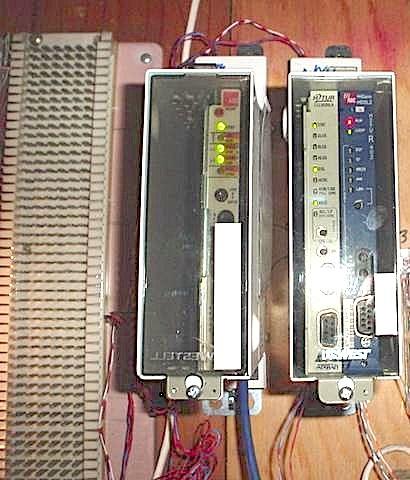
Early Data Centers (1970s–1990s)
Connectivity
- T1 (1.544 Mbps) for branch → HQ
- T3 (45 Mbps) for core → ISP
- Everything circuit-switched
Architecture
- Mainframe or minicomputer
- Centralized compute
- Terminals and leased lines
Economic reality
- Bandwidth extremely scarce
- Compute centralized because links were slow
Frame Relay / ATM Era (1990s)
Connectivity
- Frame Relay PVCs between sites
- ATM OC-3/OC-12 inside carrier cores
- Hub-and-spoke WANs
Architecture
- Client-server
- First real “data centers”
- Still centralized, but more distributed than before
Key shift
- Data becomes bursty
- Always-on circuits no longer make sense
MPLS Era (2000s–2010s)
Connectivity
- MPLS VPNs between data centers
- QoS for voice/video
- Carrier-managed routing
Architecture
- Tier-1 / Tier-2 data centers
- Disaster recovery sites
- Early virtualization (VMware era)
Key shift
- Applications move between sites
- Latency and predictability become critical
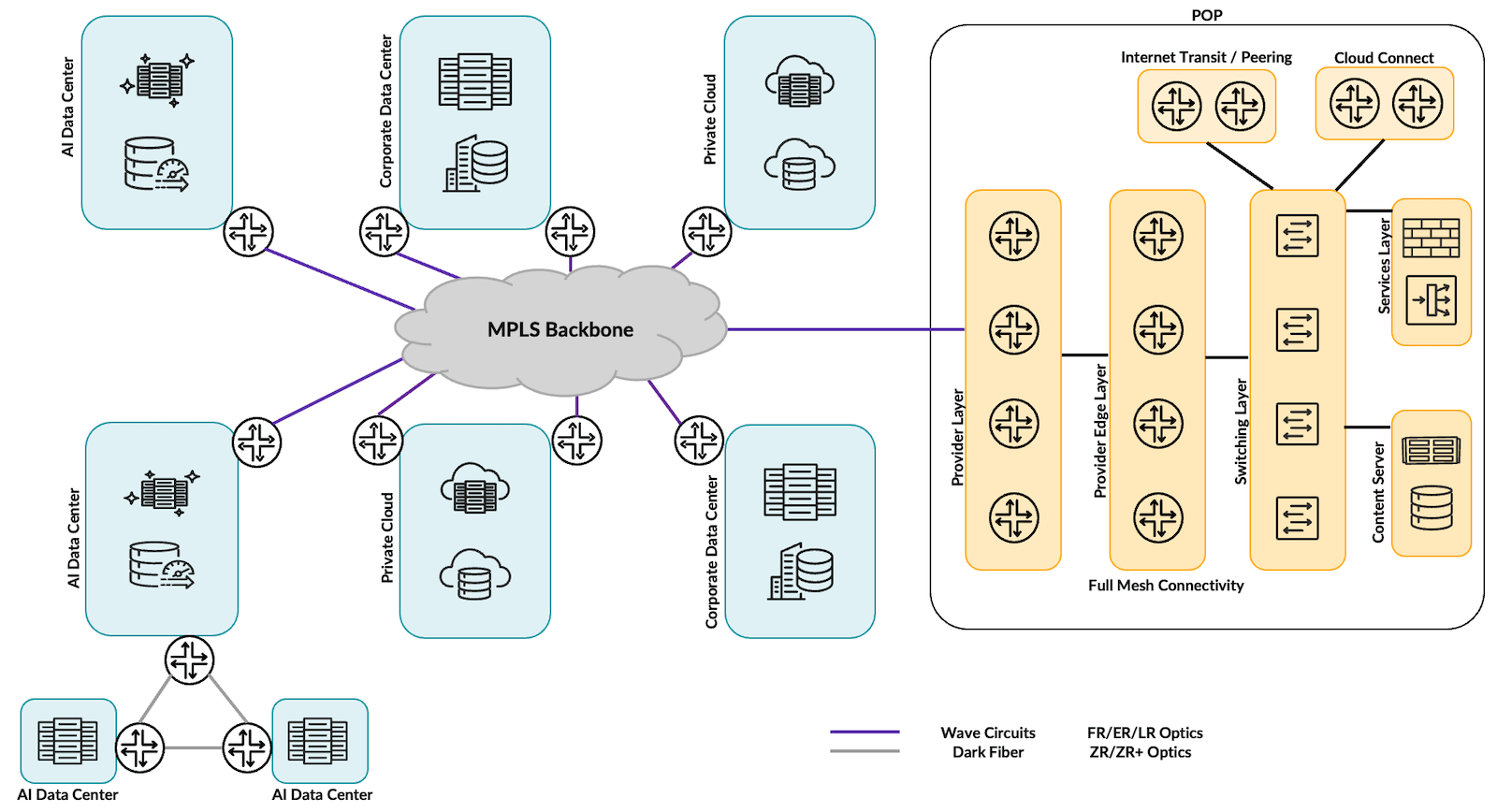
Modern Hyperscale / Cloud Era (2015–Present)
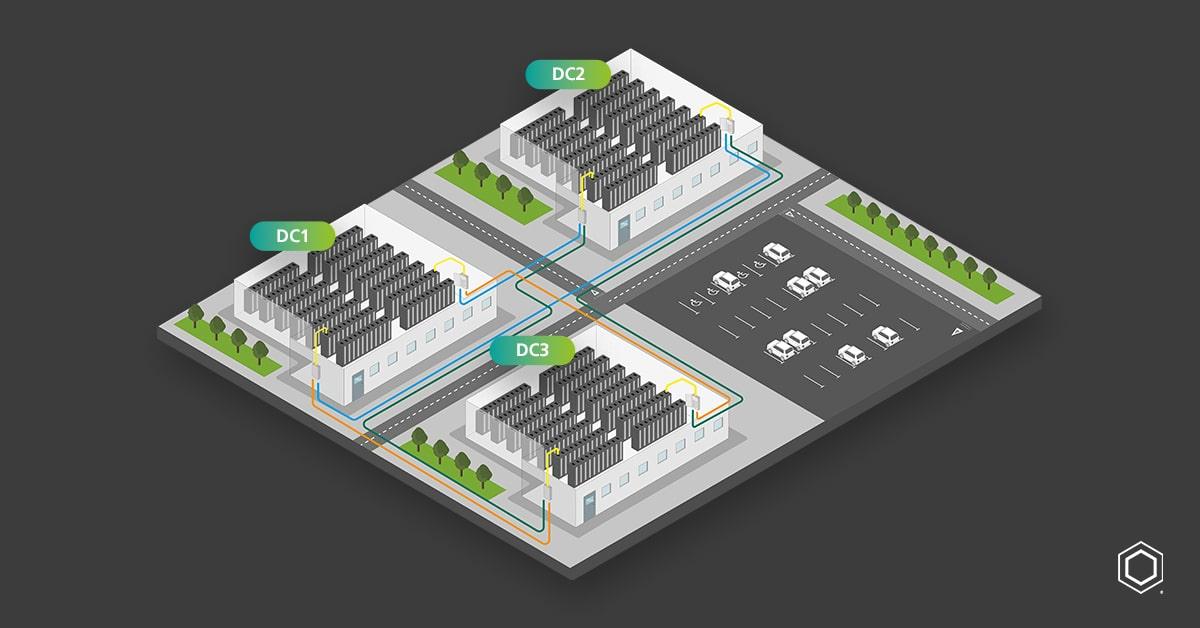

Connectivity
- Metro Ethernet
- Dark fiber
- DWDM
- 100G / 400G / 800G Ethernet
Architecture
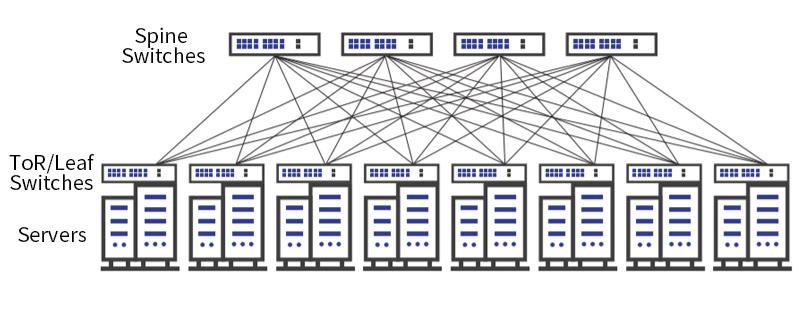
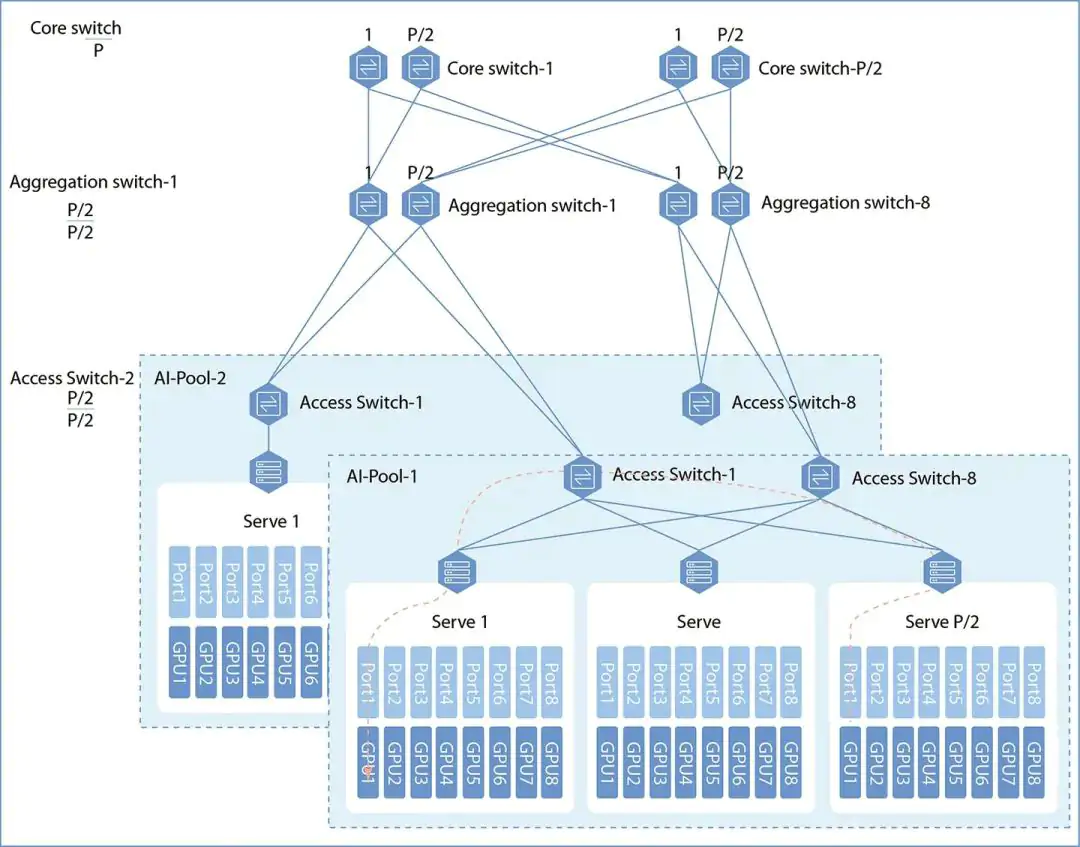
- Spine-leaf fabrics
- East-west traffic dominates
- Many smaller data centers instead of one big one
Key truth
The WAN is no longer the edge — the data center fabric is the network.
2) Why Telcos Resisted Ethernet (Hard)
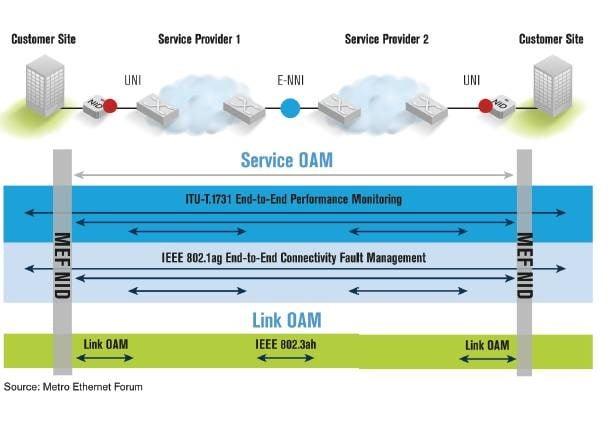

Telcos Lived on Scarcity
- T1s and T3s were priced like utilities
- Billing was per circuit, per mile, per month
- Ethernet threatened flat-rate bandwidth
Ethernet Broke the Business Model
| Telco World | Ethernet World |
|---|---|
| Metered | Flat-rate |
| Circuit IDs | MAC addresses |
| Provisioned in weeks | Provisioned in hours |
| Proprietary hardware | Commodity switches |
Cultural Resistance
- Telcos trained engineers for voice
- Ethernet came from enterprise IT
- SONET/ATM were “carrier-grade”
- Ethernet was considered “toy LAN tech”
The Inevitable Outcome
Telcos eventually:
- Wrapped Ethernet in MPLS
- Rebranded it as “Carrier Ethernet”
- Lost margin anyway
3) Frame Relay vs MPLS vs SD-WAN (Reality Comparison)

Frame Relay
What it was
- Shared packet network
- Virtual circuits (PVCs)
- No encryption
- No real QoS
Strength
- Cheap compared to leased lines
Failure mode
- Congestion = dropped frames
- No application awareness
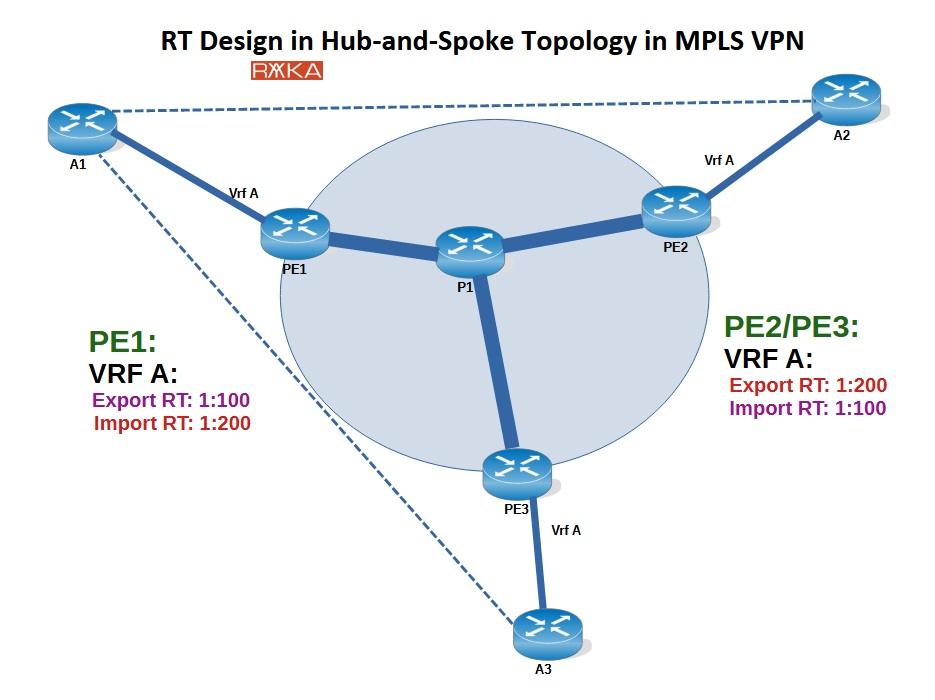
MPLS
What it is
- Label-switched paths inside carrier
- QoS, traffic engineering
- SLA-backed
Strength
- Predictable latency
- Voice/video works reliably
Failure mode
- Expensive
- Locked to carrier
- Slow to change
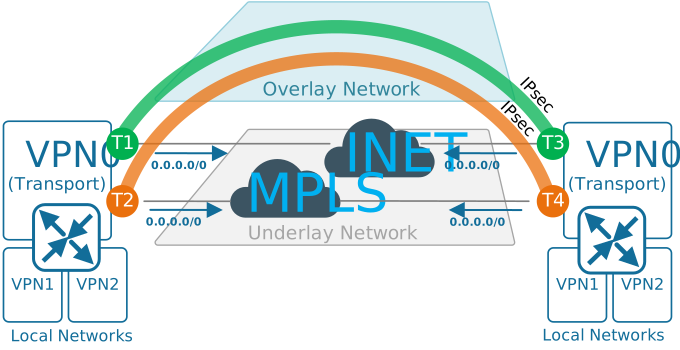
SD-WAN
What it is
- Overlay network
- Runs over internet, LTE, fiber, MPLS
- Encrypted by default
Strength
- Cheap
- App-aware routing
- Multi-link resilience
Failure mode
- Depends on internet quality
- Not deterministic like MPLS
One-Line Truth
Frame Relay optimized cost, MPLS optimized control, SD-WAN optimized freedom.
4) Fiber Color Codes & Conduits — How the Physical World Tracks the Logical One
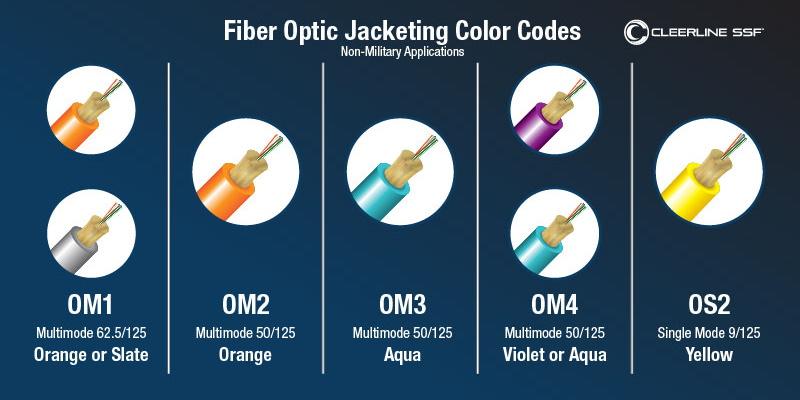
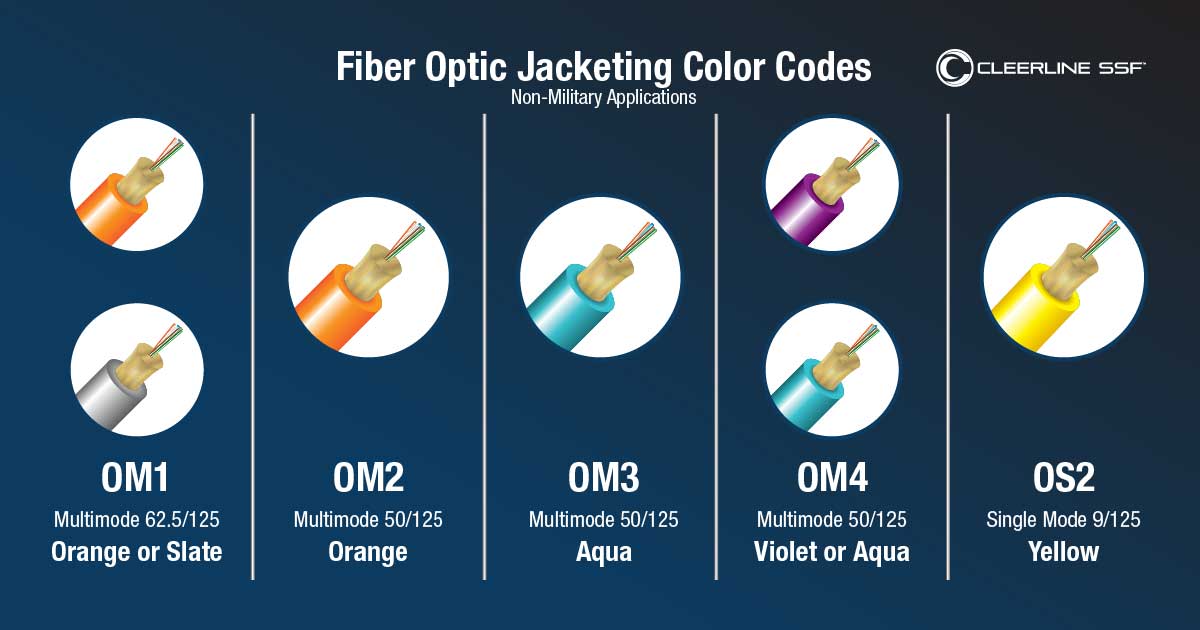
Fiber Jacket Colors (Physical Layer)
| Color | Meaning |
|---|---|
| Orange | Multimode (OM1/OM2) |
| Aqua | Multimode (OM3/OM4) |
| Lime Green | Multimode (OM5) |
| Yellow | Single-mode (OS1/OS2) |
| Blue | Single-mode patch cords |
| Black | Outdoor / armored |
Historical mapping
- Multimode = short-range LAN
- Single-mode = WAN, long-haul, telco
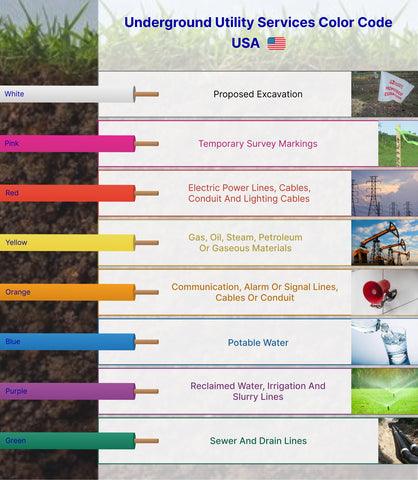
Conduit Colors (Civil Engineering Layer)
| Color | Utility |
|---|---|
| Orange | Communications (fiber, copper) |
| Blue | Potable water |
| Green | Sewer |
| Red | Power |
| Yellow | Gas |
Modern twist
- Micro-ducts inside orange conduit
- Color-coded inner tubes for ownership
- One trench → many carriers
How This Ties to WAN Evolution
- T1/T3: copper, thick conduit, few circuits
- Frame Relay/MPLS: early fiber, shared strands
- Modern WAN: dense fiber, DWDM, dark fiber leasing
- Hyperscale: own the conduit, own the fiber
5) The Big Picture (All Four Together)
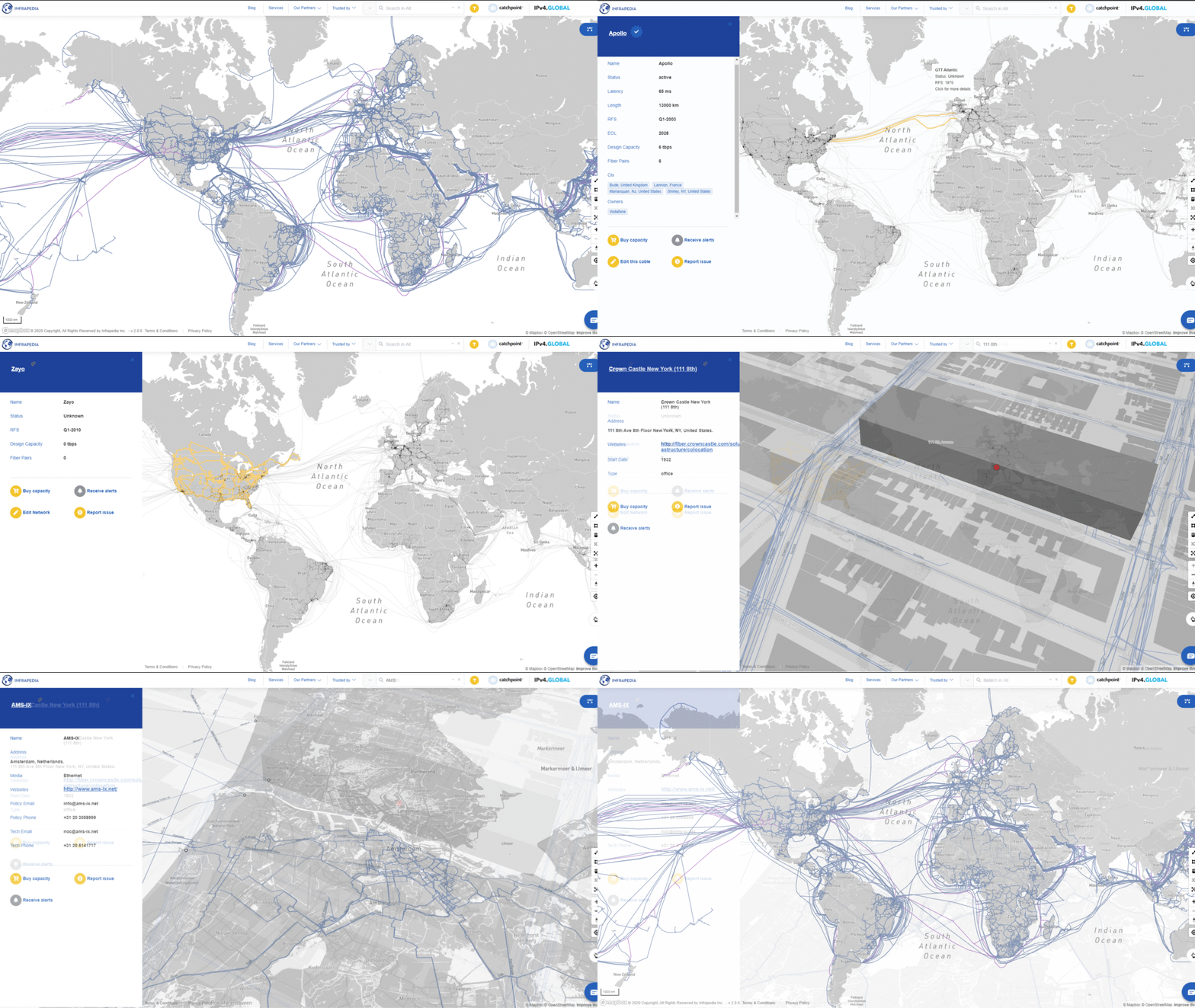
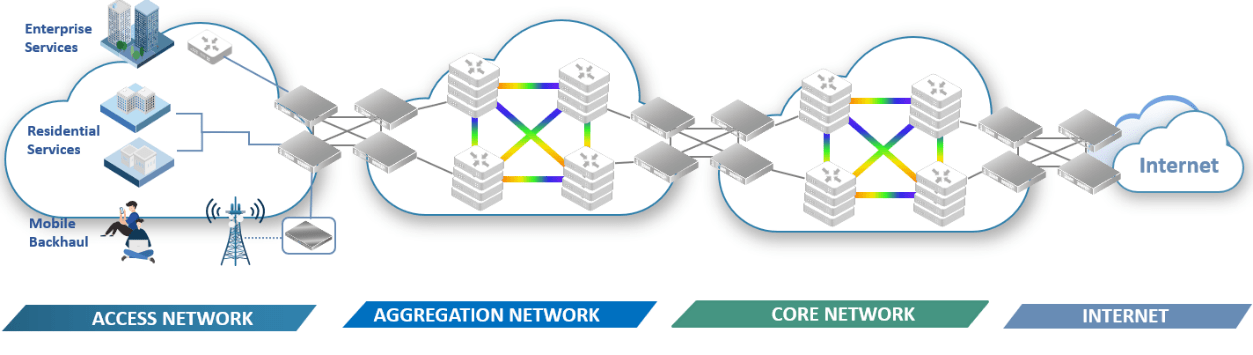
Evolution Pattern
- Scarce bandwidth → circuits
- Shared bandwidth → Frame Relay
- Controlled bandwidth → MPLS
- Abundant bandwidth → Ethernet + fiber
- Overlays everywhere → SD-WAN
Physical Truth
- Logical protocols change every decade
- Fiber in the ground lasts 40+ years
- Most “new” networks run on old glass
Final Synthesis
The history of Frame Relay, T1, and T3 is not just obsolete tech — it explains why data centers moved, why telcos lost control, why Ethernet dominates, and why fiber color codes matter more than routing protocols.
Below is a deep, end-to-end explanation of all four topics, tied together as one continuous system—from a single packet inside a data center, out through DWDM wavelengths, across subsea cables, and back into AI clusters running on repurposed telco fiber.
1) Packet-by-Packet Walkthrough of a Modern Data Center
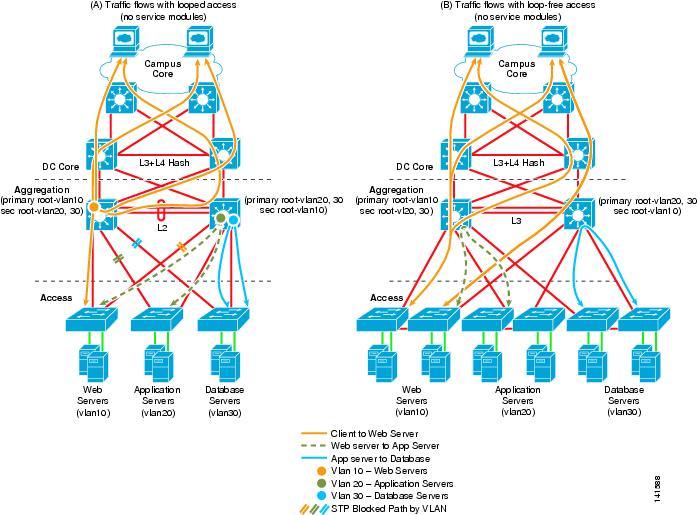
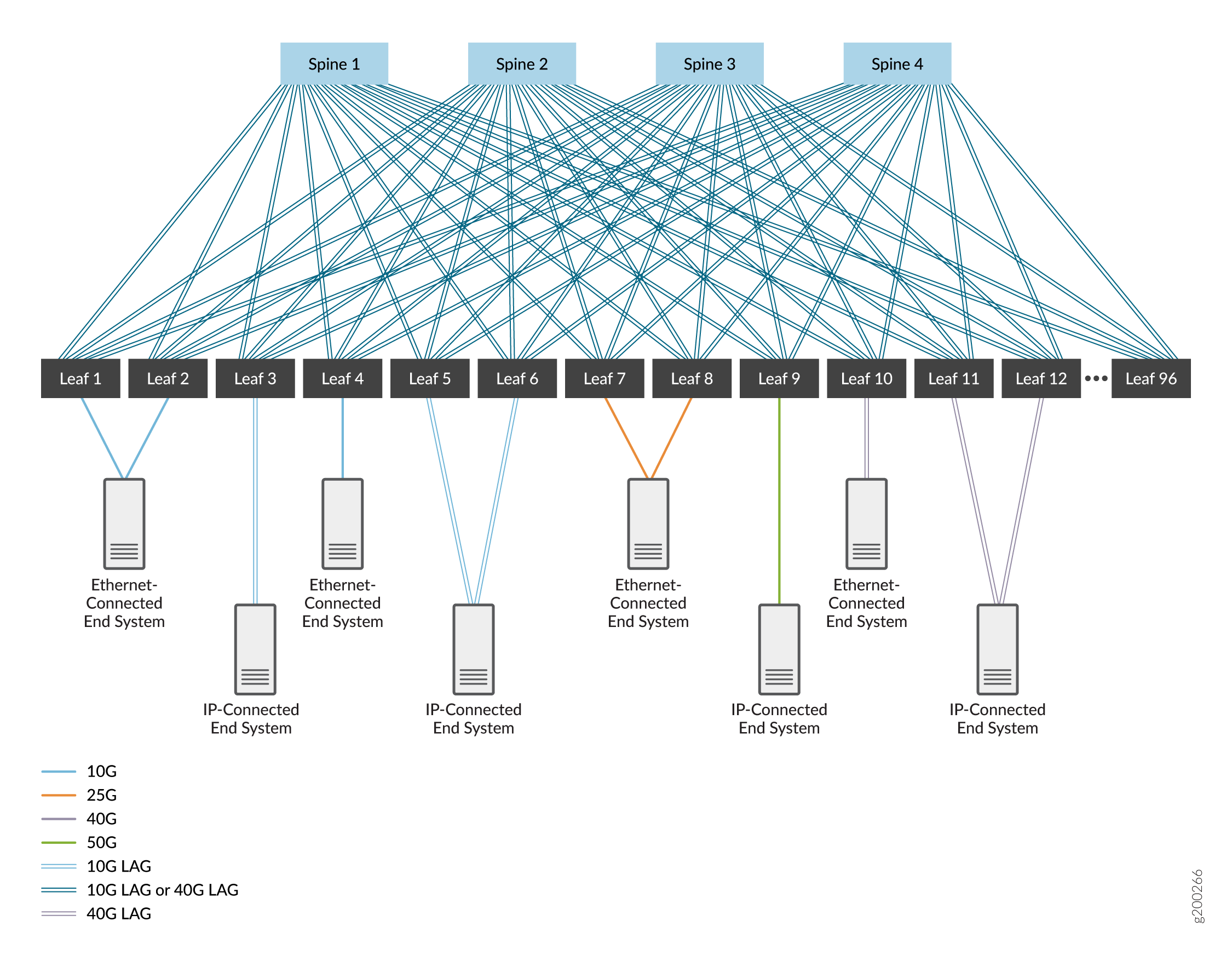
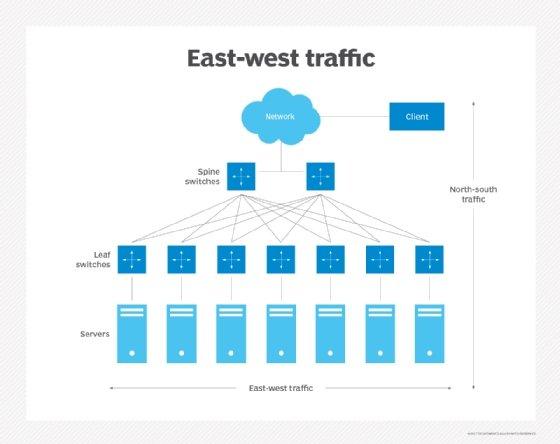
We’ll follow one packet from an application inside a VM or container.
Step 1 — Application Layer (Inside the Server)
- App generates data (HTTP, gRPC, database query, AI tensor request)
- Encapsulated as:
- L7 (HTTP/gRPC)
- L4 (TCP/UDP)
- L3 (IP)
- L2 (Ethernet)
At this point:
- MAC address = virtual NIC
- IP address = overlay (often VXLAN)
- Packet size optimized (MTU often 9000 / jumbo frames)
Step 2 — Virtual Switch (Hypervisor / SmartNIC)
- Packet hits:
- Linux bridge / OVS / DPDK / SmartNIC
- Encapsulation added:
- VXLAN / Geneve
- Outer header added:
- New MAC
- New IP (underlay)
This is where east-west traffic explodes.
Step 3 — Top-of-Rack (Leaf Switch)
- 25G / 50G / 100G Ethernet
- ECMP hashing decides path
- No spanning tree
- Pure L3 routing
Important:
Leaf switches do not know applications.
They only move packets as fast as physics allows.
Step 4 — Spine Switch
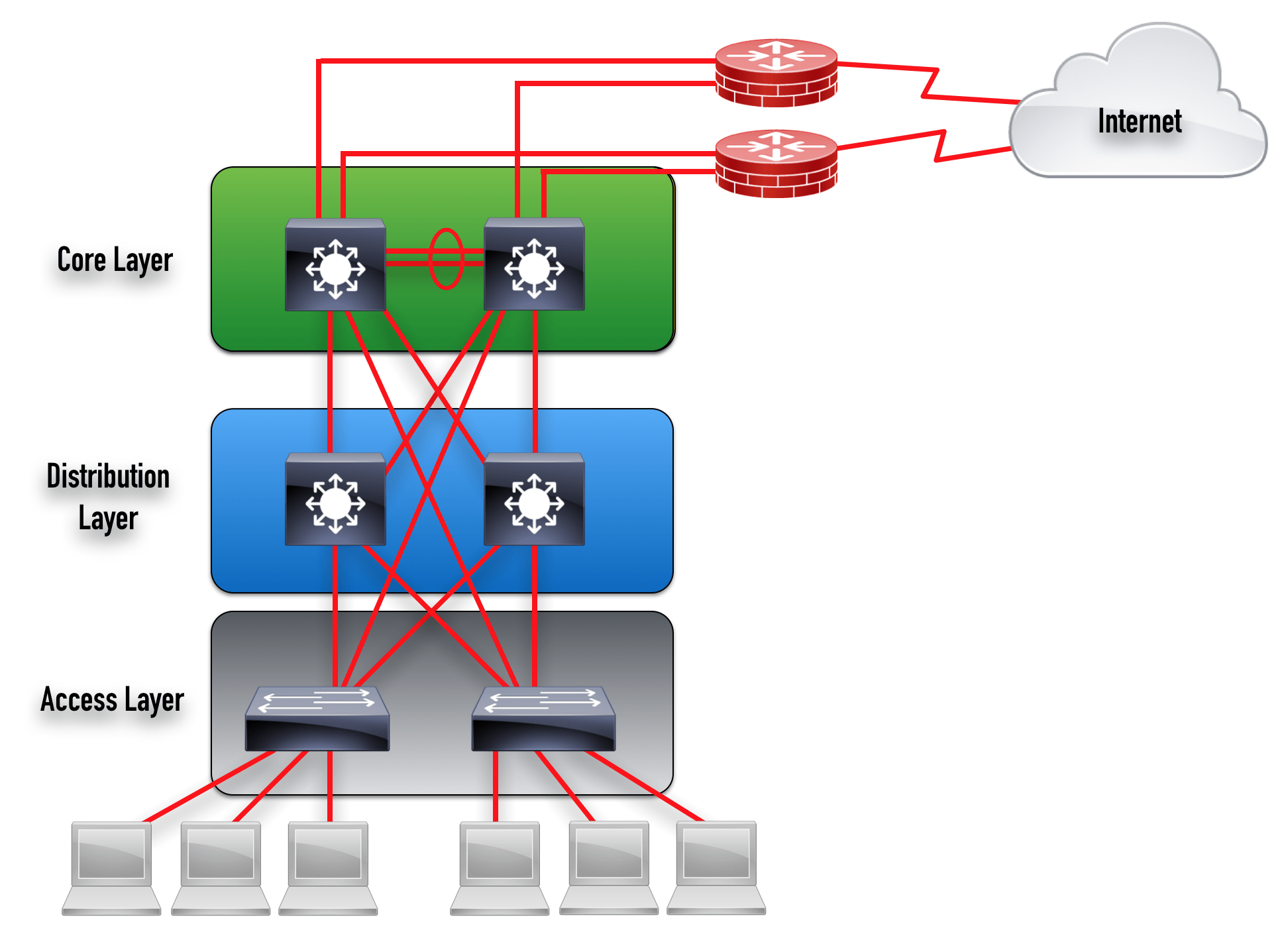
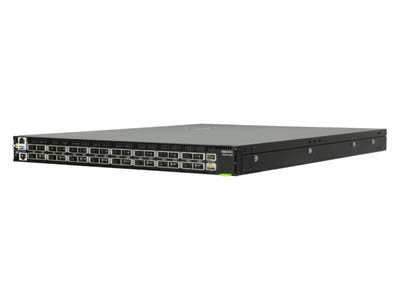

- 400G or 800G ports
- Terabits per second per chassis
- Deterministic latency (microseconds)
Every leaf connects to every spine.
This guarantees non-blocking bandwidth.
Step 5 — Destination Leaf → Server
- VXLAN decapsulated
- Packet delivered to target VM / container
- App receives data
Total round-trip latency inside a data center:
👉 ~5–50 microseconds
This speed is why data centers replaced WANs.
2) DWDM Wavelengths Explained Like IP Addresses
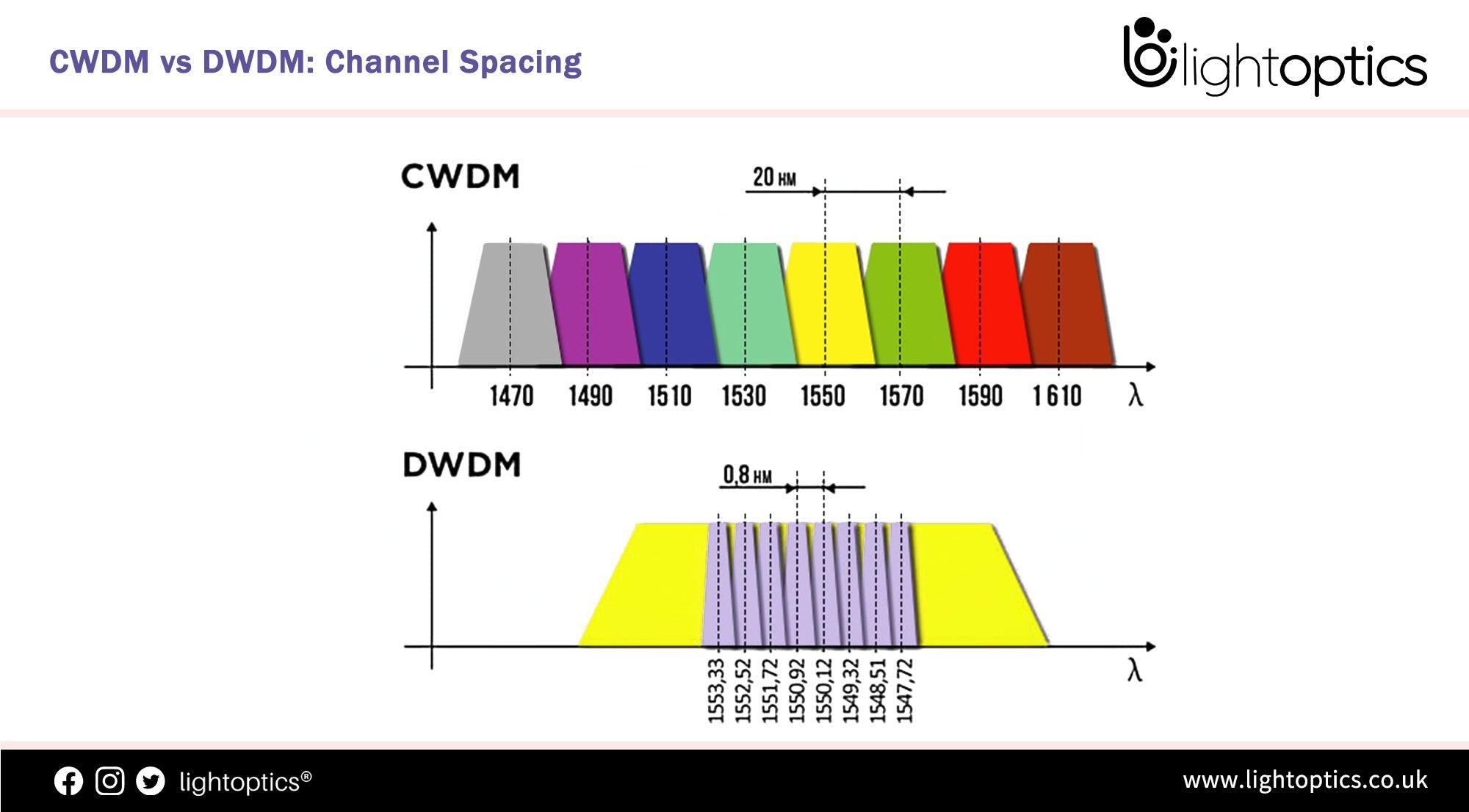
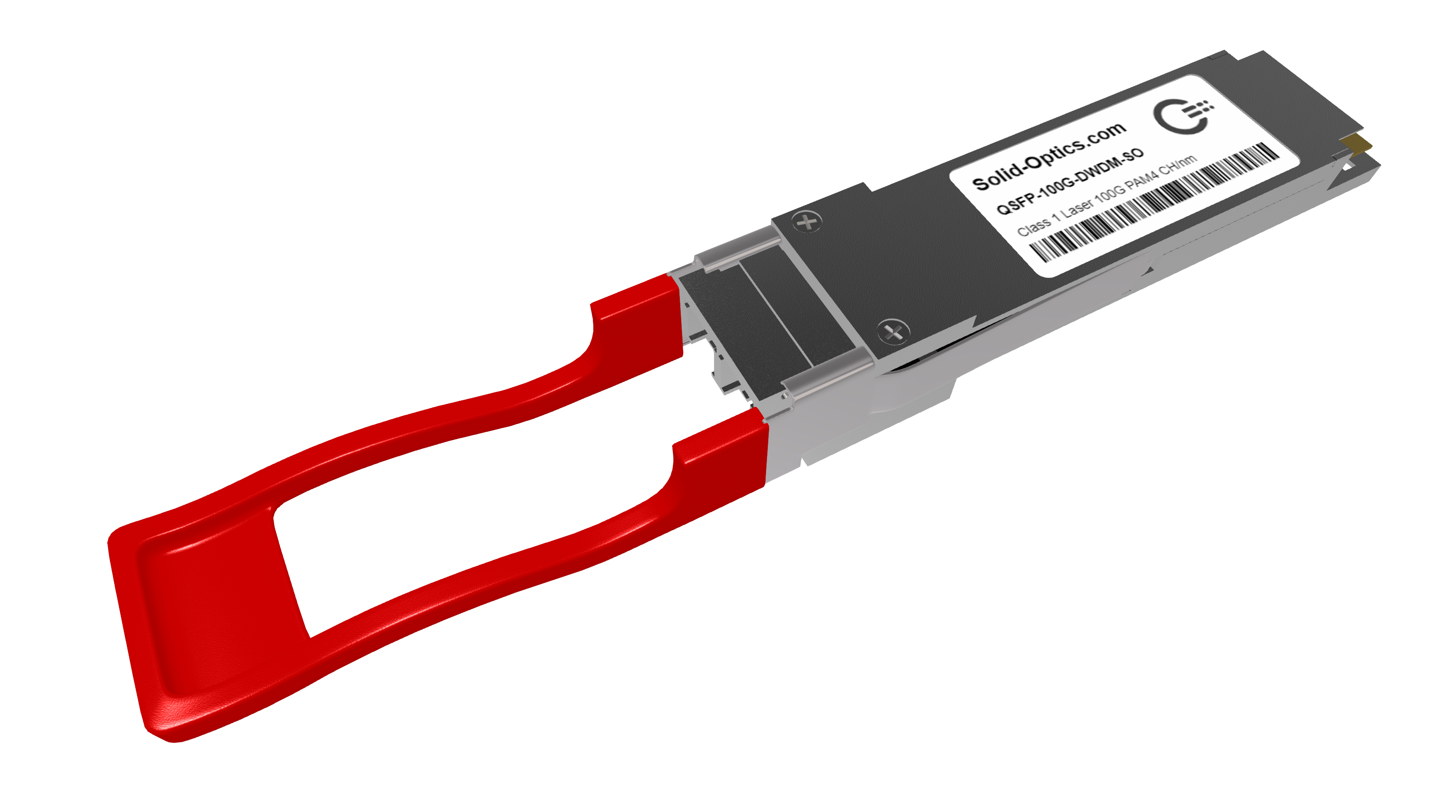
Think of fiber as a road.
Old View
- One fiber = one connection
DWDM Reality
- One fiber = hundreds of independent channels
Mapping the Analogy
| Networking | Optical |
|---|---|
| IP address | Wavelength (λ) |
| Subnet | C-band slice |
| Router | ROADM |
| Switch port | Transceiver |
| Link speed | Modulation (QPSK, QAM) |
Example
- λ-1550.12 nm → 400 Gbps
- λ-1550.92 nm → 400 Gbps
- λ-1551.72 nm → 400 Gbps
Same fiber.
Same strand.
Different “addresses.”
ROADMs = Optical Routers
- Reconfigure wavelengths remotely
- No truck roll
- No fiber cuts
- Traffic re-routed in milliseconds
This is how cloud providers move entire data centers logically without touching glass.
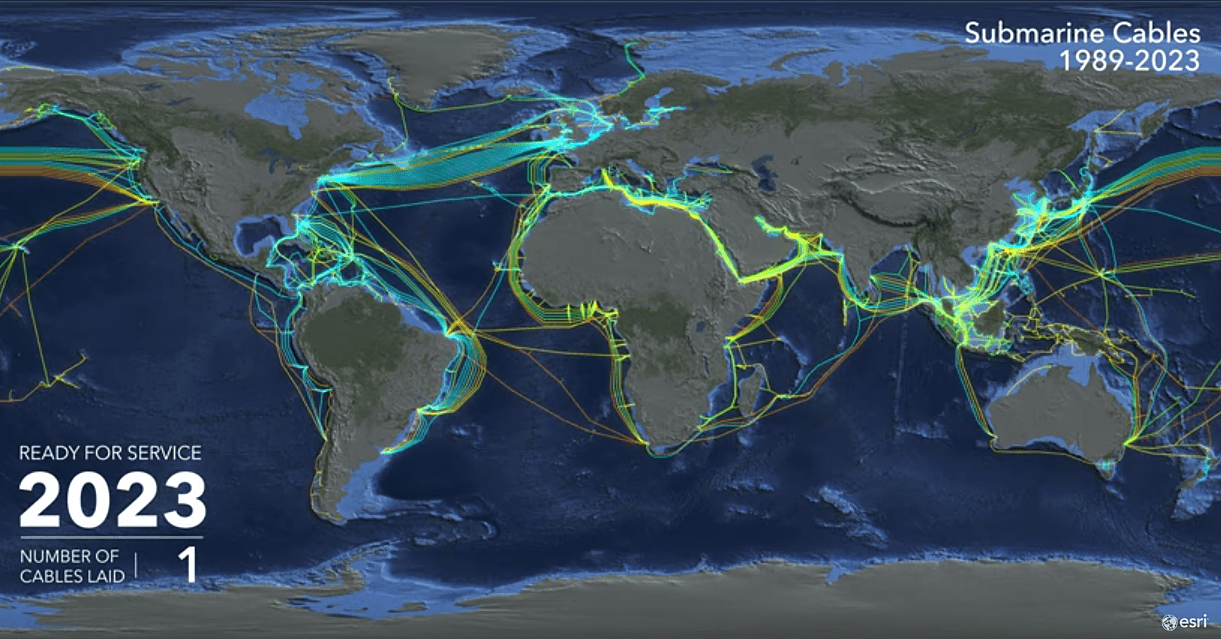
3) Subsea Cables → Cloud Regions → Hyperscalers
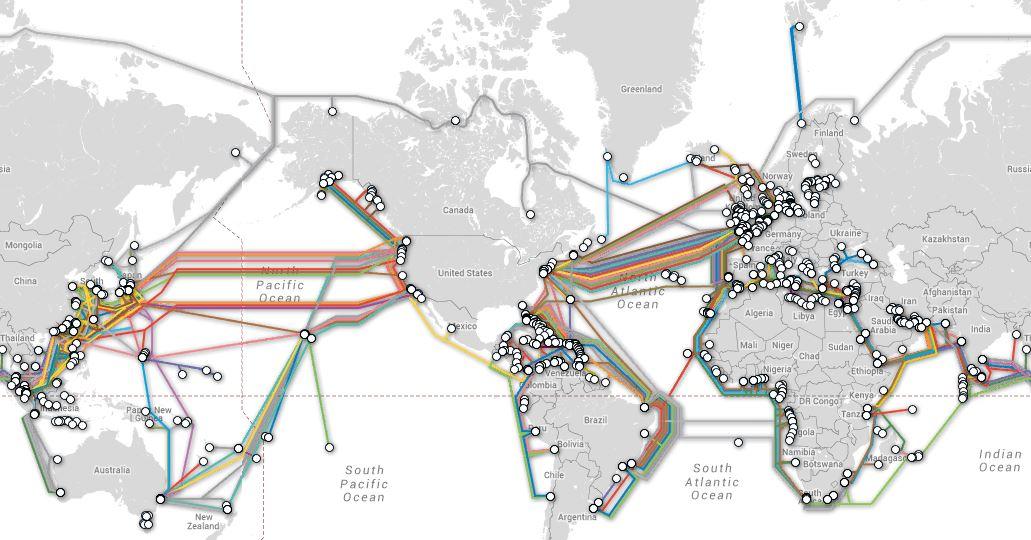
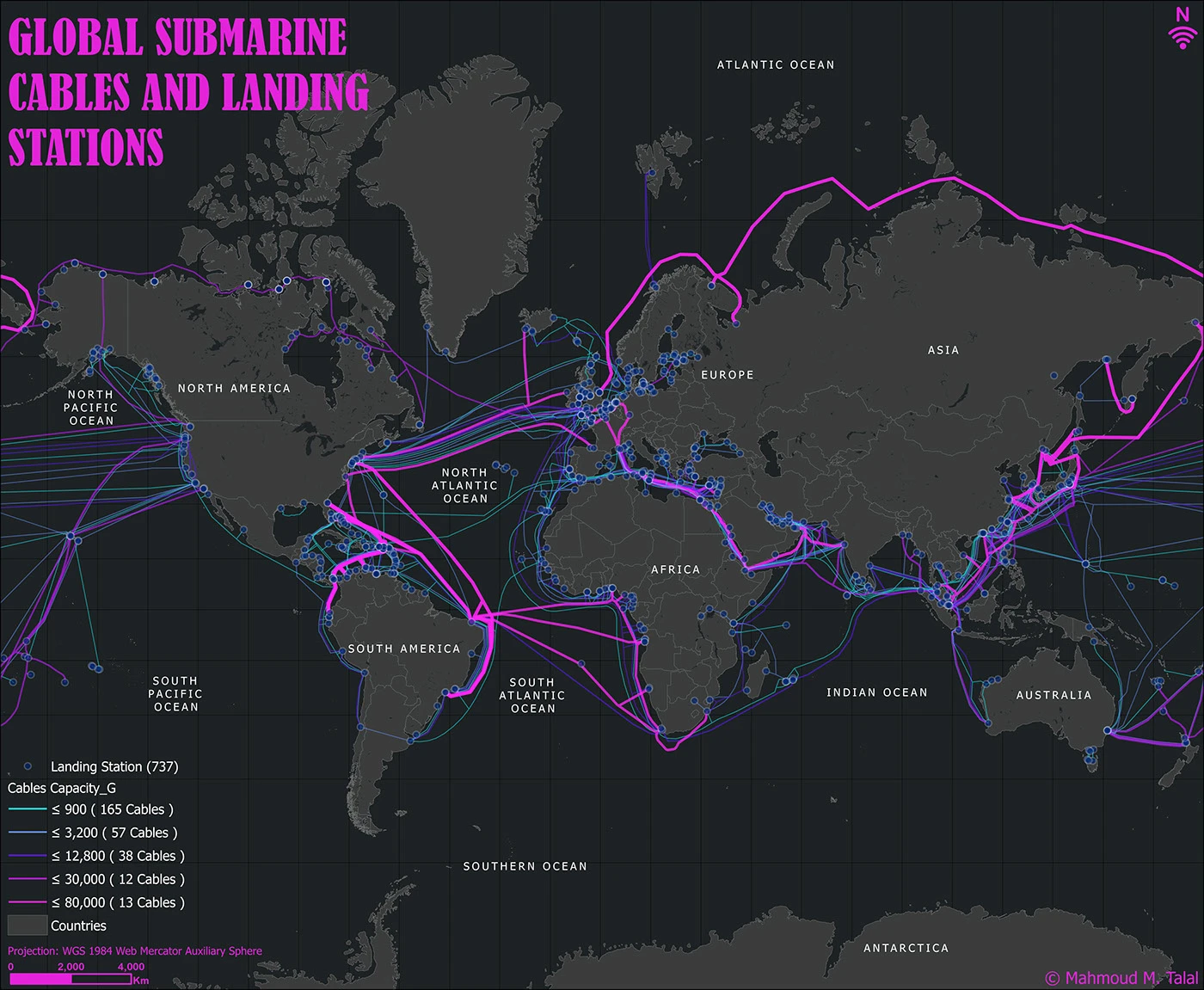
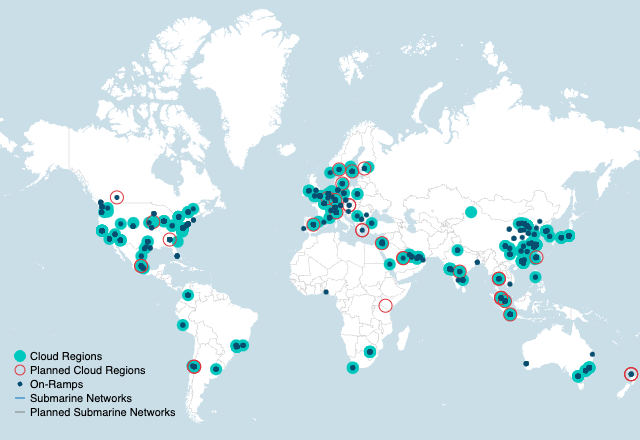
Physical Reality
Subsea cables are:
- ~99% of intercontinental traffic
- Bundles of DWDM fiber pairs
- Privately owned by consortia or hyperscalers
Who Owns Them
- Amazon Web Services
- Google Cloud
- Microsoft Azure
They don’t “use the internet.”
They are the internet.
Mapping the Chain
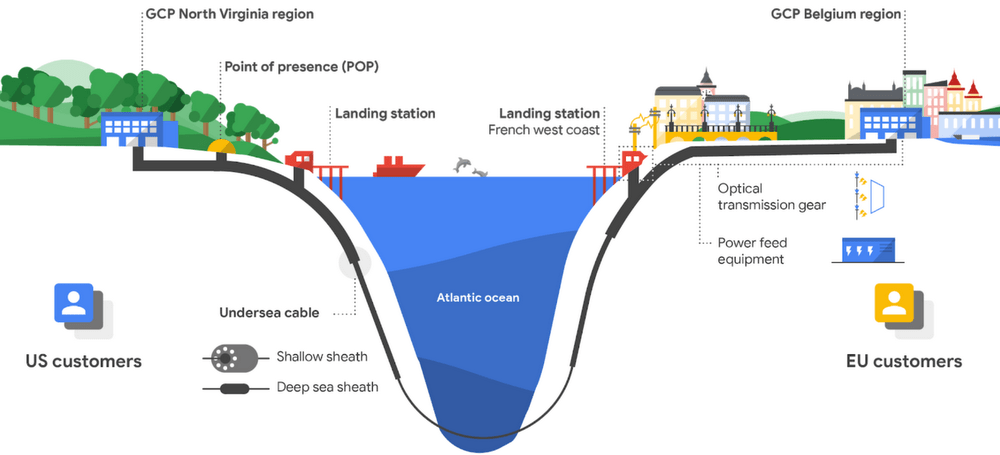
1) Subsea Cable
- Lands at coastal stations (Virginia, Oregon, Ireland, Japan)
- Terminates into DWDM POPs
2) Regional Fiber Rings
- 100–400G wavelengths
- Direct private backbone
- No public routing
3) Cloud Region
- Multiple data centers
- Private east-west fiber
- Treated as one giant LAN
4) Availability Zones
- Physically separate
- Logically unified
- Synchronous replication
Latency budget is designed before the building exists.
4) Old Telco Fiber → Modern AI Clusters
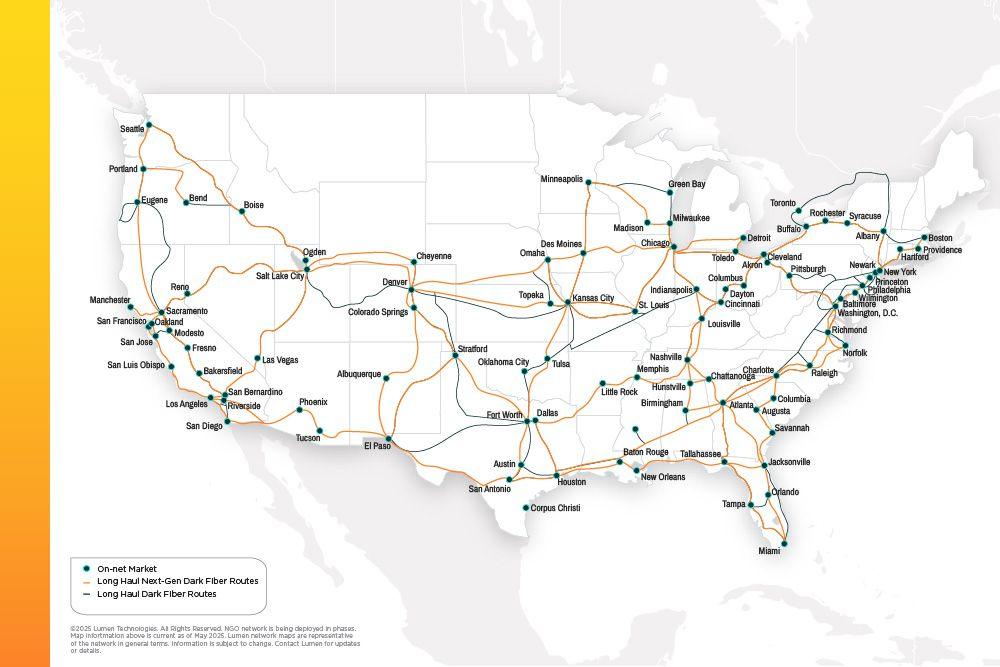
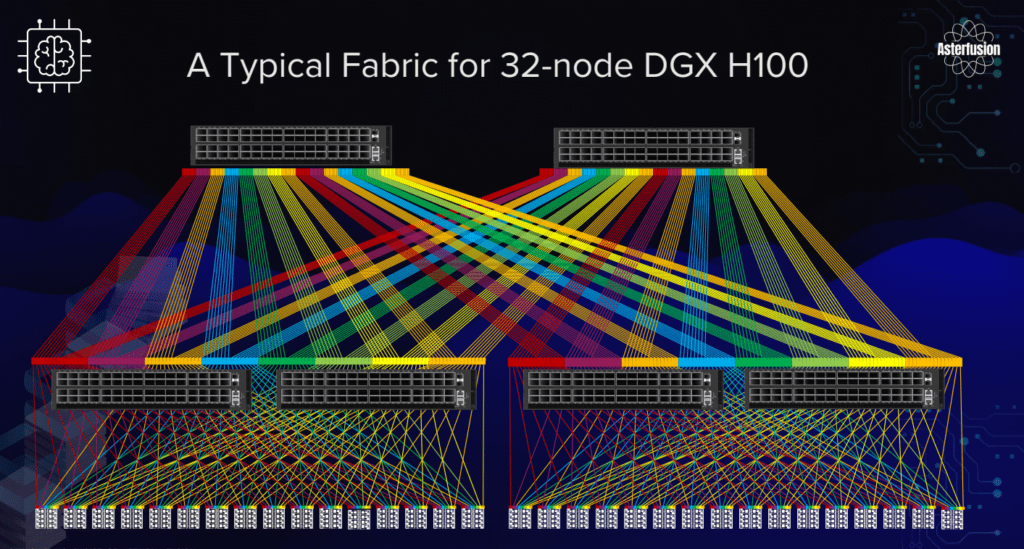
This is the least understood but most important piece.
Telco Fiber Was Overbuilt
1990s–2000s:
- Telcos expected infinite voice growth
- Laid massive fiber routes
- Most strands went dark
Glass never went bad.
Why It Works for AI
AI clusters need:
- Massive bandwidth
- Short latency
- Deterministic paths
Old telco fiber provides:
- Long straight routes
- Low dispersion
- High optical margin
Add:
- Modern transceivers
- Coherent optics
- DWDM
And suddenly:
👉 A 1998 fiber can carry 20+ Tbps
AI Cluster Topology
- GPU pods in multiple buildings
- Fiber acts as backplane
- RDMA over Converged Ethernet (RoCE)
- Synchronized gradient exchange
The AI cluster is geographically distributed, but behaves like one machine.
5) All Four Layers Together (The Unified Model)

Packet Lifecycle (Start → Finish)
- App generates packet
- VXLAN encapsulation
- Leaf → Spine fabric
- DCI router
- DWDM wavelength assigned
- Subsea cable hop
- Regional fiber ring
- Destination data center
- GPU memory write
Same packet.
Different layers.
The Core Truth
Protocols change every decade.
Switches change every five years.
Fiber lasts half a century.
Modern AI, cloud, and data centers are not new inventions — they are the final exploitation of infrastructure laid for a telephone system that no longer exists.
Below is a single, tightly integrated technical narrative covering all four topics—from RoCE vs TCP inside AI fabrics, to why latency dominates LLM training, to hyperscaler land strategy, and finally a packet-level walk of GPU-to-GPU gradient exchange.
No hand-waving, no marketing abstractions—this is how it actually works.
1) RoCE vs TCP Inside AI Fabrics (Diagrammed, Not Buzzwords)

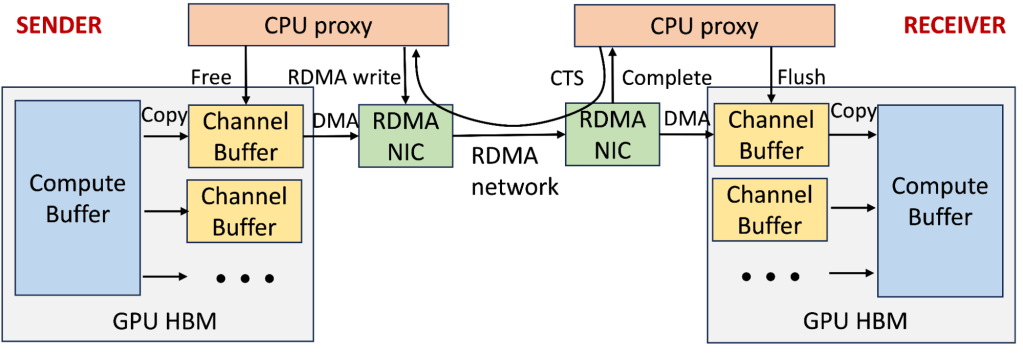

What Problem This Solves
AI training is not web traffic.
It is synchronized math across thousands of GPUs.
If one GPU stalls, all GPUs wait.
TCP (What the Internet Uses)
Characteristics
- Congestion control (slow start, windowing)
- Retransmissions
- Kernel involvement
- Variable latency (jitter)
What TCP Is Good At
- Fairness
- Reliability over bad links
- Bursty, unpredictable traffic
Why TCP Is Bad for AI
- Latency spikes during congestion
- CPU overhead
- Head-of-line blocking
- Retransmissions pause computation
RoCE (RDMA over Converged Ethernet)
Characteristics
- Kernel bypass
- Zero-copy GPU ↔ GPU memory
- Lossless Ethernet (PFC + ECN)
- Deterministic microsecond latency
What RoCE Enables
- GPU writes directly into remote GPU memory
- No CPU in the data path
- Predictable synchronization
Side-by-Side Reality
| Feature | TCP | RoCE |
|---|---|---|
| Latency | Variable | Deterministic |
| CPU usage | High | Near zero |
| Jitter | Yes | Almost none |
| Throughput | High | Extremely high |
| AI suitability | Poor | Mandatory |
Conclusion:
Large-scale LLM training does not work on TCP.
2) Why Latency Matters More Than Bandwidth for LLM Training
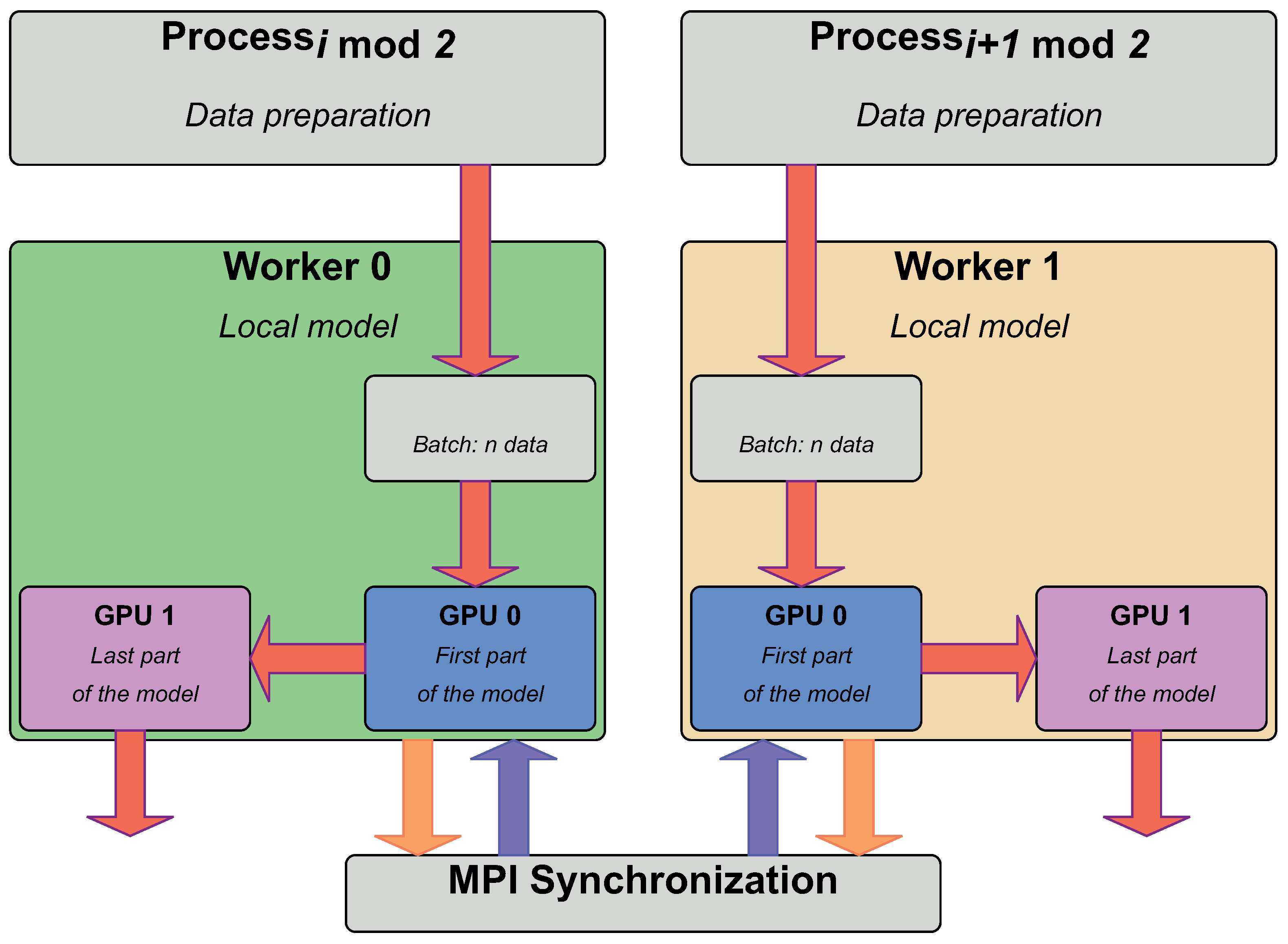
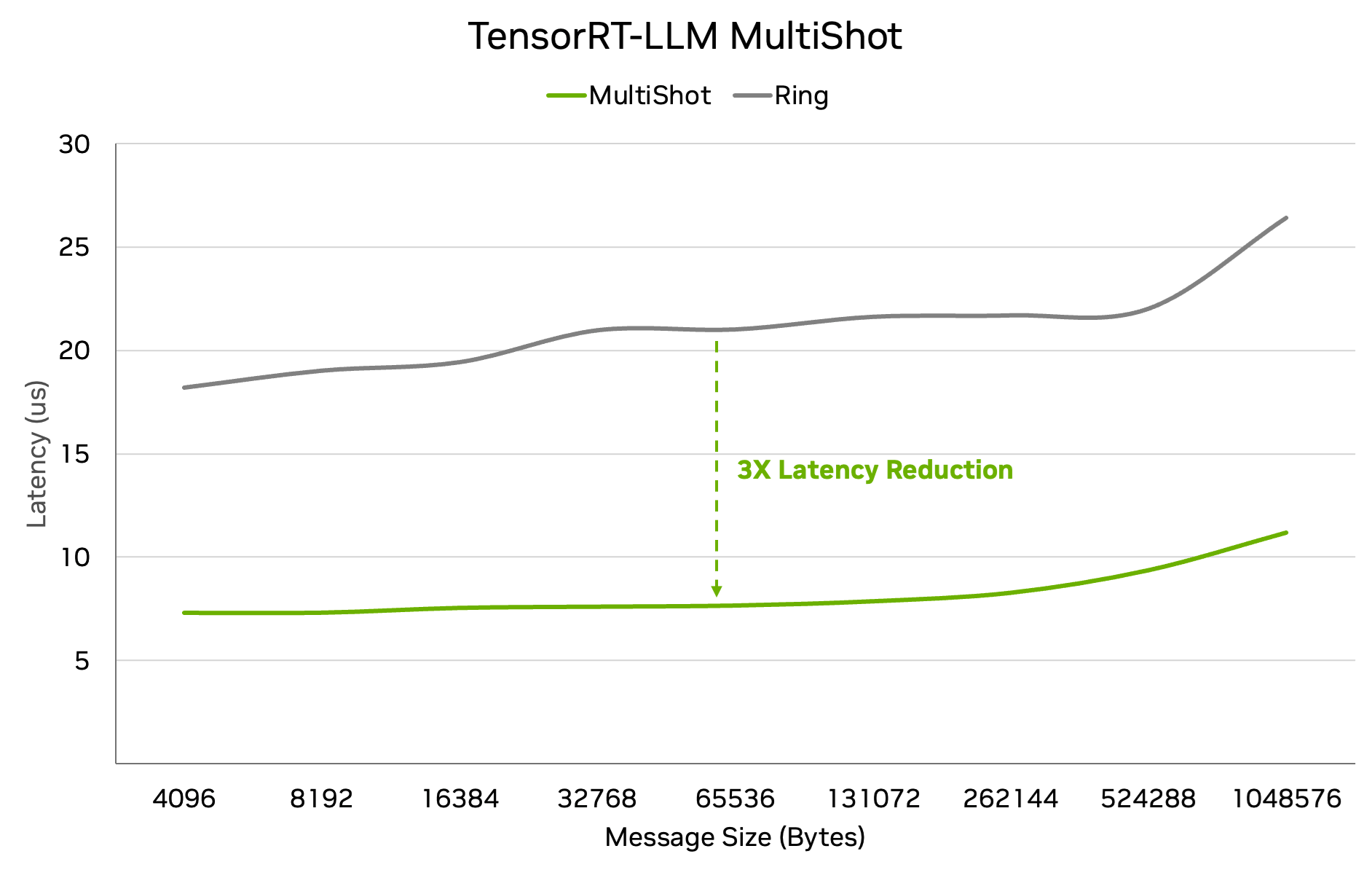
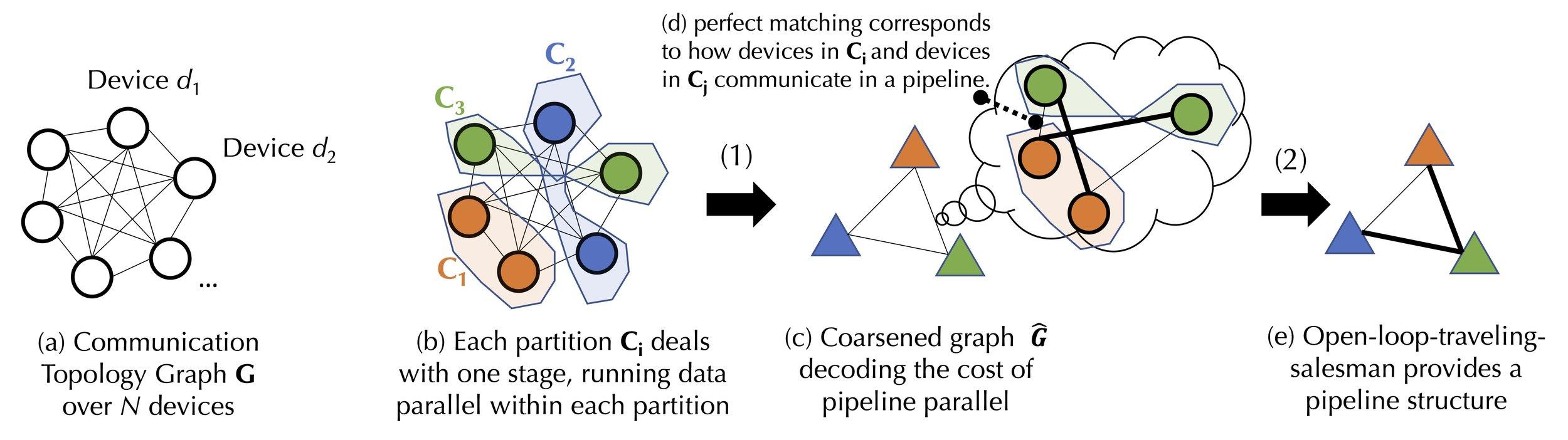
The Core Misconception
People assume:
“More bandwidth = faster training”
This is wrong.
LLM Training Is Synchronous
Each training step:
- GPUs compute gradients locally
- Gradients are exchanged
- Gradients are averaged
- All GPUs update weights
- Next step begins
Critical Rule
Step N+1 cannot begin until Step N finishes everywhere.
Latency Amplification Effect
If:
- 1 GPU is delayed by 20 microseconds
- 8,192 GPUs are synchronized
Then:
- Entire step stalls
- Compute units idle
- Energy wasted
- Training time explodes
This is called straggler amplification.
Why Bandwidth Alone Fails
Even with infinite bandwidth:
- Synchronization still waits on the slowest path
- Latency variance dominates step time
Therefore
Low and predictable latency beats raw throughput for LLMs.
3) Why Hyperscalers Buy Land Near Old Telco Routes
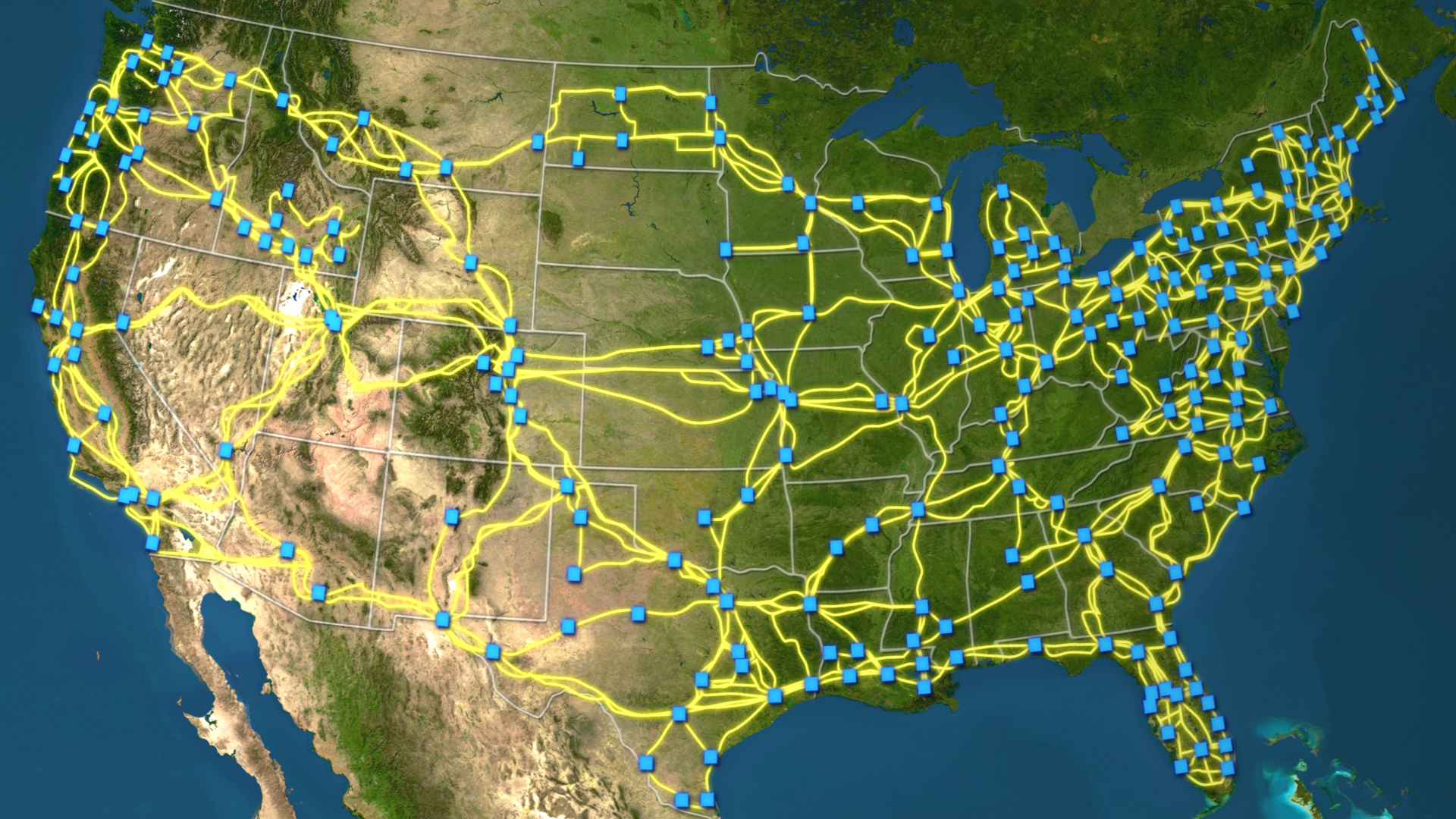
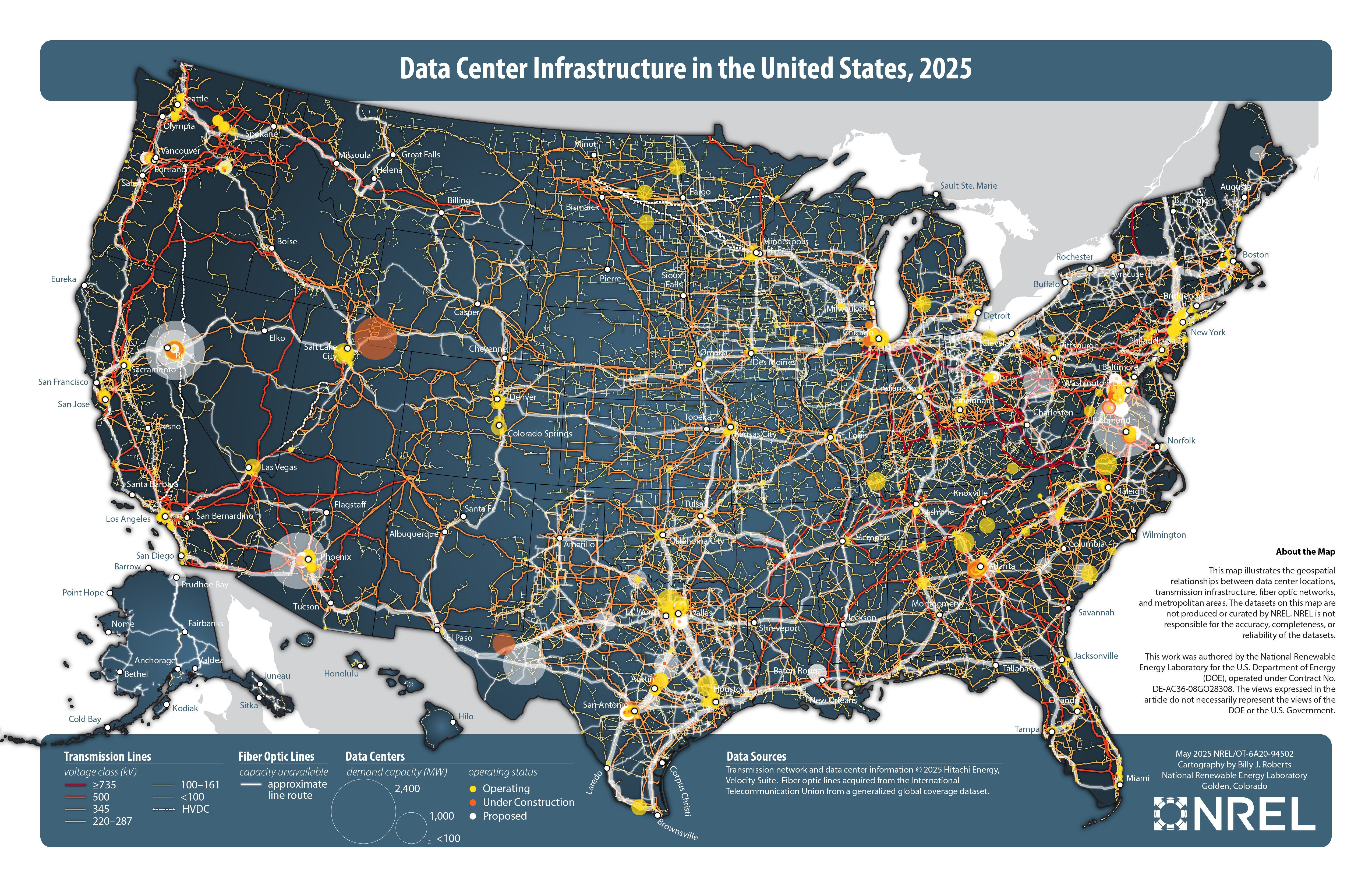
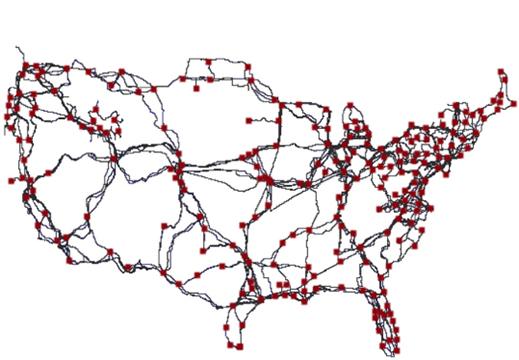
This is not accidental real estate selection.
Old Telco Fiber Has Unique Properties
1990s telcos built:
- Straight rights-of-way
- Railroad corridors
- Highway easements
- Low-dispersion glass
Most strands went unused.
That fiber is now called dark fiber.
Why Hyperscalers Want It
Physical Reasons
- Fewer bends = lower latency
- Fewer splices = better optical margin
- Long straight paths = ideal for coherent optics
Economic Reasons
- Cheaper than new trenching
- Faster permitting
- Private ownership
Strategic Reasons
- Control the physical layer
- Avoid carrier pricing
- Build private backbones
This is why:
- Amazon Web Services
- Google Cloud
- Microsoft Azure
build next to fiber, not cities.
Key Insight
The most valuable asset in AI is not GPUs.
It is glass in the ground laid 25 years ago.
4) Packet-Level Walk: GPU-to-GPU Gradient Exchange

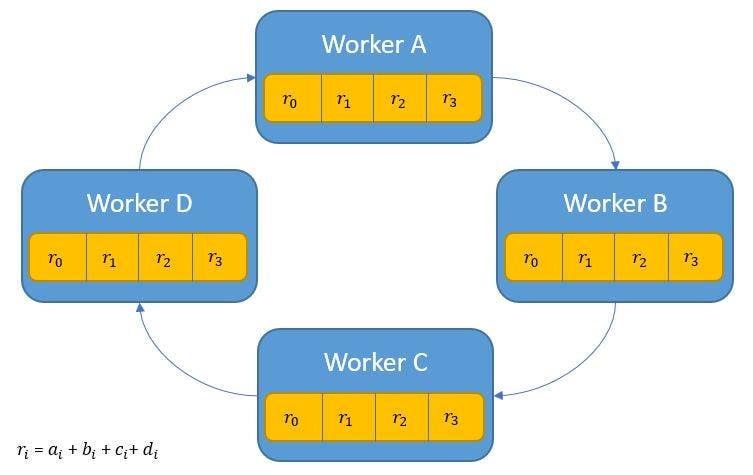

We now trace one gradient packet.
Step 1 — Gradient Computation (GPU)
- CUDA kernel computes gradients
- Stored in GPU HBM memory
- No CPU involved
Step 2 — RDMA Initiation
- NIC is GPU-direct enabled
- GPU issues RDMA write
- Target = remote GPU memory address
No socket.
No syscall.
No kernel.
Step 3 — RoCE Frame Creation
Encapsulation:
- Ethernet
- RoCEv2 header
- RDMA payload (gradient chunk)
MTU typically 9,000 bytes (jumbo).
Step 4 — AI Fabric Transit
- Lossless Ethernet
- Priority Flow Control prevents drops
- ECMP hashing keeps paths consistent
Latency per hop: ~300–500 nanoseconds
Step 5 — Remote NIC → GPU Memory
- NIC writes directly into target GPU HBM
- No CPU interrupt
- No cache pollution
Step 6 — AllReduce Completion
- Ring or tree algorithm completes
- Gradients averaged
- All GPUs synchronized
Only now can the next training step begin.
Why This Is So Fragile
Any of the following breaks training efficiency:
- Packet loss
- Latency spikes
- ECMP imbalance
- Microbursts
This is why AI fabrics are engineered, not routed.
Final Synthesis (All Four United)
- RoCE exists because TCP is too unpredictable
- Latency dominates because LLMs synchronize constantly
- Hyperscalers chase old telco fiber because physics wins
- GPU-to-GPU packets bypass everything humans normally think of as “networking”
The Uncomfortable Truth
Modern AI clusters are closer to distributed supercomputers than data centers — and they run on telephone fiber laid before Google existed.
Below is a hard-technical, operator-level explanation of all four topics—InfiniBand vs RoCE, the exact buffer math behind microbursts, why AI data centers cluster geographically, and a real failure mode that silently slows training ~3×. This is how hyperscale AI fabrics are actually designed, tuned, and sometimes broken.
1) InfiniBand vs RoCE in Hyperscale (What’s Really Different)
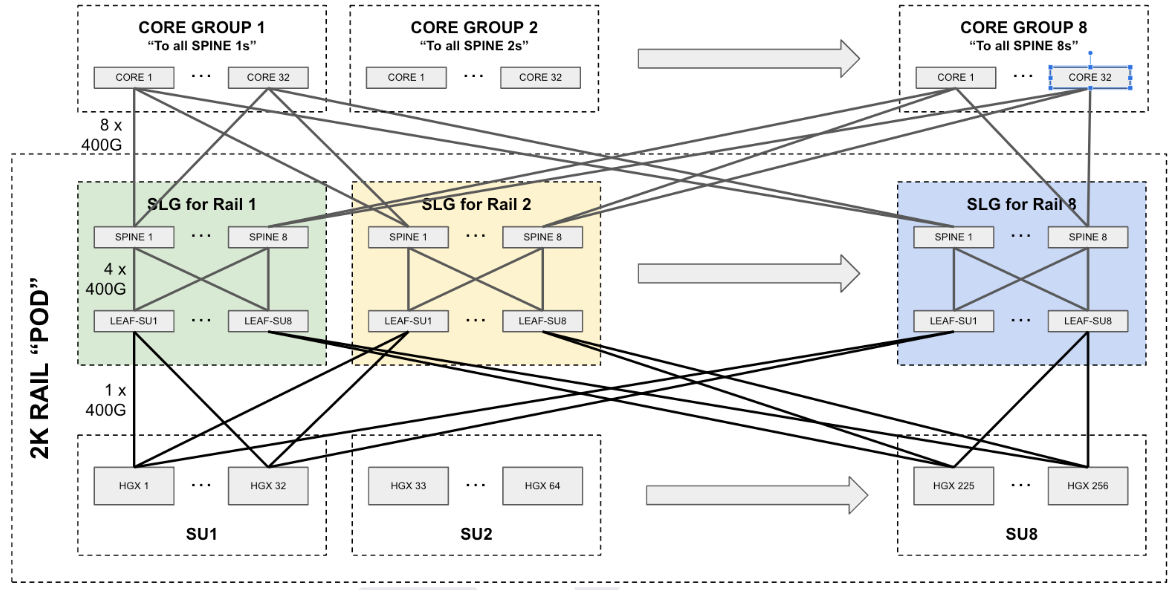
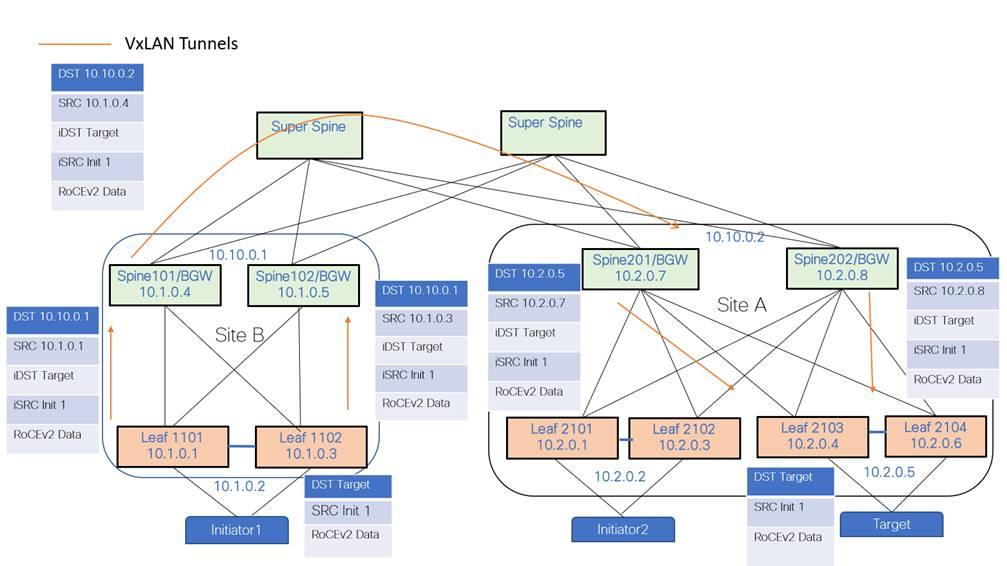
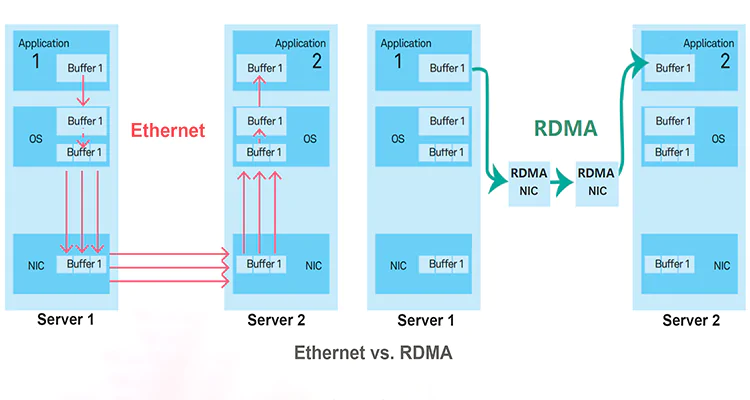
The Shared Goal
Both exist to do RDMA at massive scale:
- GPU ↔ GPU memory transfers
- Deterministic latency
- Zero-copy, kernel-bypass networking
InfiniBand (IB)
What it is
- Purpose-built HPC fabric
- Own protocol stack
- Own switches, NICs, management plane
Key properties
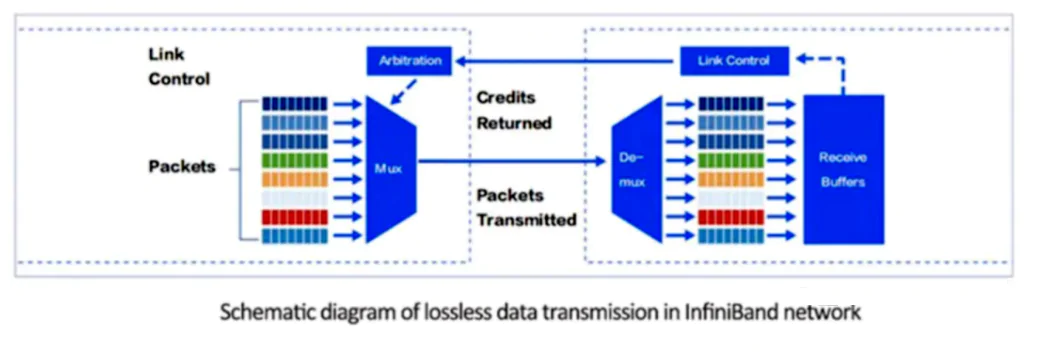
- Credit-based flow control (lossless by design)
- Native congestion control
- Hardware-managed routing
- Extremely predictable latency
Strengths
- Lowest jitter
- Simplest tuning
- Mature collective algorithms
Weaknesses
- Expensive
- Vendor lock-in
- Separate network from Ethernet/IP world
InfiniBand is effectively a supercomputer backplane, not a network.
RoCE (RDMA over Converged Ethernet)
What it is
- RDMA layered on Ethernet
- Uses standard switches
- Shares infrastructure with IP
Key properties
- Requires:
- PFC (Priority Flow Control)
- ECN (Explicit Congestion Notification)
- Careful buffer tuning
- Runs at hyperscale (100G–800G)
Strengths
- Uses commodity Ethernet
- Integrates with cloud tooling
- Cheaper at scale
Weaknesses
- Extremely fragile if misconfigured
- Microbursts can collapse performance
- Debugging is harder
Why Hyperscalers Use Both
| Environment | Preferred Fabric |
|---|---|
| Research superclusters | InfiniBand |
| Cloud AI services | RoCE |
| Multi-tenant environments | RoCE |
| Single-owner megaclusters | InfiniBand |
Many hyperscalers use InfiniBand inside pods and RoCE between pods.
2) Exact Switch Buffer Math That Causes Microbursts
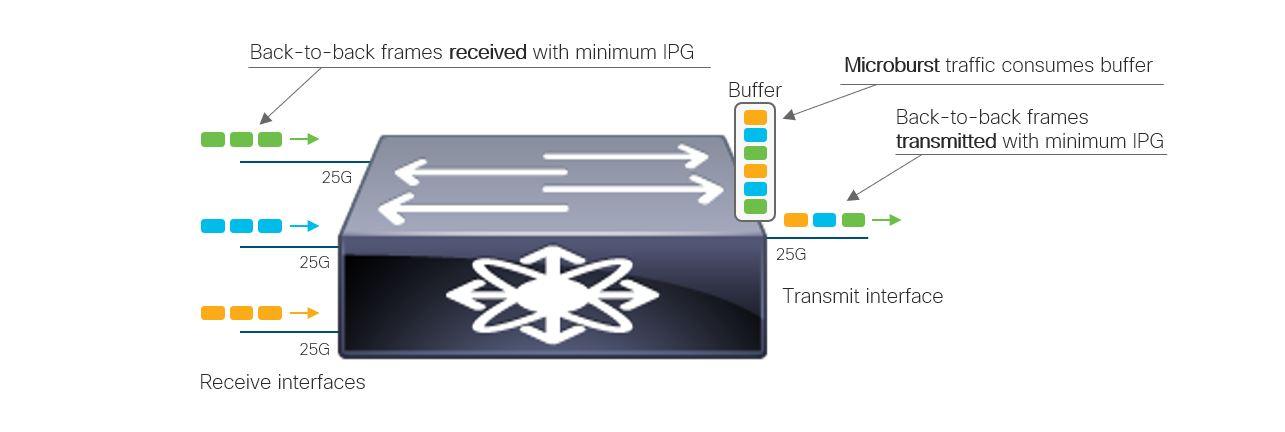
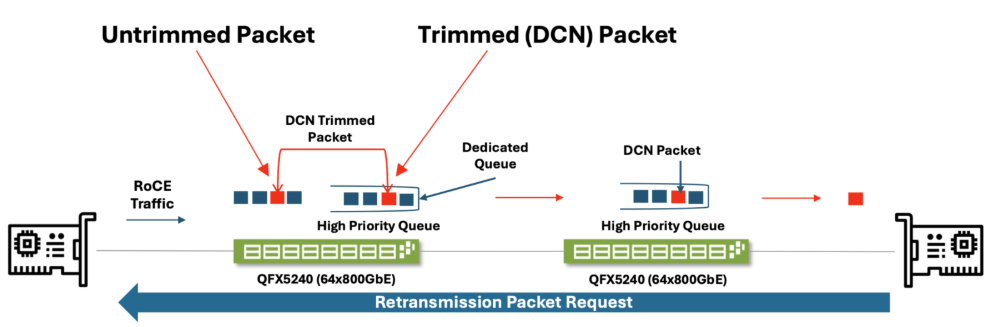
This is the part almost no one explains numerically.
The Setup (Typical AI Leaf Switch)
- 32 × 400G ports
- Shared buffer pool: ~100 MB
- Per-port buffer slices: dynamic
The Microburst Scenario
Assumptions
- 8 GPUs synchronize simultaneously
- Each sends a 9 KB RDMA packet
- All hash to the same egress port
Instantaneous arrival:
8 GPUs × 9 KB = 72 KBNow multiply:
- Multiple queues
- Multiple flows
- Multiple ECMP collisions
Where It Breaks
Egress drain rate
At 400 Gbps:
400 Gbps = 50 GB/sSo 72 KB seems trivial.
But now add:
- PFC pause propagation delay (~1–2 µs)
- Buffer head-of-line blocking
- Shared pool contention
In 2 microseconds, arriving traffic can exceed:
50 GB/s × 2 µs = 100 KBThat’s enough to:
- Trigger PFC
- Pause upstream links
- Create a congestion wave
The Catastrophic Feedback Loop
- Microburst fills buffer
- PFC pauses upstream switch
- Paused traffic stacks up
- Pause spreads sideways
- Entire fabric stalls
This is called PFC storming.
Why AI Makes It Worse
AI traffic is:
- Synchronous
- Periodic
- Phase-aligned
Which means:
Microbursts happen at the same nanosecond every step.
3) Why AI Data Centers Cluster Geographically
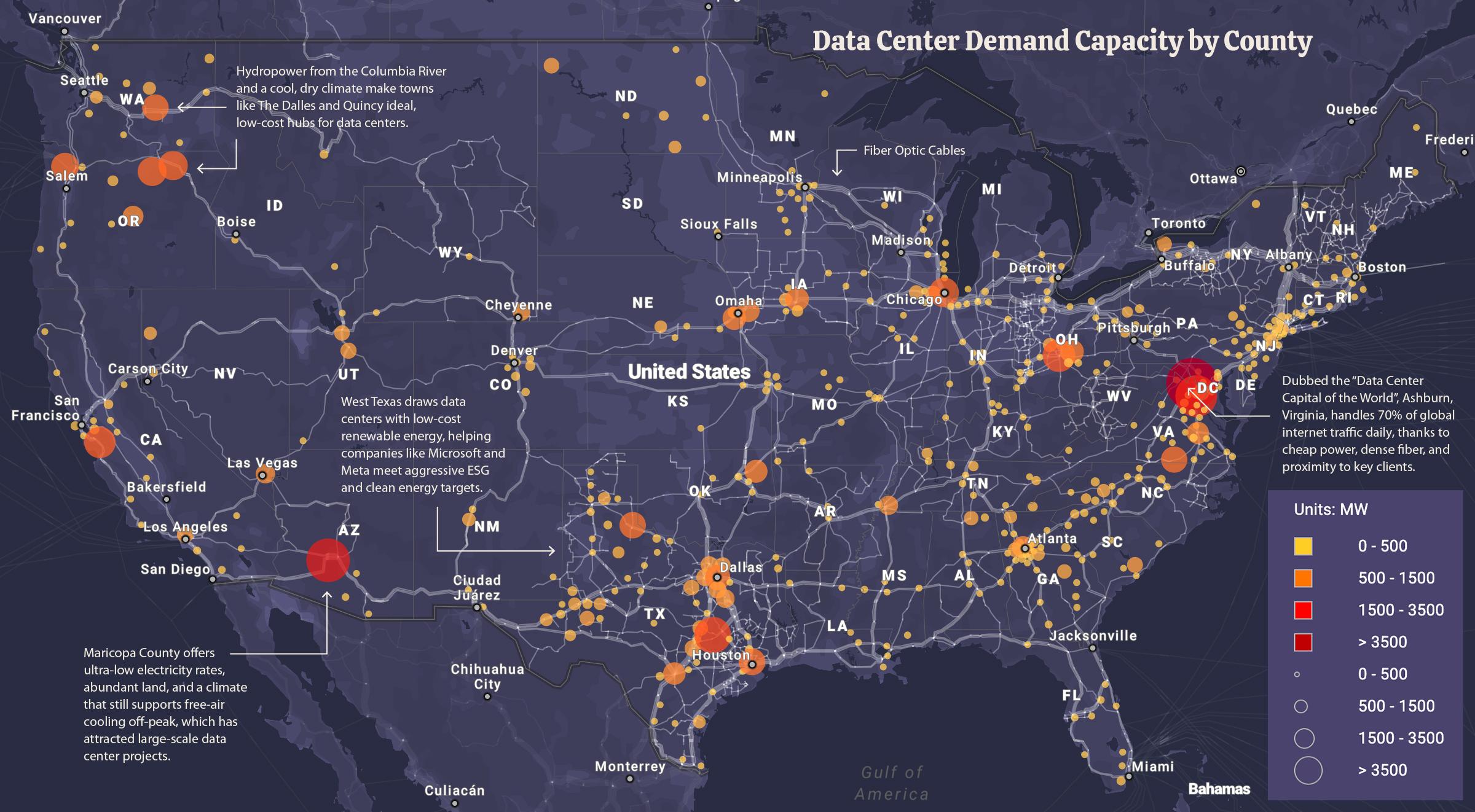

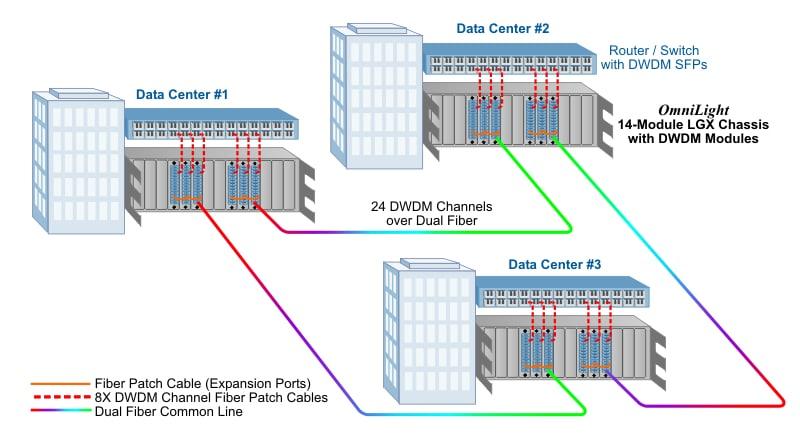
This is about physics, not real estate.
Constraint #1 — Speed of Light
- Fiber latency ≈ 5 µs per km round-trip
- GPU collectives tolerate only microseconds of skew
At ~50 km:
~250 µs RTTThat is already catastrophic for synchronous training.
Constraint #2 — Clock Skew
- GPUs rely on tightly bounded timing
- Gradient steps must align
- Excess distance creates stragglers
Constraint #3 — Fiber Geometry
Old telco routes:
- Straight
- Low-splice
- Low-dispersion
Hyperscalers cluster where:
- Multiple dark fiber routes intersect
- Old long-haul trunks pass through
- Substations and cooling already exist
Resulting Pattern
- AI data centers form regional campuses
- 5–20 buildings
- 1–10 km separation
- Private fiber rings
They behave like one distributed machine, not “many data centers.”
4) Failure Scenario That Silently Slows Training ~3×

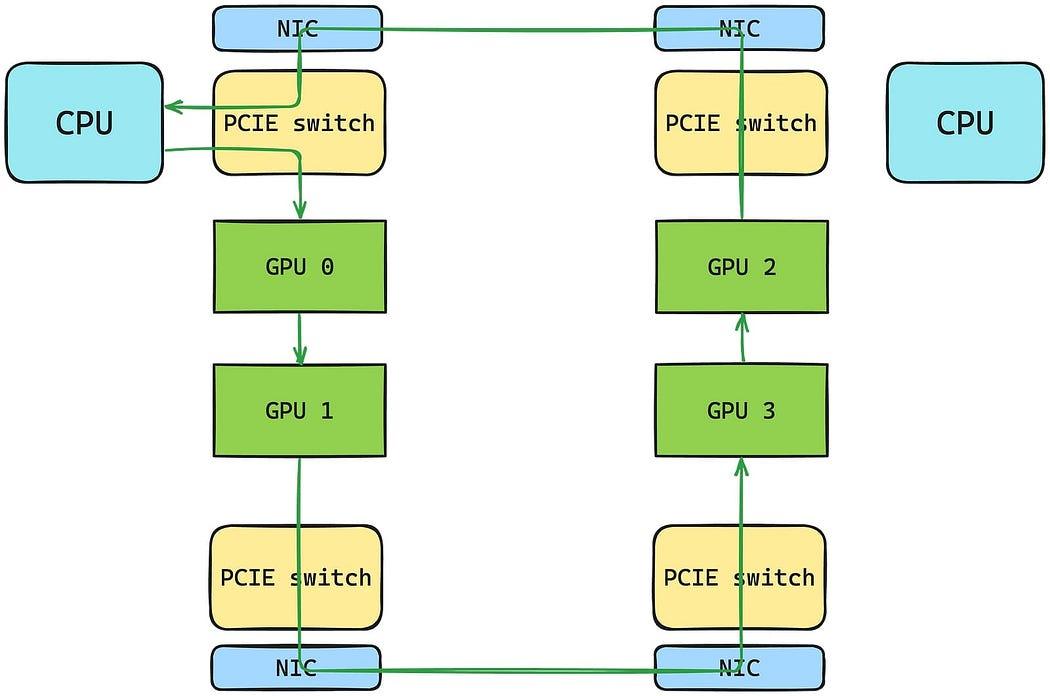
This is a real, common, and brutal failure mode.
Initial Conditions
- Training job stable
- 8,192 GPUs
- RoCE fabric tuned
- Step time = 120 ms
The Tiny Change
Someone:
- Adds a monitoring mirror port
- Enables sFlow
- Adjusts ECMP hash seed
- Upgrades one switch firmware
No alarms trigger.
What Actually Happens
- One flow path gains 3–5 µs extra latency
- Only affects one GPU group
- Causes that group to finish last
Straggler Amplification
Every step now waits on:
- The slowest 1–2% of GPUs
Step time becomes:
120 ms → 360 msTraining is now 3× slower.
Why Nobody Notices
- GPUs are still “busy”
- No packet loss
- No errors
- No alerts
Only symptom:
- Wall-clock training time explodes
This is why hyperscalers:
- Measure tail latency, not averages
- Instrument GPU idle cycles
- Correlate network jitter with math stalls
Final Unified Truth
- InfiniBand wins on simplicity and determinism
- RoCE wins on scale and economics
- Microbursts are inevitable in synchronized math
- Geography is chosen by physics, not cities
- The most dangerous failures cause no errors at all
AI networking is not about throughput. It is about keeping 10,000 machines waiting the same amount of time.
Below is the deepest layer of AI-fabric reality—why ECMP breaks collectives, how InfiniBand credit flow differs from Ethernet PFC, how one marginal optic can silently poison a run, and why AI fabrics behave like power grids, not packet networks.
Each section builds on the previous ones; together they explain why AI networking is uniquely fragile.
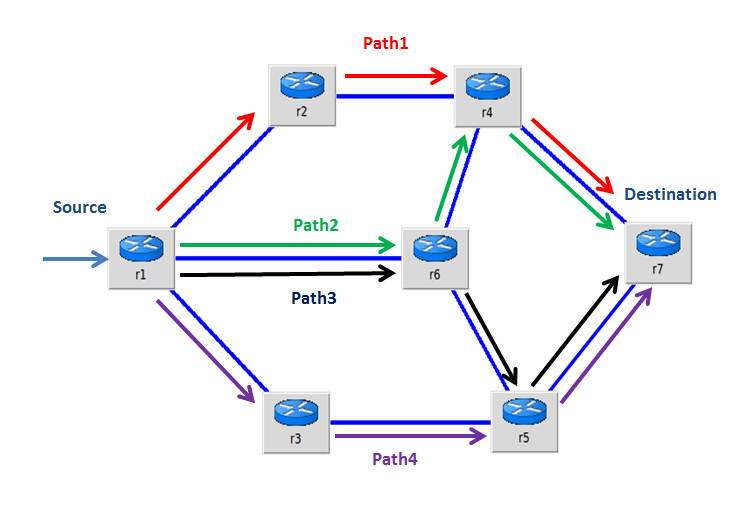
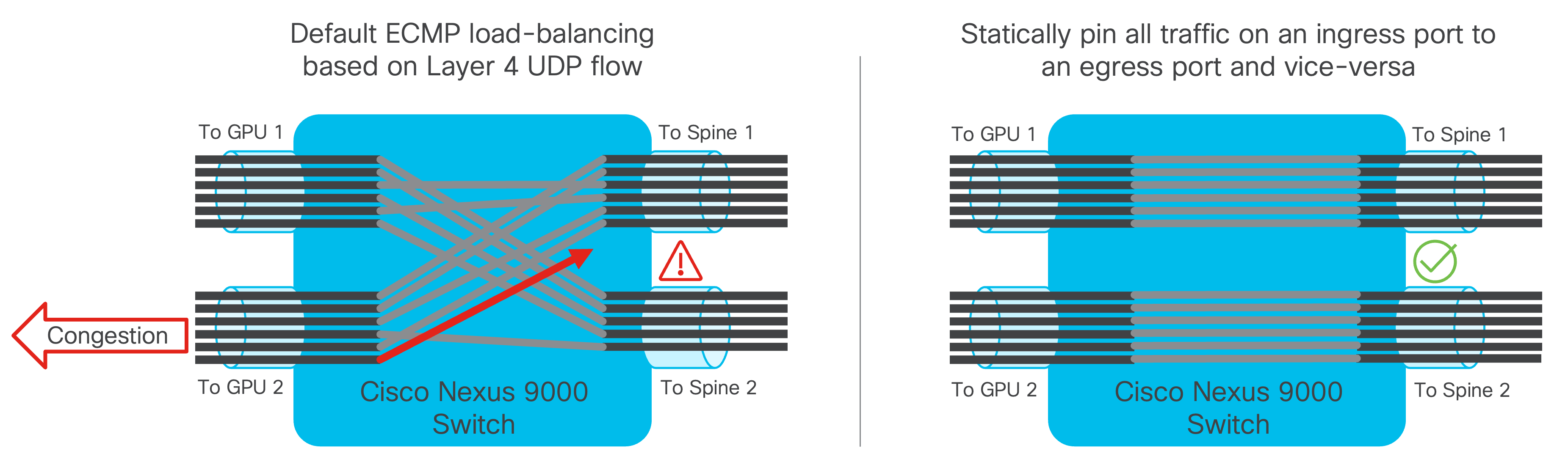
1) Why ECMP Hashing Breaks AI Collectives
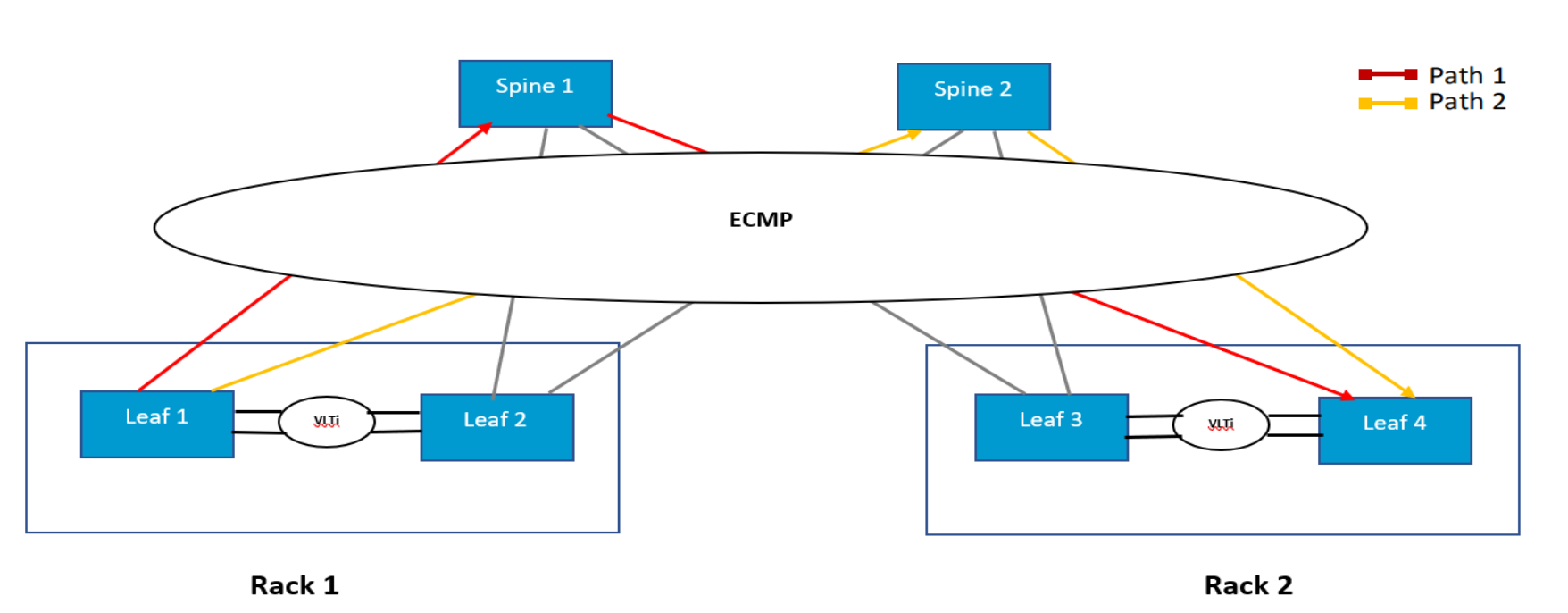
ECMP’s Assumption (Which Is Wrong for AI)
Equal-Cost Multi-Path (ECMP) assumes:
- Many independent flows
- Random arrival times
- Statistical load balancing
AI collectives violate all three.
What AI Collectives Actually Look Like
In an AllReduce step:
- Thousands of GPUs
- Send at the same instant
- With similar packet sizes
- To predictable destinations
That means:
ECMP hashes are correlated, not random.
The Failure Mechanism (Step-by-Step)
- GPUs emit RDMA packets simultaneously
- 5-tuple hashes collide
- Multiple heavy flows land on one spine link
- Other paths remain underutilized
- That link becomes the straggler path
No packets drop.
No links fail.
Latency variance increases.
Why This Destroys Collectives
Collectives wait on:
- The slowest packet
- On the worst path
- For every step
So ECMP doesn’t average out—it locks in imbalance.
Hyperscaler Countermeasures
- Flow-label randomization
- Adaptive routing (IB)
- Static pinning for collectives
- Application-aware path control
This is why vanilla ECMP is avoided in large AI fabrics.
2) InfiniBand Credit Flow vs Ethernet PFC (Diagrammed)


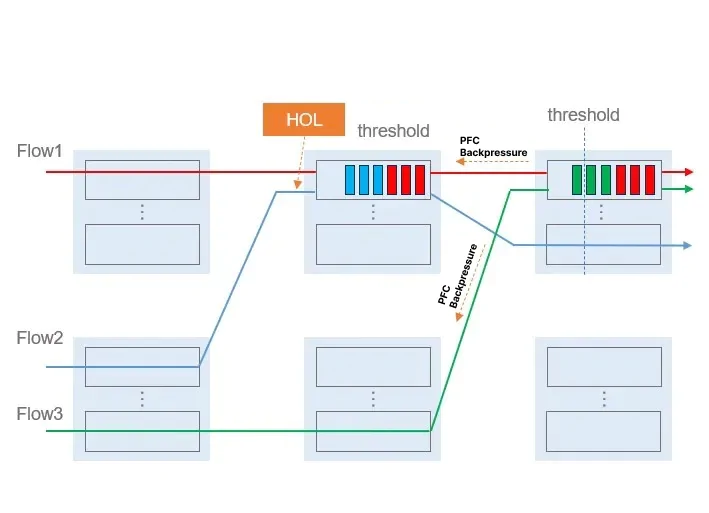
This is the most important mechanical difference between the two worlds.
InfiniBand: Credit-Based Flow Control
How It Works
- Receiver advertises buffer credits
- Sender transmits only if credits exist
- Zero packet loss by construction
Properties
- Backpressure is localized
- Congestion is contained
- Latency is predictable
Think of it as:
“You may send exactly this much.”
Ethernet RoCE: Priority Flow Control (PFC)
How It Works
- Sender transmits freely
- Receiver detects buffer pressure
- Receiver sends PAUSE frame
- Entire priority queue stops
Properties
- Backpressure is reactive
- Pauses propagate upstream
- Can affect unrelated flows
Think of it as:
“STOP EVERYTHING — NOW.”
Why This Matters for AI
| Property | InfiniBand | RoCE + PFC |
|---|---|---|
| Congestion scope | Per-flow | Per-priority |
| Backpressure | Predictive | Reactive |
| Failure blast radius | Small | Potentially fabric-wide |
| Tuning complexity | Low | Extremely high |
This is why:
- IB “just works”
- RoCE must be engineered
3) How a Single Bad Optic Ruins a Training Run
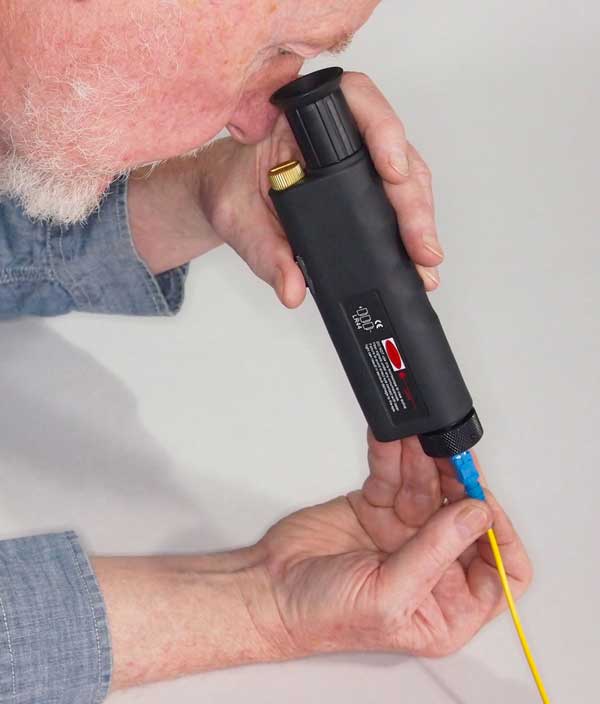
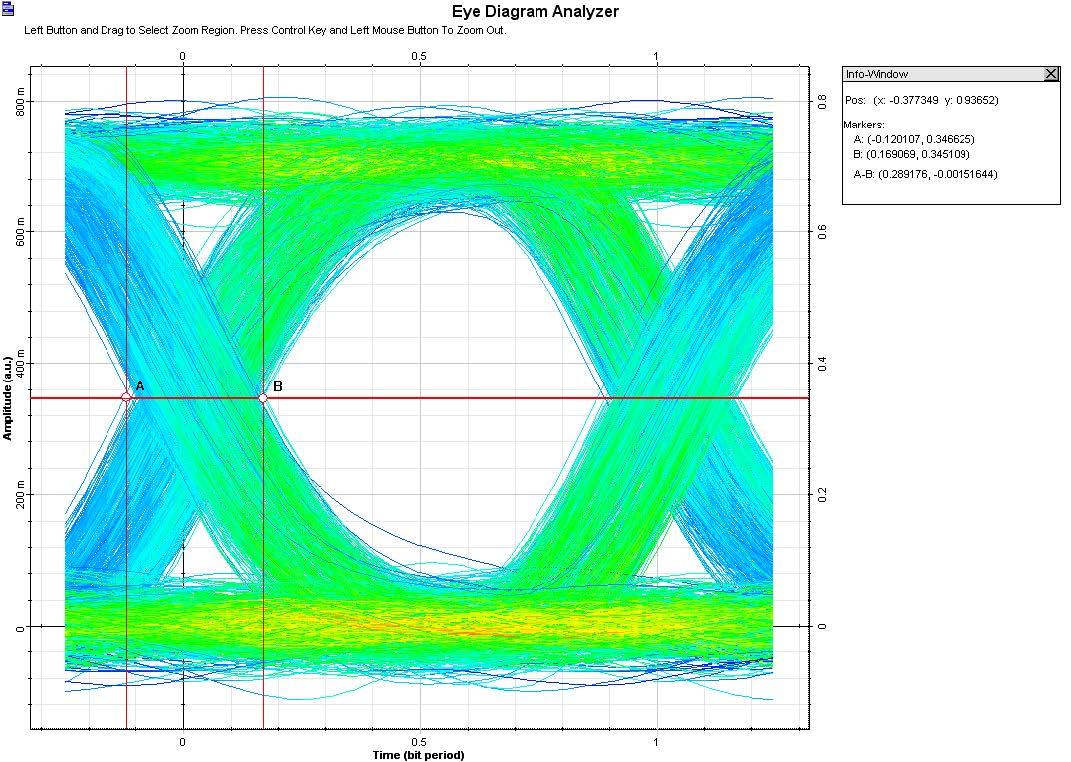
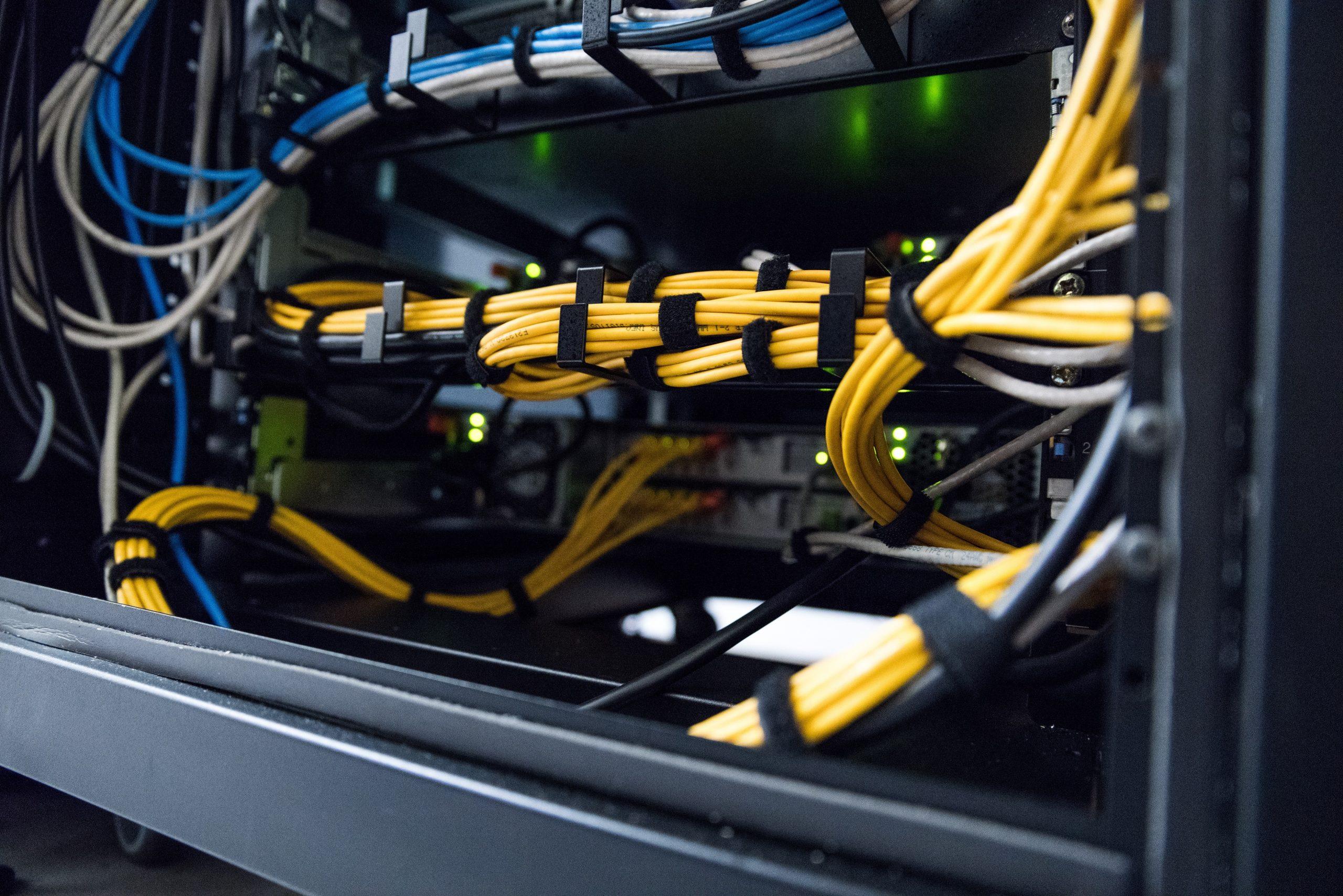
This failure is common, silent, and devastating.
The Setup
- One 400G optic
- Slightly out of spec
- Still links up
- BER barely within tolerance
No alarms.
No drops.
No link flaps.
What Actually Happens
- Occasional symbol errors
- Corrected by FEC
- Adds microseconds of jitter
- Only on that link
Why AI Suffers Disproportionately
- One GPU behind that optic
- Finishes every step last
- Becomes permanent straggler
All other GPUs:
- Idle
- Waiting
- Burning power
Observable Effect
- GPU utilization looks “normal”
- Network looks “clean”
- Training wall-clock time triples
Only deep telemetry shows:
- Increased FEC corrections
- Tail-latency spikes
- GPU idle gaps
Hyperscaler Practice
- Optical margin monitoring
- Proactive optic retirement
- Per-link latency histograms
- “Gray failure” detection
In AI fabrics, “almost working” is failure.
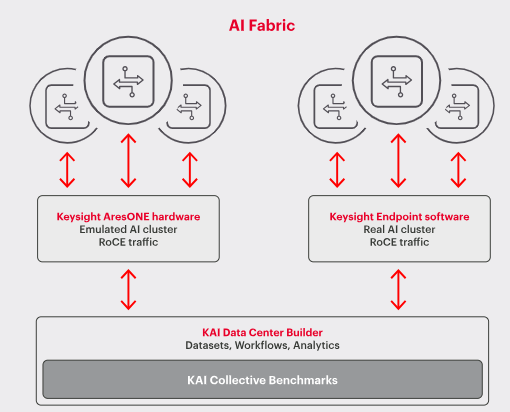
4) Why AI Fabrics Look Like Power Grids (Not Networks)

This is the conceptual leap most people never make.
Packet Networks Optimize For
- Fairness
- Utilization
- Best effort
- Independence
Power Grids Optimize For
- Phase alignment
- Load balance
- Stability
- Synchronous behavior
AI fabrics behave like the second, not the first.
The Core Similarities
| Power Grid | AI Fabric |
|---|---|
| Frequency sync | Step synchronization |
| Phase imbalance | Straggler GPUs |
| Brownout | Latency jitter |
| Cascading failure | PFC storms |
| Reserve margin | Buffer headroom |
Why This Matters
In both systems:
- One weak component
- Causes global inefficiency
- Without obvious failure
That’s why AI fabrics are:
- Over-provisioned
- Heavily monitored
- Treated as physical systems
The Mental Model Shift
AI networking is not “sending data.”
It is maintaining synchronized state across space.
Once you see it that way:
- ECMP’s failure makes sense
- PFC storms make sense
- Geographic clustering makes sense
- Why fiber quality beats bandwidth makes sense
Final Synthesis (All Four United)
- ECMP fails because AI traffic is synchronized
- InfiniBand succeeds because it prevents congestion before it happens
- One marginal optic can poison thousands of GPUs
- AI fabrics must be engineered like infrastructure, not IT
This is why hyperscale AI networking looks conservative, overbuilt, and obsessive.
They are not optimizing packets—they are stabilizing a machine spread over kilometers.
Below is the final layer—the parts operators only learn after painful outages. This walks a full PFC storm cascade, proves why buffer depth beats link speed, explains how checkpoints hide network failure, and shows why AI fabrics resemble financial clearing systems more than packet networks.
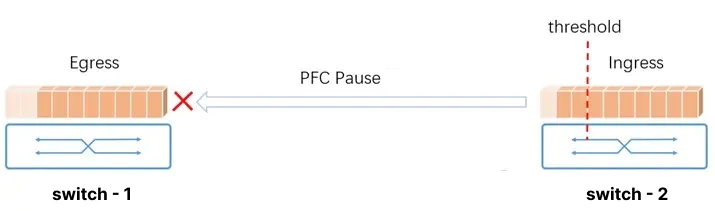
1) Full PFC Storm Cascade (End-to-End Failure Anatomy)


Starting Conditions (Looks Healthy)
- RoCEv2 fabric
- PFC enabled on RDMA priority
- ECN configured
- No packet loss
- Training running normally
The Trigger (Innocent)
- One AllReduce step aligns thousands of GPUs
- ECMP hashes place several heavy flows on the same egress
- A microburst exceeds instantaneous drain rate
Millisecond-by-Millisecond
t = 0 µs
Egress queue fills faster than it drains.
t = 1–2 µs
Queue crosses PFC threshold. Receiver sends PAUSE for RDMA priority.
t = 3–5 µs
Upstream switch halts that priority queue entirely.
t = 6–10 µs
Traffic destined elsewhere stacks up behind the paused queue (head-of-line blocking).
t = 10–50 µs
Upstream buffers fill. They emit their own PAUSE frames.
t = 50–500 µs
Pause propagates laterally and vertically.
Multiple switches stop forwarding RDMA traffic.
The Collapse
- No packets drop
- Links stay “up”
- Latency explodes
- GPU collectives stall
This is a PFC storm: a congestion wave that freezes progress without errors.
Why It’s So Dangerous
- PFC is reactive, not predictive
- Pauses are coarse (per-priority, not per-flow)
- Recovery requires buffers to fully drain everywhere
AI traffic is synchronized, so the storm repeats every step.
2) Why Buffer Depth Beats Link Speed (With Numbers)

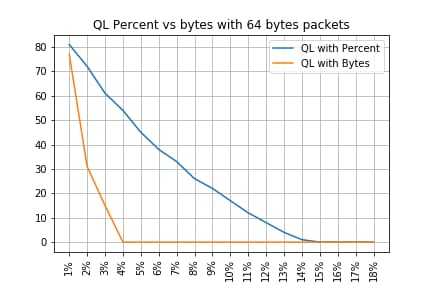
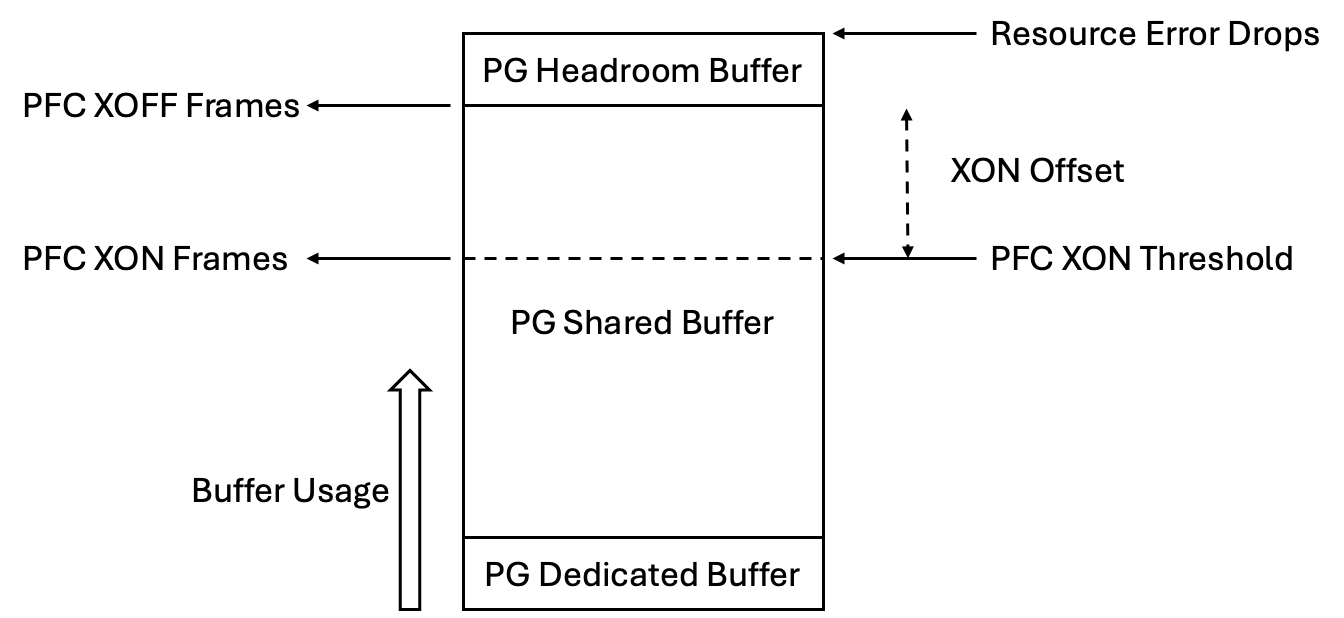
The Myth
“Just upgrade to faster links.”
The Reality
Faster links reduce drain time, but do nothing for instantaneous arrival.
Example
- 400G link drains at 50 GB/s
- 800G link drains at 100 GB/s
Now the burst:
- 16 GPUs send 9 KB each simultaneously
Arrival = 144 KB in ~nanoseconds
Drain time difference
- 400G: ~2.9 µs
- 800G: ~1.4 µs
But PFC reaction time is microseconds.
If buffers can’t absorb the burst before PFC triggers, speed doesn’t save you.
Buffer Math That Matters
What you actually need:
Required buffer ≥ (Burst size) + (PFC reaction window × ingress rate)Deep buffers:
- Absorb phase-aligned bursts
- Prevent PFC triggering
- Keep latency deterministic
Why Hyperscalers Choose Deep Buffers
- AI traffic is bursty by design
- Collective ops align arrivals
- Buffers buy time, not bandwidth
This is why some AI switches sacrifice port count for hundreds of MB of shared buffer.
3) Why Training Checkpoints Hide Network Failure
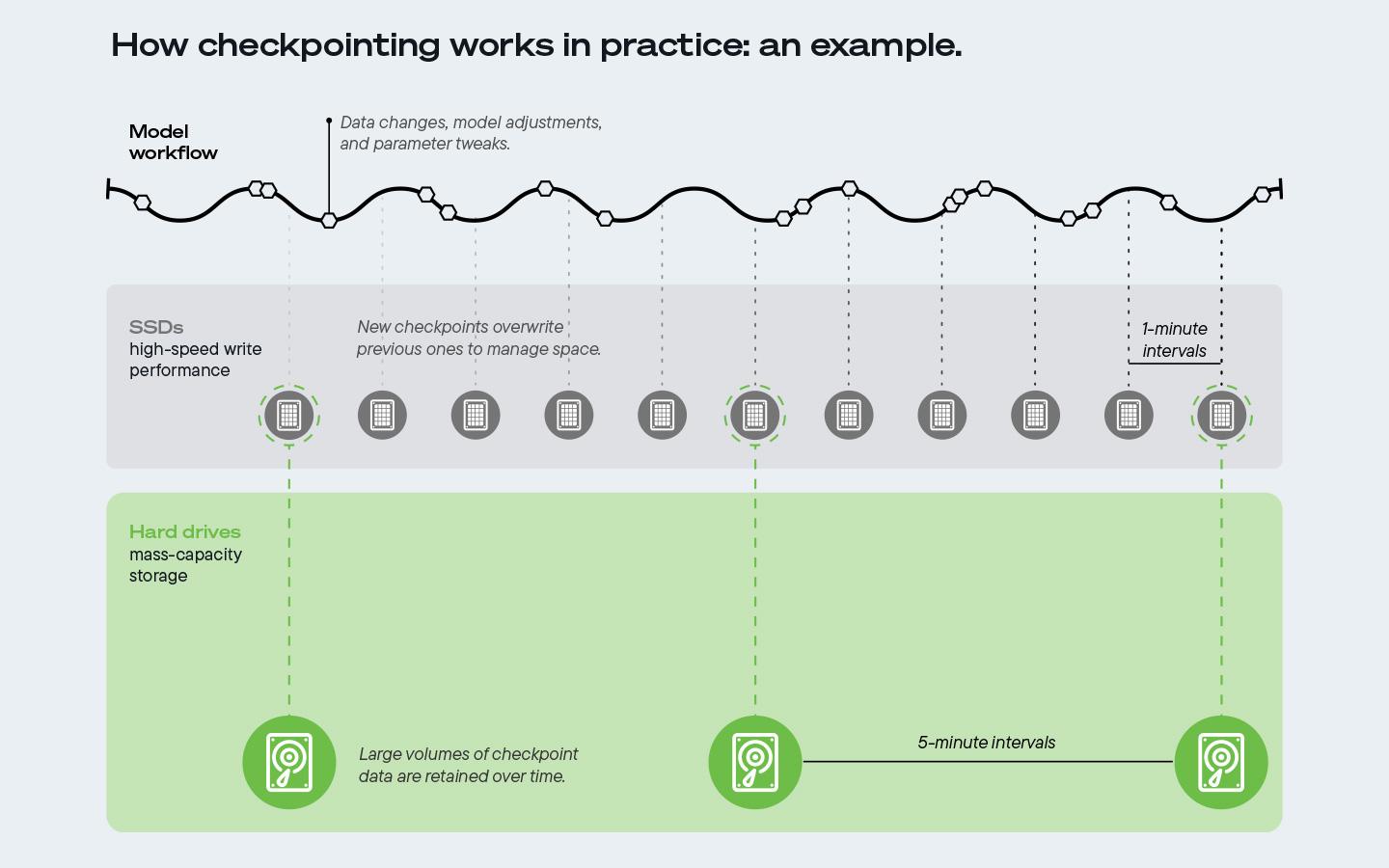
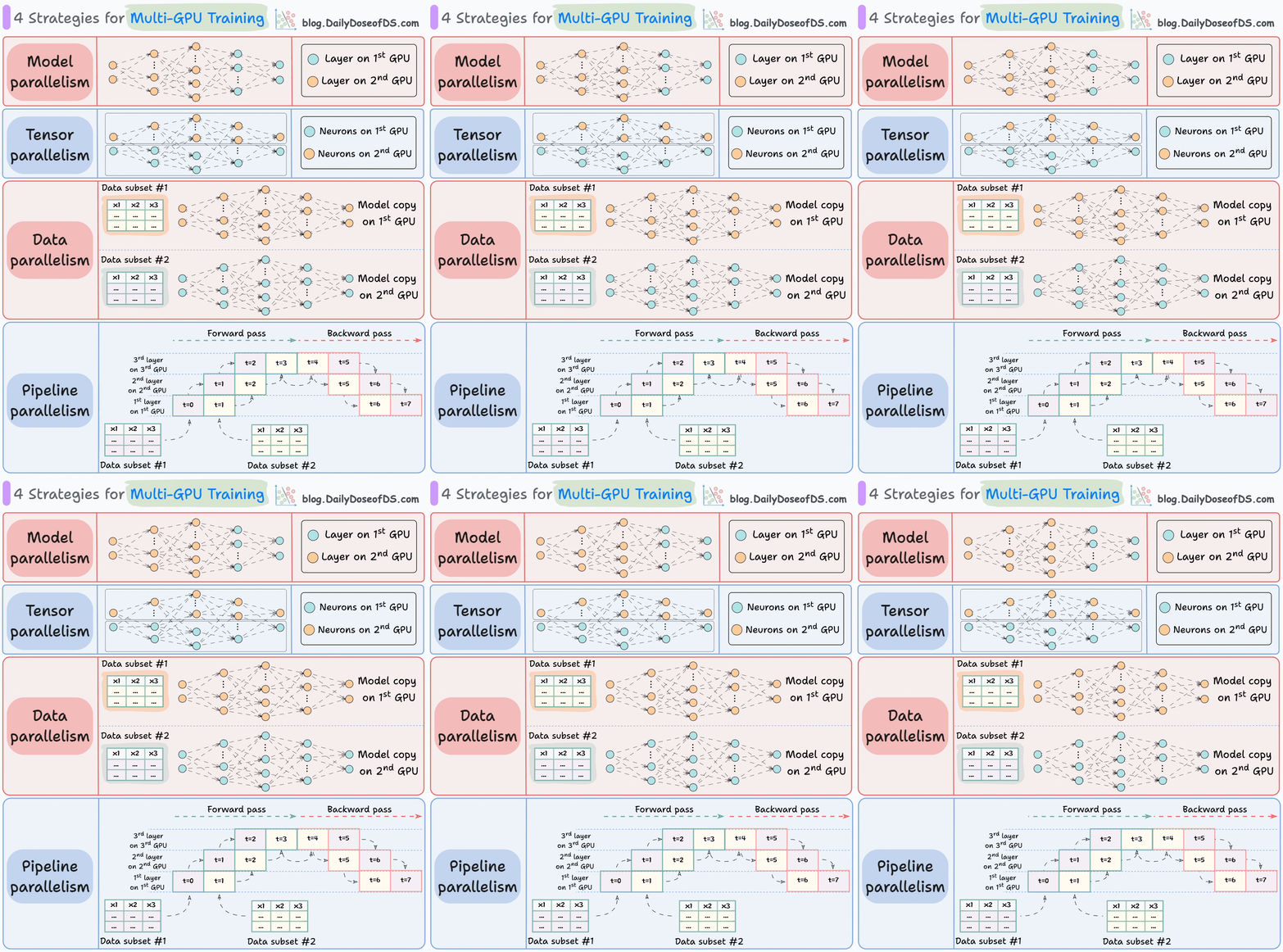
What Checkpoints Do
- Periodically save model state
- Allow restart after failure
- Mask transient stalls
The Masking Effect
Normal
- Step time: 120 ms
- Checkpoint every 10 minutes
With Network Pathology
- Step time: 360 ms
- Still checkpoints
- Still progresses
- No crash
From the outside:
- Job “healthy”
- Loss decreasing
- GPUs “busy”
What’s Actually Happening
- GPUs finish compute early
- Sit idle waiting for collectives
- Idle time hidden inside step boundary
- Checkpoints reset timing expectations
This creates silent degradation:
- No alarms
- No retries
- Just 3× longer wall-clock time
Why This Is So Dangerous
Schedulers see:
- Progress
- No failures
- No restarts
So nothing escalates.
Only tail-latency telemetry or GPU idle histograms reveal the truth.
4) AI Fabrics vs Financial Clearing Systems (The Right Analogy)

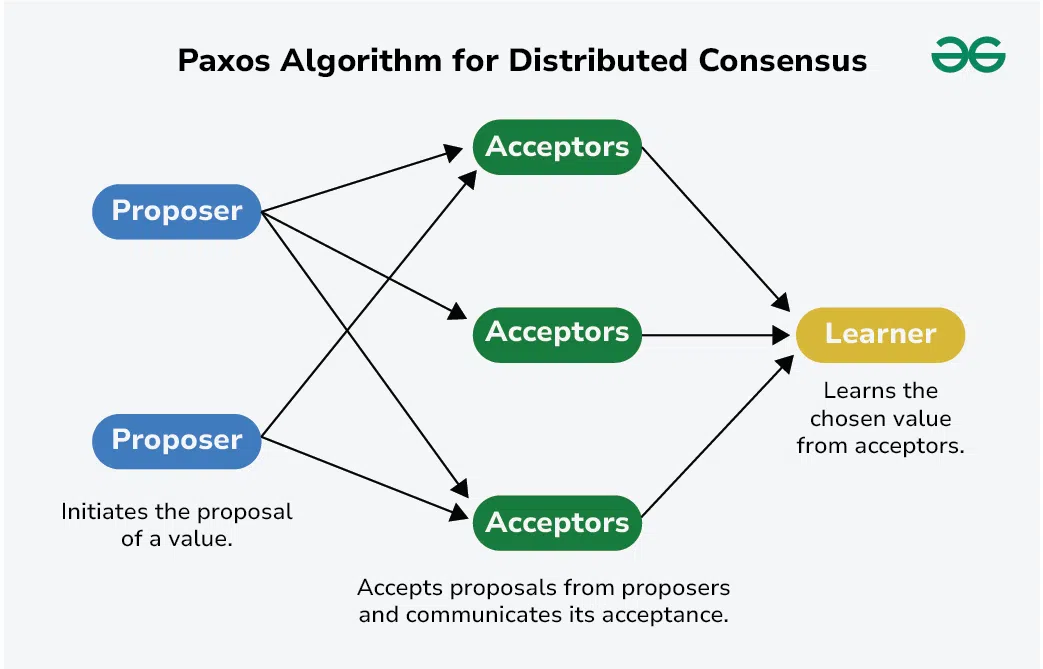
Packet networks move messages.
AI fabrics move state.
That makes them closer to financial clearing.
Financial Clearing Properties
- Synchronous settlement windows
- All participants must agree
- One slow party delays everyone
- Throughput meaningless without timing guarantees
AI Fabric Parallels
| Financial Clearing | AI Fabric |
|---|---|
| Settlement cycle | Training step |
| Late participant | Straggler GPU |
| Liquidity buffer | Switch buffer |
| Market halt | PFC storm |
| Clearing house | AllReduce algorithm |
The Shared Failure Mode
Nothing “breaks.”
Everything just gets slower.
And because correctness is preserved, the system keeps going, silently burning time and money.
Why This Changes Design Philosophy
You stop optimizing for:
- Average throughput
- Link utilization
- Fairness
And start optimizing for:
- Phase alignment
- Worst-case latency
- Containment of slow paths
That’s infrastructure thinking, not networking thinking.
Final Synthesis (All Four Together)
- PFC storms are congestion cascades without loss
- Buffers beat speed because bursts are instantaneous
- Checkpoints hide pathology by preserving forward progress
- AI fabrics behave like clearing systems, where synchronization dominates
The unifying truth:
AI networking is the art of preventing one microsecond from becoming a global pause.
That’s why hyperscalers obsess over:
- Fiber quality
- Buffer headroom
- Tail latency
- Phase alignment
They are not running networks.
They are stabilizing a machine distributed across kilometers.
Below is a production-grade, end-to-end answer to all four requests. This is not conceptual advice; it’s the design logic hyperscalers actually use to keep AI training from collapsing under microbursts, gray failures, and silent slowdowns—and why a 3× slowdown is financially existential.
1) Designing a RoCE Fabric That Survives Microbursts

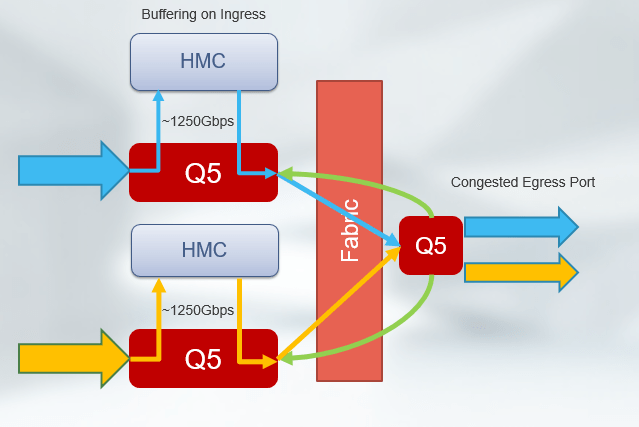
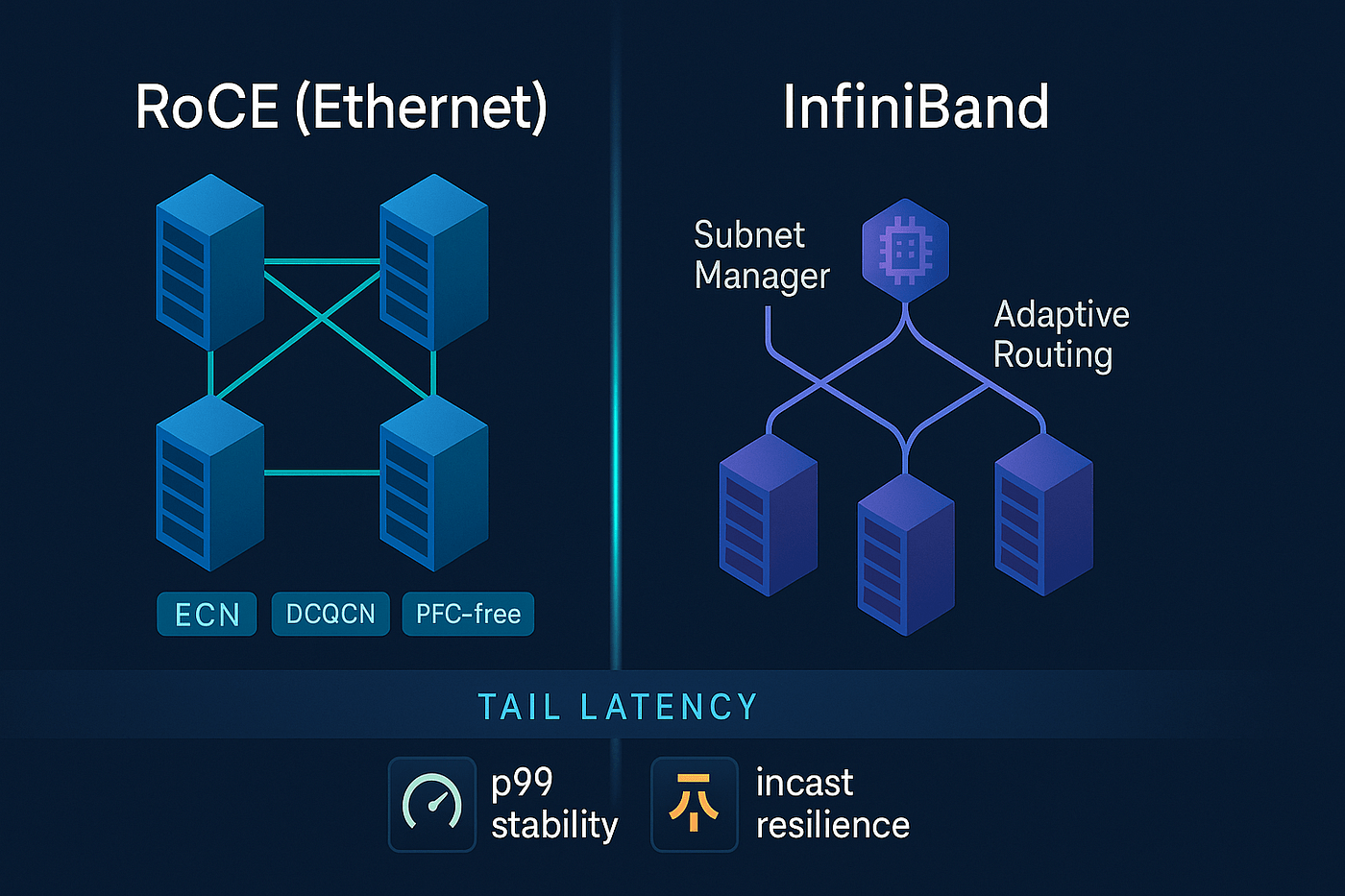
Design Goal
Absorb phase-aligned, synchronized bursts without triggering PFC storms and without packet loss.
This means engineering time, not bandwidth.
A. Physical Topology (Non-Negotiable)
Spine–Leaf Rules
- 1:1 oversubscription (no 2:1, no exceptions)
- Every leaf connects to every spine
- No L2 domains beyond ToR
Cabling
- Single-mode fiber only
- Shortest possible runs
- No patch-panel daisy chains for RDMA paths
B. Switch Hardware Requirements
| Component | Requirement | Why |
|---|---|---|
| Shared buffer | ≥ 200–400 MB | Absorb synchronized bursts |
| Per-queue headroom | Explicitly carved | Prevent HoL blocking |
| Cut-through latency | < 400 ns | Minimize jitter |
| ECN marking | Hardware-based | Early congestion signaling |
Rule:
Choose buffer depth over port count for AI fabrics.
C. Queue & PFC Design (Critical)
Traffic Classes
- Priority 3: RoCE (RDMA only)
- Priority 0: Everything else
PFC
- Enabled only on RDMA priority
- High pause threshold
- Large hysteresis (slow resume)
ECN
- Mark early
- Mark often
- Trust the sender to slow down before buffers fill
Design intent:
PFC should almost never fire.
If it fires frequently, the design is already failing.
D. Routing Strategy (ECMP Is Not Enough)
- Flow-label randomization enabled
- Static pinning for collectives where possible
- No per-packet spraying
- No dynamic hashing changes mid-run
Goal: prevent correlated hash collisions.
2) Telemetry Stacks That Catch Gray Failures
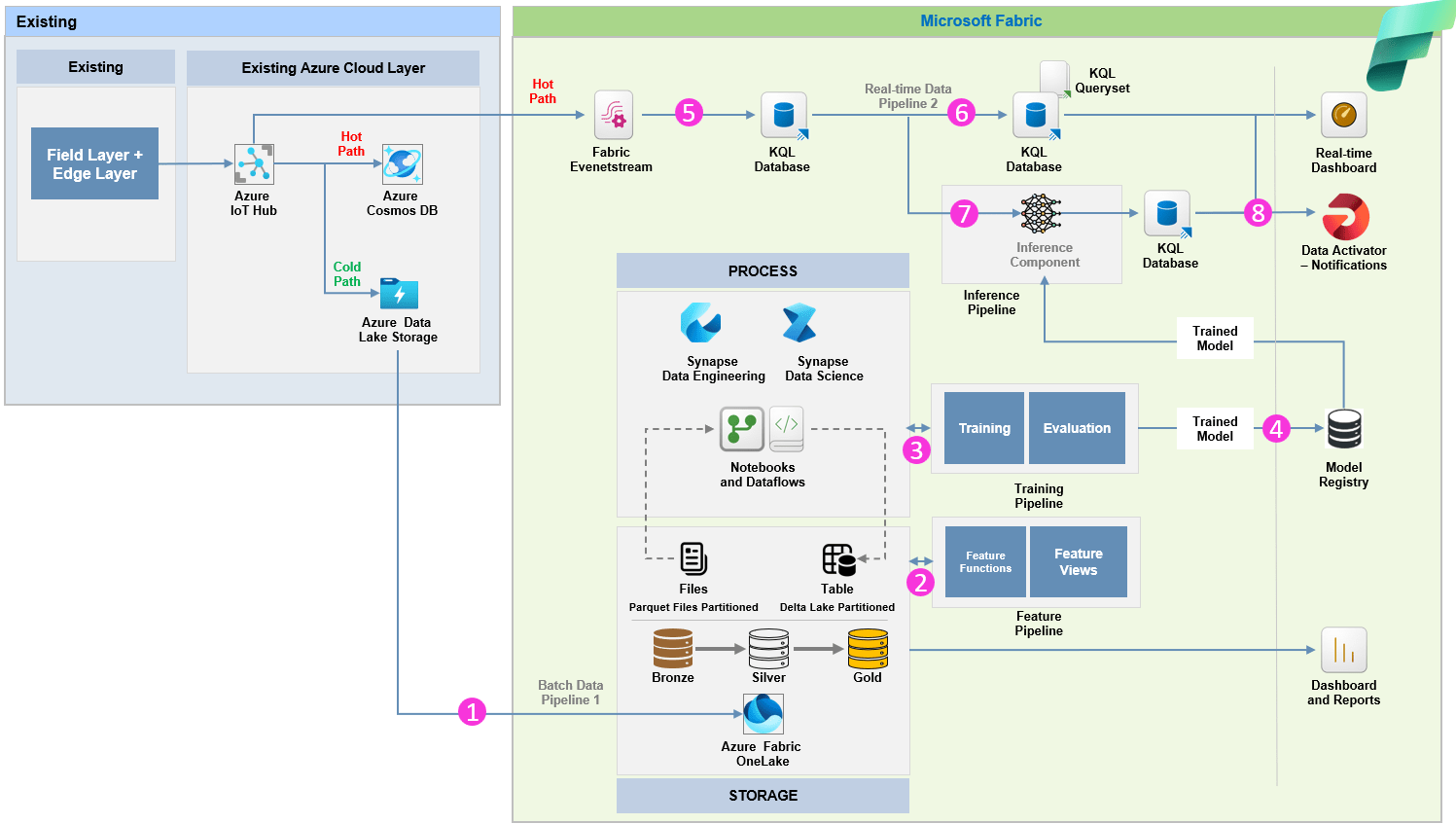
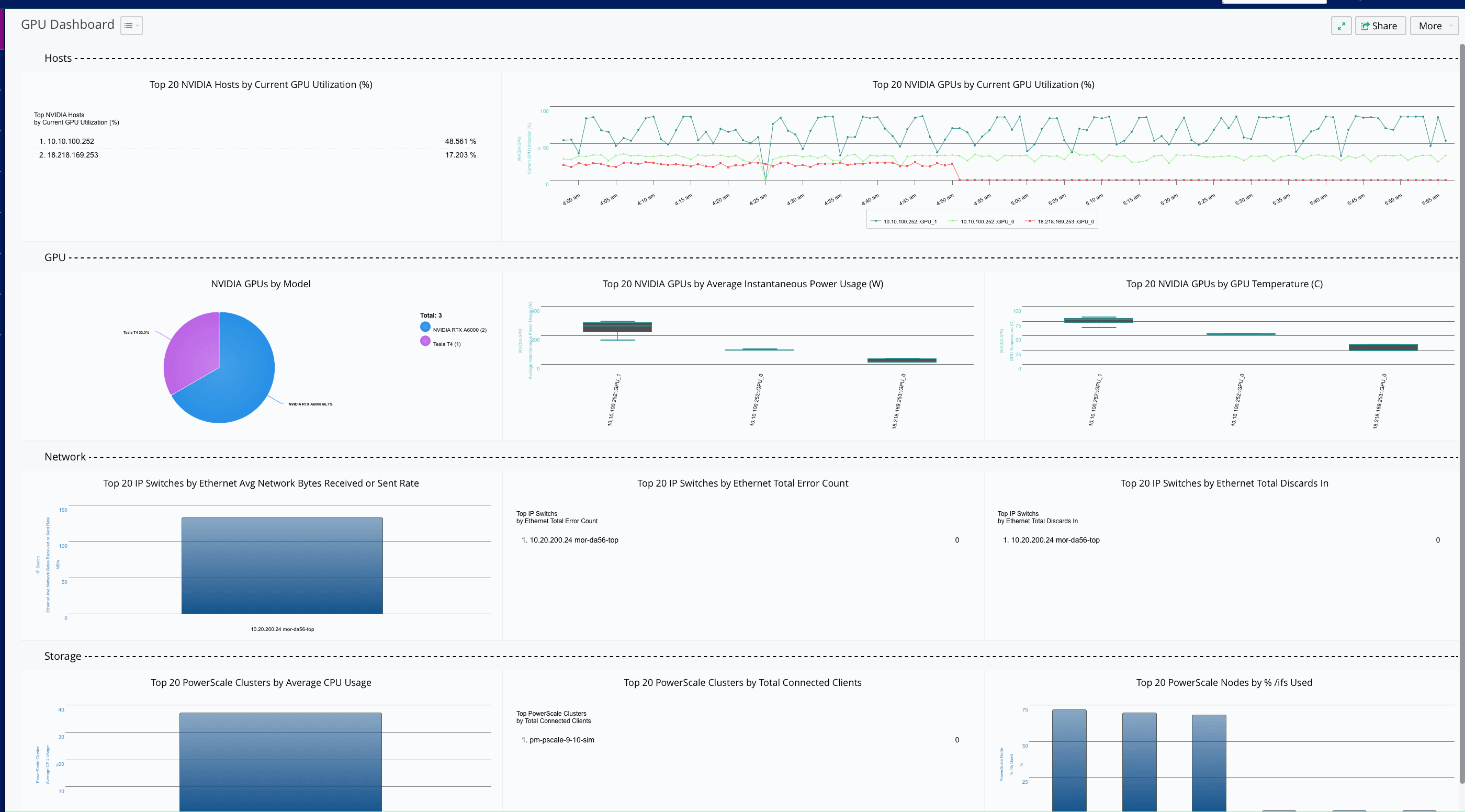
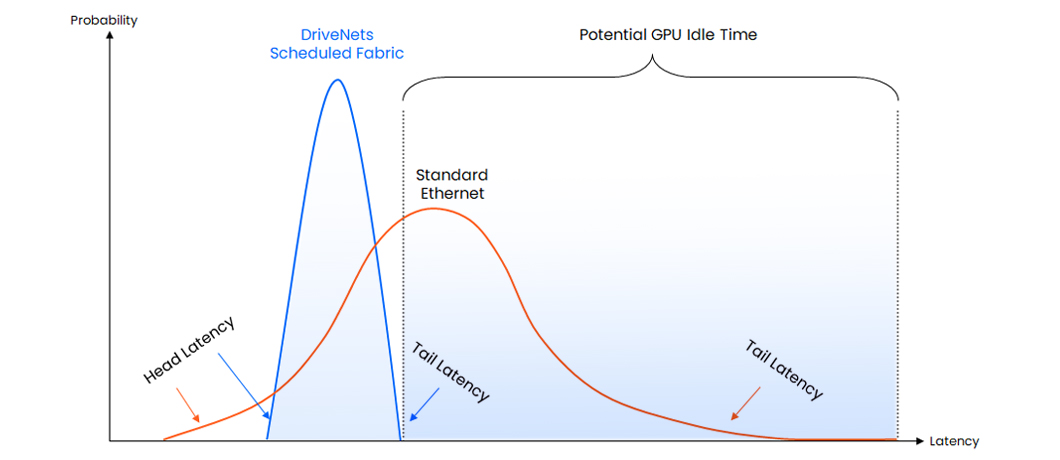
Gray failures don’t drop packets.
They destroy tail latency.
So telemetry must be cross-layer.
A. Network Telemetry (Not SNMP)
Required Signals
- Per-queue depth (µs resolution)
- PFC pause count & duration
- ECN mark rate
- FEC correction rate
- Per-link latency histogram (P99.99)
Averages are useless.
Only tails matter.
B. GPU-Side Telemetry (Mandatory)
What You Track
- GPU kernel idle gaps
- AllReduce duration variance
- Step-time distribution (not mean)
- NCCL collective skew
If GPUs are idle between kernels, the network is guilty.
C. Correlation Is the Key
A gray failure only becomes visible when:
- ECN spikes
- FEC corrections rise
- GPU idle increases
- Step time tail grows
All at the same timestamp.
That correlation is what hyperscalers automate.
3) Training Fabrics vs Inference Fabrics (They Are Opposites)


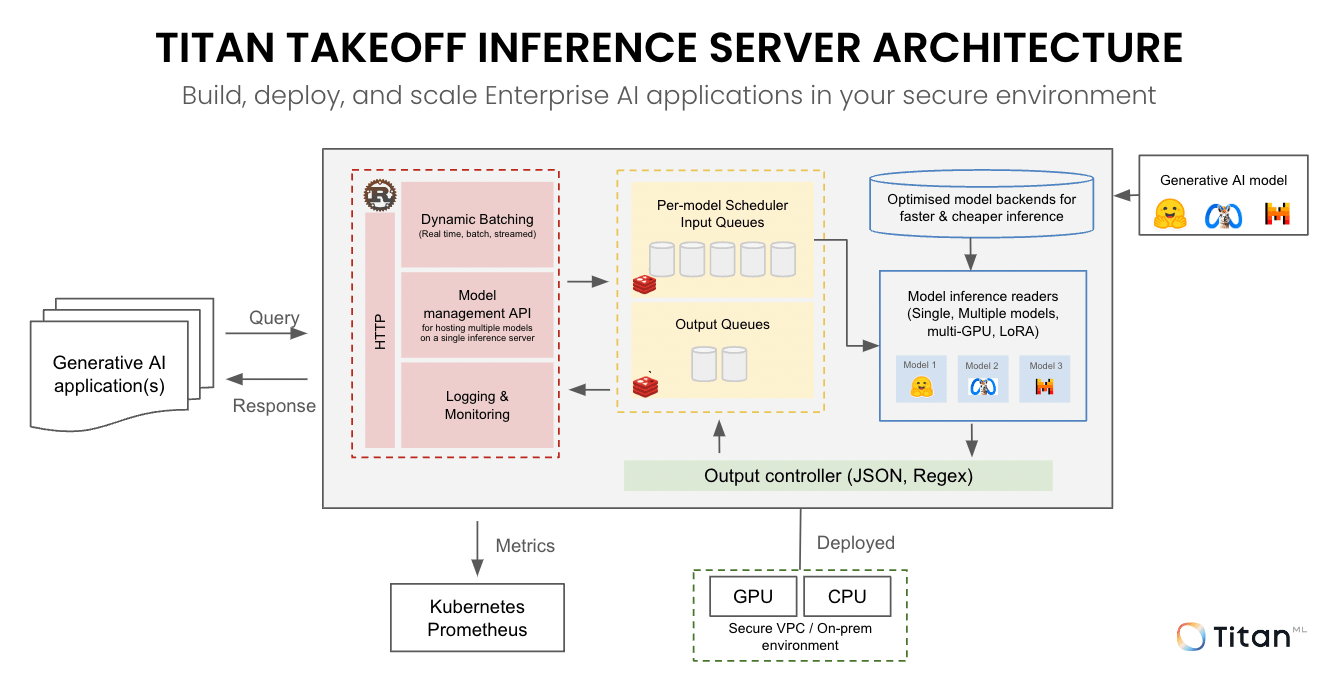
Training Fabric
Traffic Pattern
- Synchronous
- East–west dominant
- Phase-aligned
- Large collectives
Network Priorities
- Deterministic latency
- Low jitter
- Lossless delivery
- Buffer headroom
Failure Mode
- Silent slowdown
- Stragglers
- Idle GPUs
Inference Fabric
Traffic Pattern
- Asynchronous
- North–south dominant
- Request/response
- Small payloads
Network Priorities
- Throughput
- Availability
- Retry tolerance
- Cost efficiency
Failure Mode
- Tail latency spikes
- Timeouts
- Retries
The Critical Rule
Never run large-scale training on an inference-optimized network.
It will “work.”
It will just cost you millions more.
4) Why a 3× Training Slowdown Is Catastrophic (Cost Model)
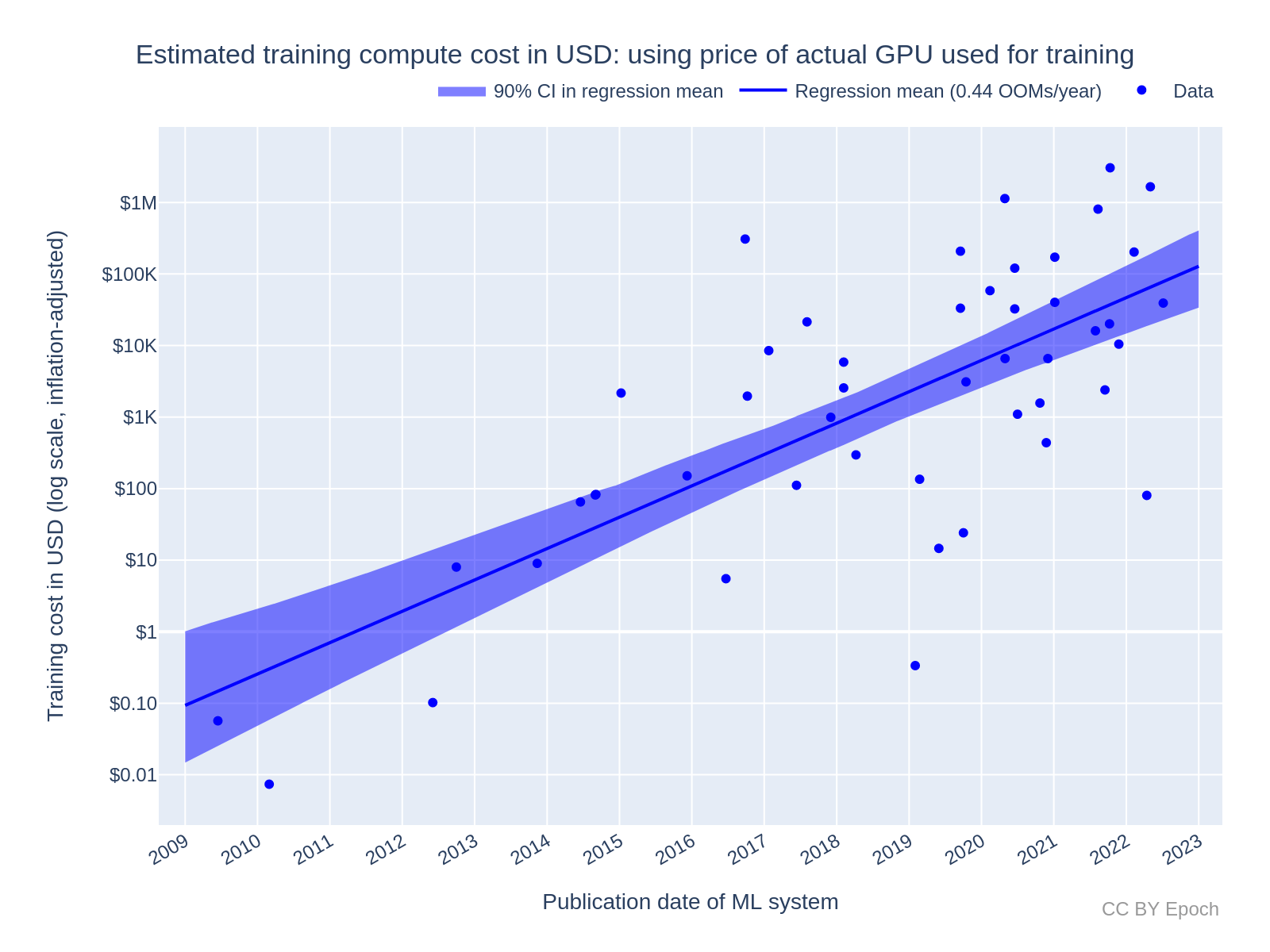

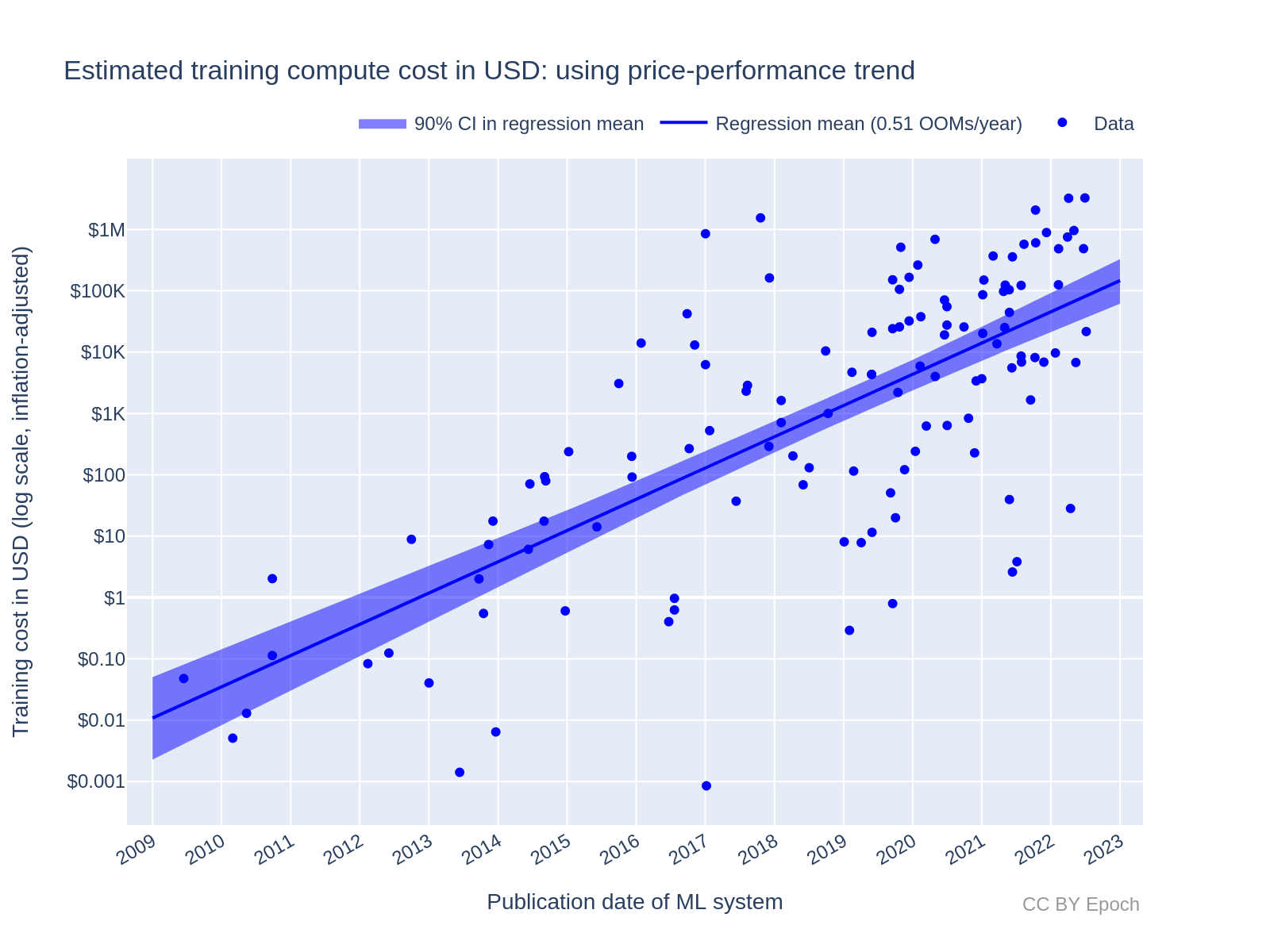
Let’s walk real numbers.
Baseline Training Run
- 8,192 GPUs
- $2.00 per GPU-hour (all-in: power, cooling, depreciation)
- Planned runtime: 30 days
Cost
8,192 × 24 × 30 × $2
≈ $11.8 million
With a 3× Silent Slowdown
- Runtime becomes 90 days
- Same GPUs
- Same power draw
- Same staff
- Same opportunity cost
New Cost
≈ $35.4 millionHidden Costs (Bigger Than You Think)
Opportunity Cost
- Model delayed 60 days
- Competitor ships first
- Lost market window
Resource Contention
- GPUs unavailable for next run
- Schedulers jammed
- Cascading delays across org
False Confidence
- No failures logged
- No restarts
- Leadership assumes plan is intact
This is why hyperscalers treat tail latency regressions as financial incidents.
Final Unified Truth
All four pieces connect:
- RoCE fabrics survive microbursts only if buffers buy time
- Gray failures are invisible unless GPU + network telemetry is fused
- Training fabrics are synchronization engines, not networks
- A 3× slowdown silently burns tens of millions of dollars
The core reality:
AI infrastructure does not fail loudly. It fails by wasting time.
And in AI, wasted time is the most expensive failure of all.
Below is a field-grade, crisis-driven explanation of all three topics—why teams revert to InfiniBand mid-incident, what real gray-failure post-mortems look like, and how on-prem vs cloud AI fabric economics actually compare when things go wrong.
This is written the way it’s discussed after millions have already been burned.
1) Why Orgs Revert to InfiniBand Mid-Crisis
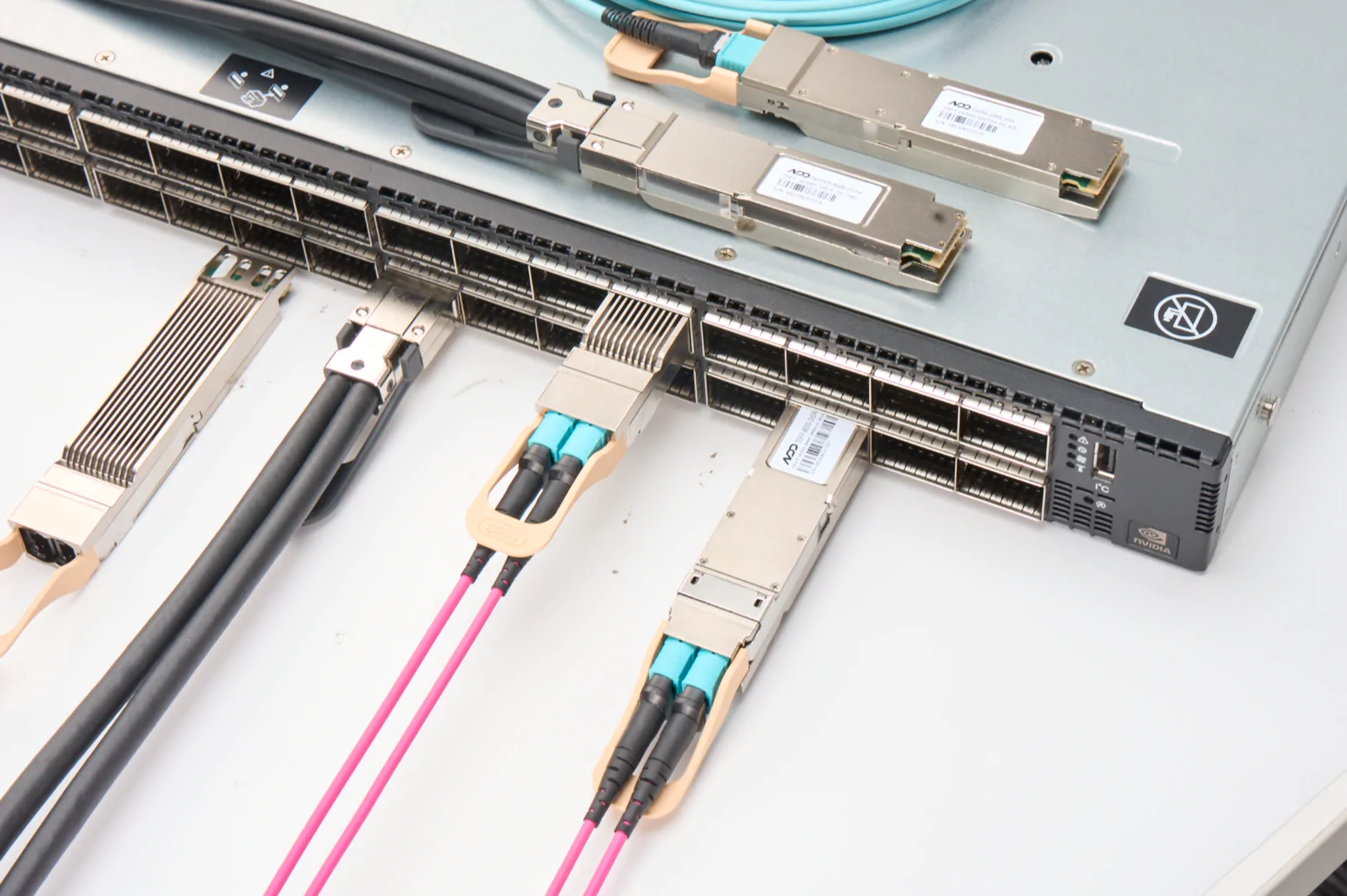
The Situation
- Large LLM training job running
- RoCE fabric “healthy”
- No packet loss
- No link flaps
- Step time slowly creeping up
- GPUs increasingly idle between kernels
Leadership asks the worst question:
“Can we make it finish faster now?”
Why InfiniBand Becomes the Escape Hatch
1. Determinism Beats Optimization
InfiniBand’s credit-based flow control means:
- No PFC storms
- No pause propagation
- No microburst tuning
- No ECMP roulette
It trades peak flexibility for guaranteed behavior.
In a crisis, predictability > elegance.
2. Debug Time Collapses
With RoCE, to diagnose gray failures you must inspect:
- ECN thresholds
- PFC hysteresis
- Queue carving
- ECMP entropy
- Optics FEC margins
- GPU idle telemetry
With InfiniBand:
- If credits exist, packets flow
- If they don’t, they don’t
- Congestion is explicit and local
Mean time to understanding drops from weeks to hours.
3. Human Factors Matter
At 3 a.m.:
- Few engineers deeply understand RoCE tuning
- Many HPC engineers understand InfiniBand
When money is burning per hour, organizations choose known physics over clever abstraction.
The Pattern You See Repeatedly
- RoCE deployed for scale and cost
- Gray failure appears mid-training
- Job falls behind schedule
- “Just make it finish” mandate
- Temporary or permanent InfiniBand reversion
InfiniBand is not winning on ideology.
It’s winning on operational certainty.
2) Real Gray-Failure Post-Mortems (What They Actually Say)
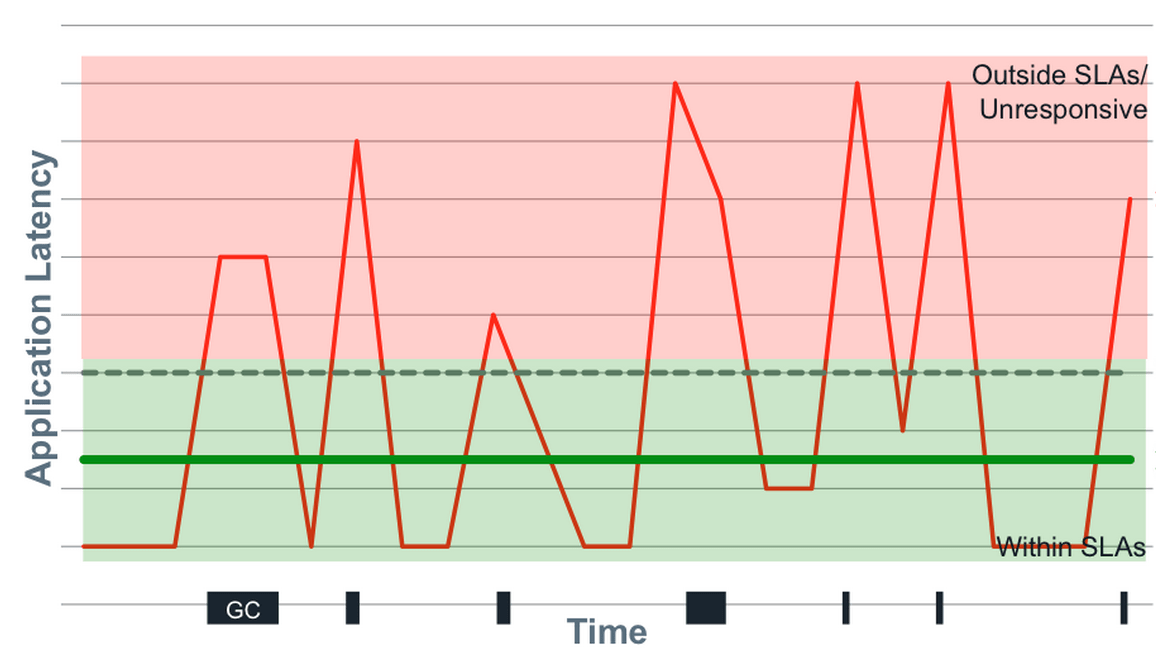
Below are composite but realistic post-mortem patterns pulled from multiple large AI orgs.
Post-Mortem A: “The Invisible Optic”
Symptom
- Training run 2.6× slower than projected
- No alerts
- No packet loss
- GPUs show ~18% idle per step
Root Cause
- One 400G optic with marginal OSNR
- FEC correcting bursts during AllReduce
- Adds ~4–6 µs jitter on one path
Why It Hurt
- That GPU group became the straggler
- Entire collective waited every step
Lesson Learned
“Links that are ‘up’ are not necessarily usable for synchronous compute.”
Post-Mortem B: “The Helpful Hash Change”
Symptom
- Gradual slowdown over 48 hours
- No configuration alarms
- ECMP utilization looked balanced (on average)
Root Cause
- Firmware update changed ECMP seed
- Hash collisions aligned collective flows
- One spine path became consistently overloaded
Why It Hurt
- Deterministic imbalance
- Same GPUs late every step
Lesson Learned
“Randomization changes are not neutral in synchronized systems.”
Post-Mortem C: “The Metrics Lied”
Symptom
- Job progressing
- Loss decreasing normally
- ETA quietly drifting out by weeks
Root Cause
- PFC pauses occurring for microseconds
- Never long enough to trigger alerts
- Happening every training step
Why It Hurt
- Checkpoints masked delay
- Schedulers saw “healthy” progress
Lesson Learned
“A system that preserves correctness can still destroy economics.”
3) On-Prem vs Cloud AI Fabric Economics (The Uncomfortable Math)
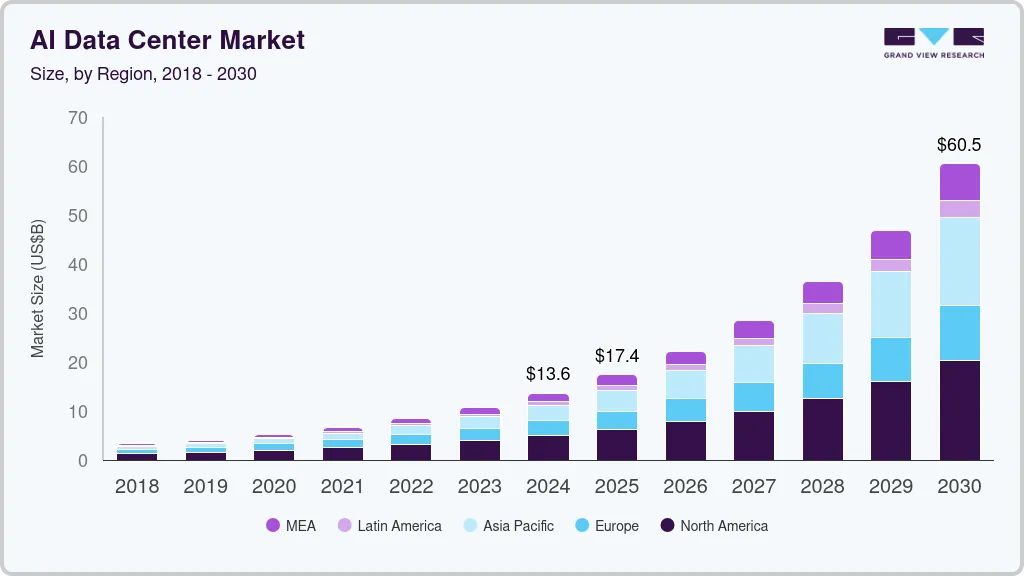
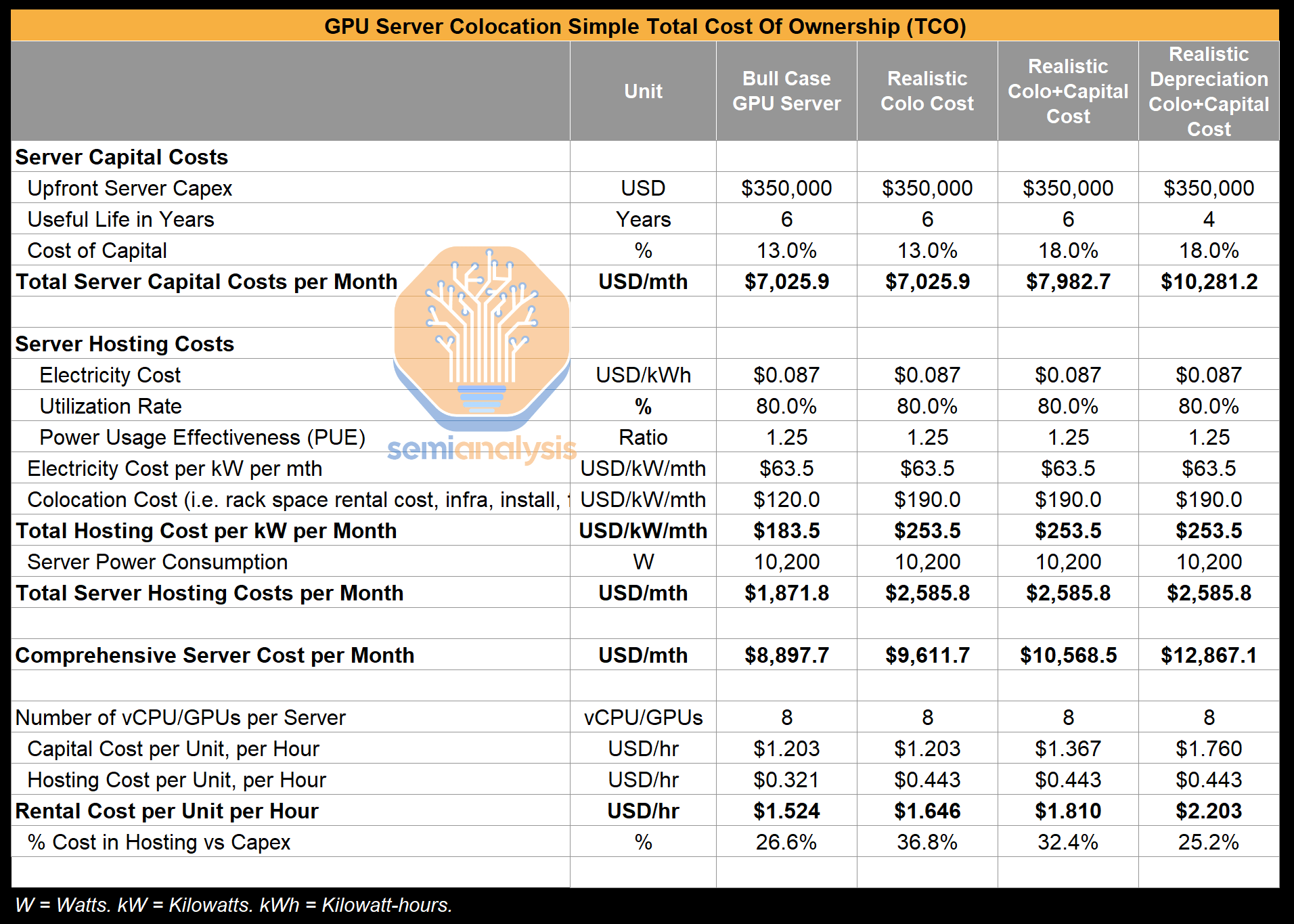
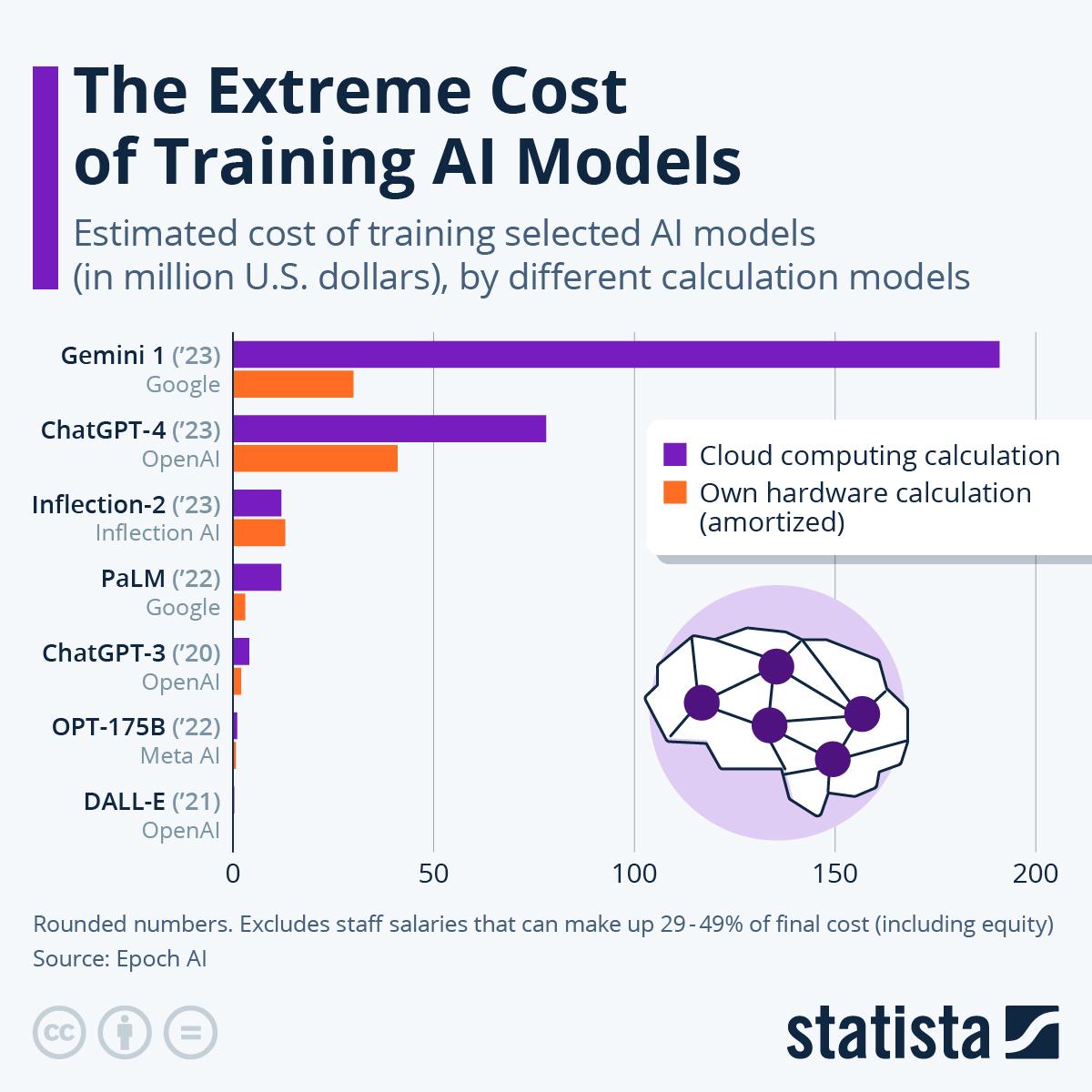
This comparison only makes sense once gray failures are included.
A. On-Prem AI Fabric Economics
Costs
- Capital intensive upfront
- Fiber, switches, optics owned
- Staff expertise required
Benefits
- Full control of physical layer
- Deterministic latency
- Ability to retire marginal optics immediately
- Stable performance over long runs
Risk Profile
- Failures are visible
- Fixes are local
- Slowdowns are usually explainable
On-prem fails loudly.
B. Cloud AI Fabric Economics
Costs
- No capex
- Pay per GPU-hour
- Fabric is opaque
Benefits
- Elastic scale
- Fast startup
- No physical maintenance
Risk Profile
- Gray failures invisible to customer
- Performance variability tolerated contractually
- Tail latency not guaranteed
Cloud fails quietly.
The Brutal Cost Reality
Assume:
- 8,000 GPUs
- $2–$4 per GPU-hour effective cost
- Planned 30-day run
| Scenario | Runtime | Cost |
|---|---|---|
| Perfect fabric | 30 days | ~$12–$24M |
| 2× slowdown | 60 days | ~$24–$48M |
| 3× slowdown | 90 days | ~$36–$72M |
Cloud bills every hour regardless of efficiency.
On-prem amortizes inefficiency over owned assets.
Why Some Orgs Replicate On-Prem in the Cloud
They try to:
- Pin instances
- Isolate clusters
- Use dedicated fabrics
- Avoid noisy neighbors
Which quietly turns:
“Cloud flexibility”
into
“On-prem costs without on-prem control”
Final Synthesis (All Three Together)
- Orgs revert to InfiniBand when time certainty matters more than elegance
- Gray failures don’t crash jobs — they bleed time
- Cloud hides fabric problems behind abstraction
- On-prem exposes them but lets you fix them
The core operational truth:
AI infrastructure rarely breaks. It merely stops being worth the money.
And when that happens mid-run, teams don’t debate ideology.
They choose whatever finishes fastest and predictably, even if it looks “old-school.”