AI models are capable of amazing creativity, but that creativity gets stifled by how they’re trained. Large language models are next-token predictors: at each step, they look at a sequence of text and predict what comes next based on millions of examples. The results may be rated by humans, and those ratings fed back into the model. This teaches the model to make consistent, safe choices that fit everyone’s preferences.
This makes typical LLMs great at most tasks but poor designers. To create a design, an LLM has to build it out token by token. Whenever it needs to make a design decision—what colors to use, or how to arrange elements—the model fills in the tokens it thinks are most likely to please everyone. As a result, the design usually ends up being repetitive and bland. It’s like the ultimate case of design-by-committee.
Great design, on the other hand, starts with feeling and aims to create an emotional response. It bends the rules and delights users with memorable, unexpected choices. Great design is exactly the opposite of what an LLM does naturally, which is to make the most predictable choice at every step.
…
Loosely inspired by the Double Diamond design process, I’ve reimagined the design process for a team of AI agents instead of human designers:
Discover new ideas beyond the average slop by exploring a variety of directions and creating bold, ambitious design briefs.
Define an individual design identity by pushing AI beyond its familiar patterns and chaining models together to fully realize the design’s potential.
Deliver a stunning final result by polishing away the sloppy rough edges and focusing on the key elements.
The idea here is to get the model to find a new source of inspiration for designs, rather than relying on the defaults it learned from training.
…
The problem is that the model can’t inherently act randomly. It can only predict the most likely token. If we want variety, we have to bring it from outside the model. One technique for this is String Seed of Thought, published by Sakana AI. We make the AI generate a random string and use it as design inspiration. That way, the model is truly making different decisions each time.
Prompt:
I want you to build me a landing page for my productivity app.
Follow this procedure:
Generate a long, random alphanumeric string using a shell script.
Define the creative direction (color scheme, layout, typography, etc.) based on the string. Look beyond the surface for subpatterns, special numbers, anything that inspires you.
Use your judgment to bring this direction to life and make it look great.
Don’t reveal the string in the design. It’s only for your inspiration.
Suddenly the outputs are much more varied! Now we’re seeing different color schemes, fonts, and new ideas. The previous designs were ones that any Claude user could get. These designs are one-of-a-kind; no two runs ever produce the same result.
Technique 2: Be much more ambitious with your prompts
Another approach to giving a model a strong push is to get more specific and wild with your prompts. This gives the model a clear vision to base its decisions on, rather than letting it make them up on the fly. The best way to find a unique idea is by bringing your own taste into the equation. You first imagine the inspiration—a video game, an interior design trend, an art installation—and describe how you’d like that inspiration to influence the AI’s outputs.
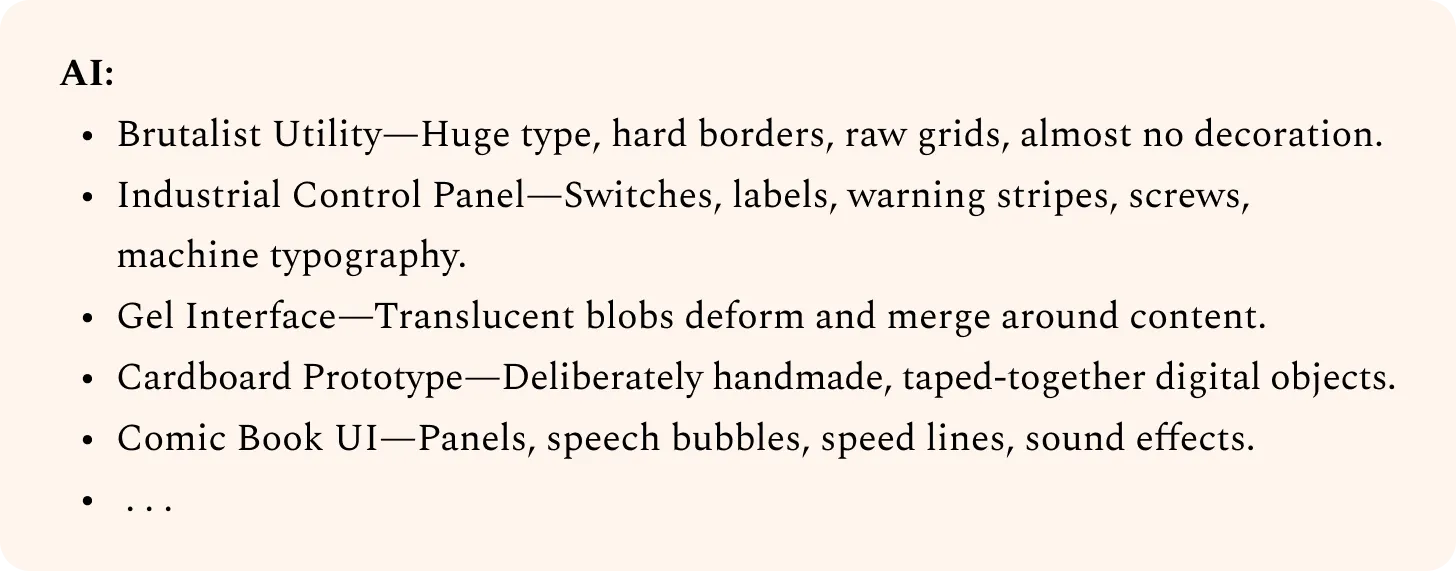
Here’s a system I use to find unique prompt ideas with AI:
1. Ask AI to list a bunch of ideas, intentionally lacking detail. The goal is just to inspire your imagination.
I want to come up with a bold, unique design language for my product. Can you list as many ideas as you can, with short, high-level descriptions? Go broad, not deep.
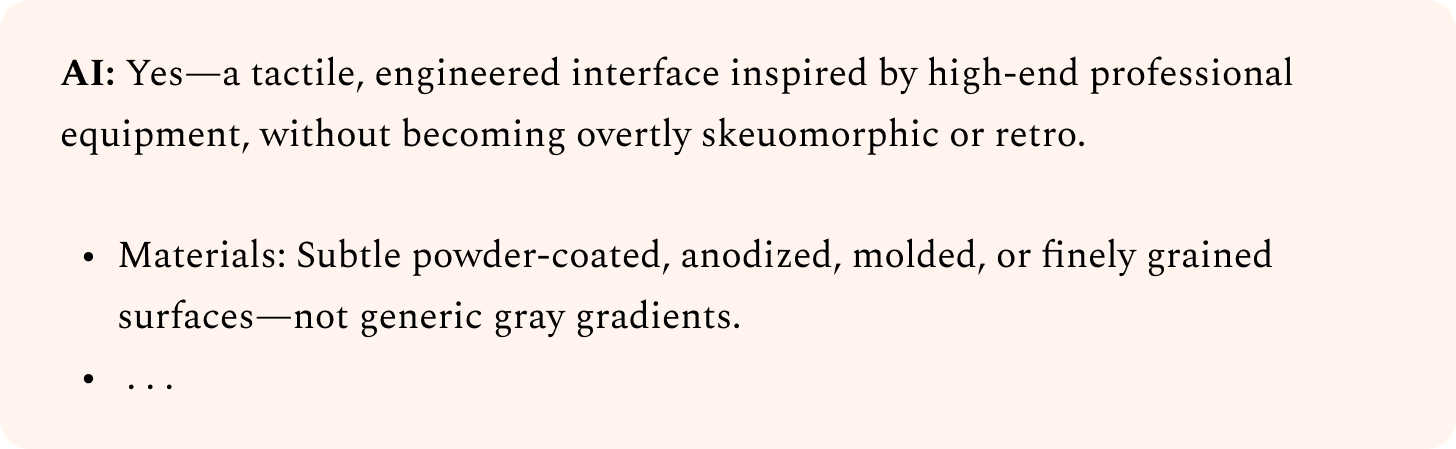
2. Visualize your favorites and note how you react to different directions. Then ask AI to refine them.
Initially I pictured something cartoony or skeuomorphic, but this feels tacky to me. Avoid that.
Instead, want consistent components and little touches that land this look without going overboard.
Gray gradients would look boring. Need more texture. Maybe we can incorporate some color, while retaining the control panel feel?
Can you sharpen this one based on my tastes?
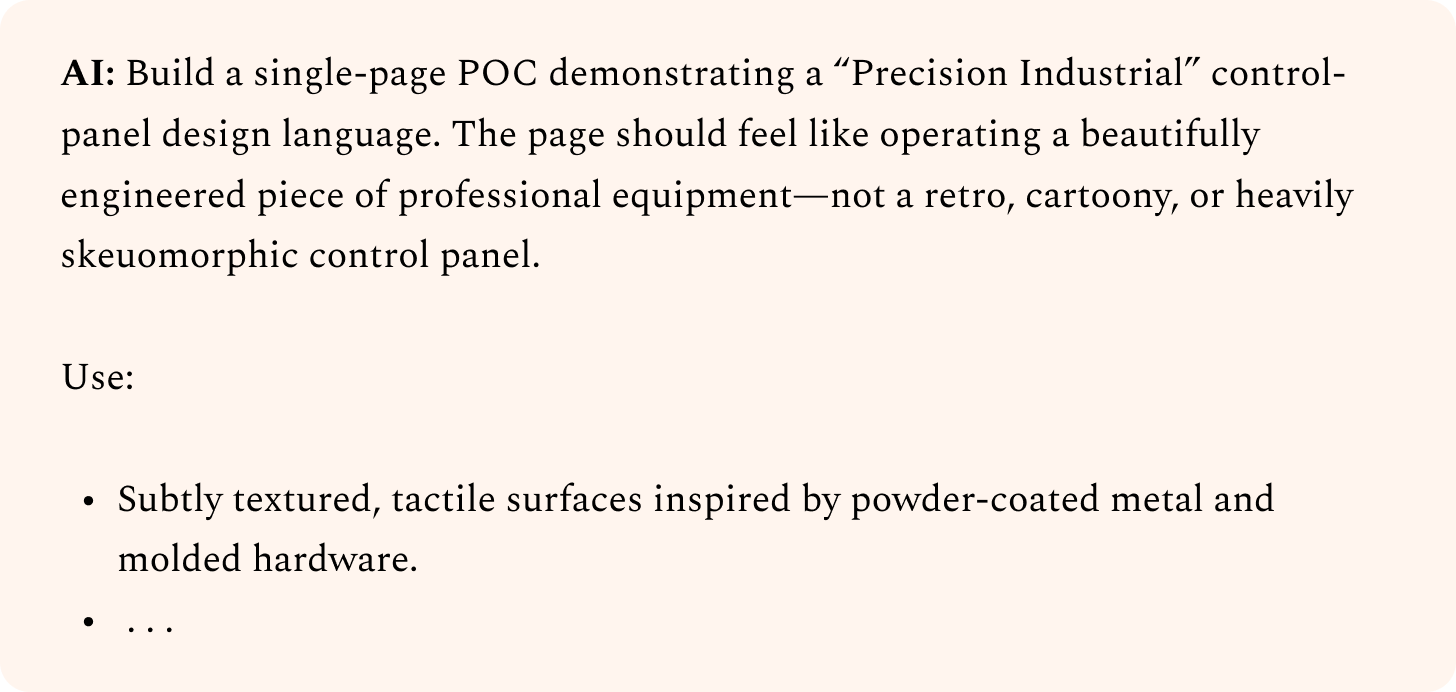
3. Iterate until you’re satisfied, then ask AI to write the prompt to build it.
Can you write a concise prompt that an AI agent could use to build an initial POC page with this?
If you just paste AI-generated ideas back into AI, it’s hard to get something unique. After all, anyone else could have done the same thing. However, when you actively steer the design direction, you end up with something only you could have created.
Don’t be afraid to try ideas that sound terrible. If you find yourself thinking, “There’s no way this will work,” you’re on the right track. Often, your agent will surprise you, and you’ll realize you were underestimating it. If not, just throw away those results and try something else. But save the prompts that don’t work, and test them again when newer models come out. That way, you’ll know you’re taking full advantage of what the latest models can do.
…
Technique 3: Create positive feedback loops with subagents
We need to iterate on our designs to improve them. But simply asking our agent to look at the design and improve it won’t work, because the agent isn’t objective: it reviews its own code, past decisions, and previous rationale. AI can’t easily zoom out, look at the big picture, and “think different.”
To solve this, instead of letting the coding agent decide when the design is good enough, have it ask another agent—a “design critic.” The critic’s job is to look at screenshots of the current design and provide feedback. It doesn’t care how the current design is implemented or how much effort went into it, only if it actually hits the quality bar.
…
I want you to improve this design. To figure out what to focus on, use a Fable 5 subagent as a design critic.
Follow this procedure at each iteration:
Capture a screenshot of the current design
Invoke the critic in a fresh context, with just the screenshot, not the code, implementation details, or earlier iterations/critiques
Ask it to evaluate the aesthetic that the design is going for, imagine how a top design studio would execute this aesthetic, then outline the biggest gaps
Lastly, it should provide a score out of 10 indicating how close the current design is to that studio-level quality bar
Provide this guidance to the critic in its prompt:
It should think high-level about the overall structure and composition as well as look at the fine details
It should watch out for patterns that feel overdone, excessive, or otherwise obviously AI-generated, and penalize them
It should provide tight, specific feedback, not vague prose
It should be bold and opinionated, not rely on what’s safe or easy
Your work is only complete when the critic independently deems it 9/10 or higher. Do not put that criterion in the critic prompt; keep it objective in its scoring. Use the same critic prompt each time.
The way you set these loops up matters a lot. Here are some tips:
Make sure the criteria for the critic are as clear and objective as possible.
Bad: “Judge if our design looks beautiful, not AI-generated.” This is too subjective, and the results will vary wildly from run to run.
OK: “Review the aesthetic we’re going for, visualize how a top design studio would execute it, then judge our design’s quality against that bar.” The prompt is still mushy, but it provides a consistent framework and quality bar.
Great: “Here are 5 designs: 4 professional examples and 1 screenshot of our product. Rank them by polish and taste level.” This instruction is concrete and objective, and gives a visual baseline for judgment.
Provide example images to demonstrate the target quality bar. You can use comparable screenshots or designs you like, or even AI-generated concept art. Instruct the critic to treat these as a baseline or a moodboard, not a target. You don’t want it to copy other designs outright.
Set the stopping criteria carefully. Otherwise, the critic may never consider the design good enough, and your agent will helplessly burn tokens trying to please it. Prompt it to do one or two iterations first, and see if it’s converging before adding more.
Choose the right model for each job. Consider bigger models for the critic role, since more parameters generally translate to better design sense and a wider distribution of ideas. Small models can be effective as the implementer, but don’t go too small. You still need a model that’s capable of executing a design direction well.
…
Technique 6: Cut out elements that don’t add value
AI loves to add more, but it rarely takes away. One of the biggest signs that a design is AI-generated is that it overexplains everything or contains elements that don’t serve any practical purpose. By contrast, a design that exercises restraint immediately looks premium and tasteful.